YouTube Create Video doesn't work
Status: Closed · Asked by Real Estate Integrate Inc. St. Hilaire on · 0 views
I received an email that there was now a feature to be able to upload videos to YouTube. I've tried it and it doesn't work. The upload video shows no errors and after 20 minutes no video has been uploaded to my YouTube account. Then when I run the Get Video Upload Status on the response ID it says "Done: 1". Please look at the attached images. Why doesn't this actually work? Can you please fix it?
Attachments
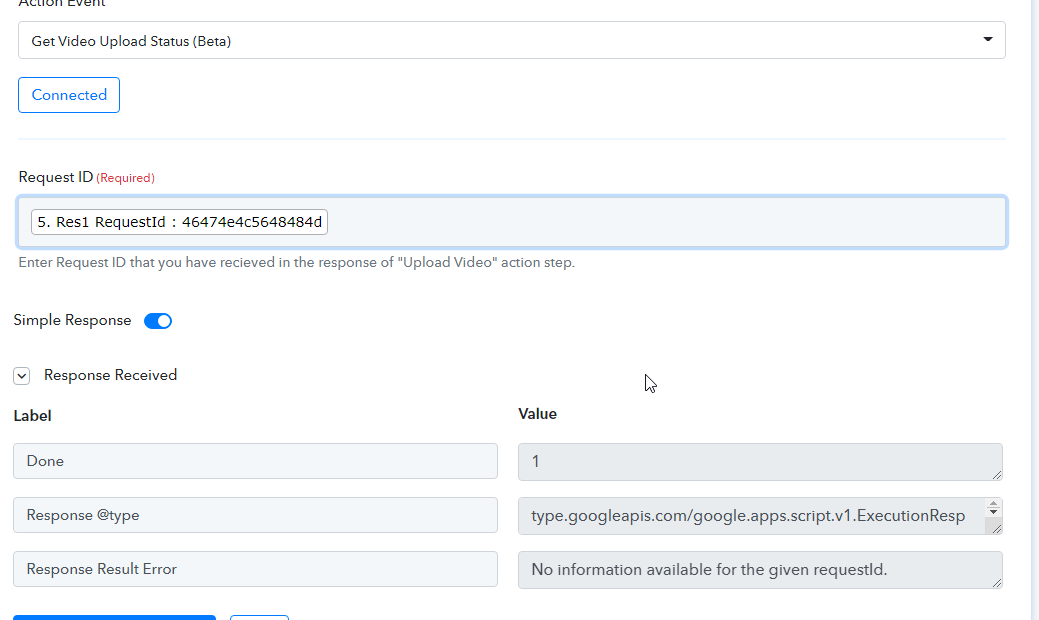
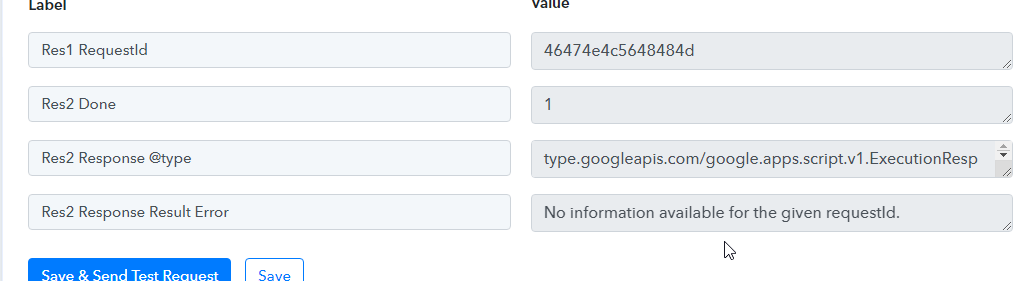
I received an email that there was now a feature to be able to upload videos to YouTube. I've tried it and it doesn't work. The upload video shows no errors and after 20 minutes no video has been uploaded to my YouTube account. Then when I run the Get Video Upload Status on the response ID it says "Done: 1". Please look at the attached images. Why doesn't this actually work? Can you please fix it?
Please share the name of workflow so that we can review the setup you're doing.
I've made a test workflow called "Test YouTube Upload Video" since it doesn't work in context of my active workflows. It also doesn't seems to work here on its own workflow.
I've made a test workflow called "Test YouTube Upload Video" since it doesn't work in context of my active workflows. It also doesn't seems to work here on its own workflow.
Thanks for the information. We are looking into your issue and will update you in a while. Please don't delete that workflow in the meantime.
How' is this looking?
How' is this looking?
Because of Category ID, it was creating an error. We have made that field as required and its working fine -
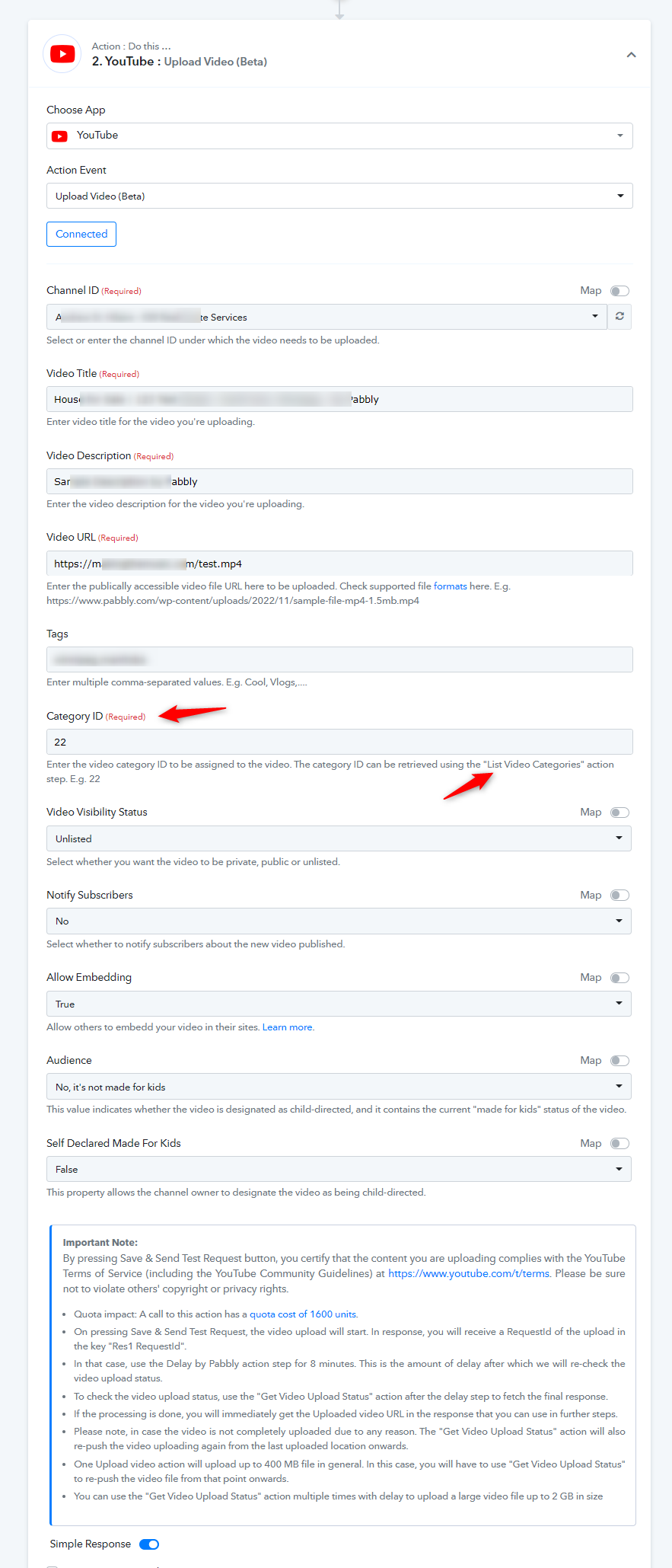
Please try uploading video now and let us know if its working as expected.
Worked for test workflow so I deleted that workflow and am now trying in my actual workflow called "Make YouTube Video & Add to Listing (30 minutes)". Doesn't work in Step 96. Seems to be multiple issues happening with certain required characters such as single and double quotes not being handled properly as well as some issue with file size well within the limits but the response says the file is too large. Please fix this to work properly. 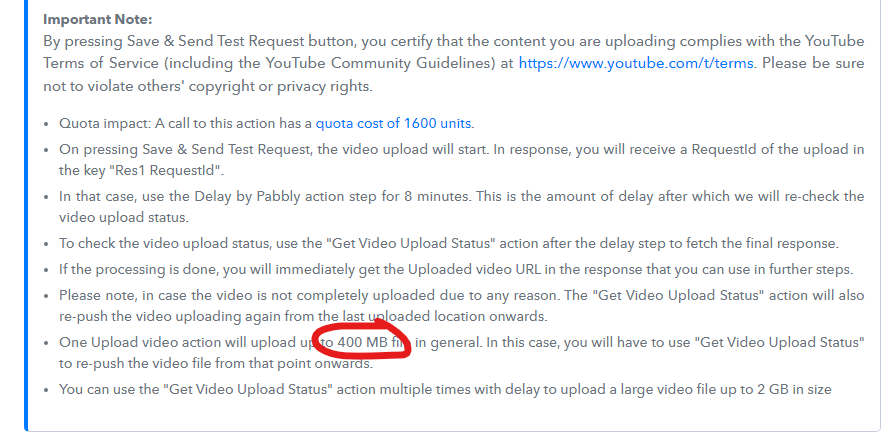
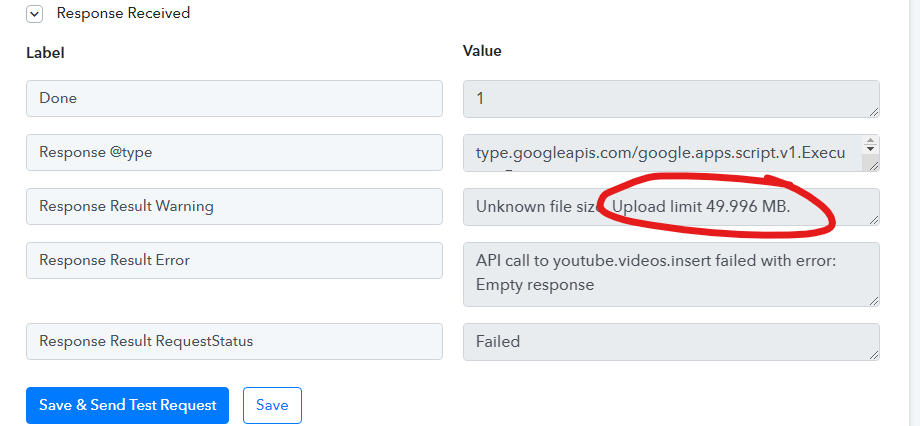
Please allow some time to check on this. The error seems to be associated with the file format. We shall have an update for you on this soon.
I am putting my workflow back to a working system I had in place but I will be waiting for this to be fixed so I can do away with the other system and use only Pabbly's API for YouTube upload.
I've been uploading these exact rendered videos to YouTube with my own custom API but I'd prefer to use the built in feature in Pabbly to reduce all the 3rd party stuff I'm running. YouTube and my own API have no issue with the format of the videos and the format is a supported video file type. I'm surprised to hear you say it's the file format since that doesn't seem to be the issue based on my current system.
I've been uploading these exact rendered videos to YouTube with my own custom API but I'd prefer to use the built in feature in Pabbly to reduce all the 3rd party stuff I'm running. YouTube and my own API have no issue with the format of the videos and the format is a supported video file type. I'm surprised to hear you say it's the file format since that doesn't seem to be the issue based on my current system.
It's actually associated with the content length.
File URL should always send the Content-Length otherwise the YouTube action will only allow you to upload files up to 50 MB in size, and you will receive the warning message "Unknown file size. Upload limit 49.996 MB" in the response.
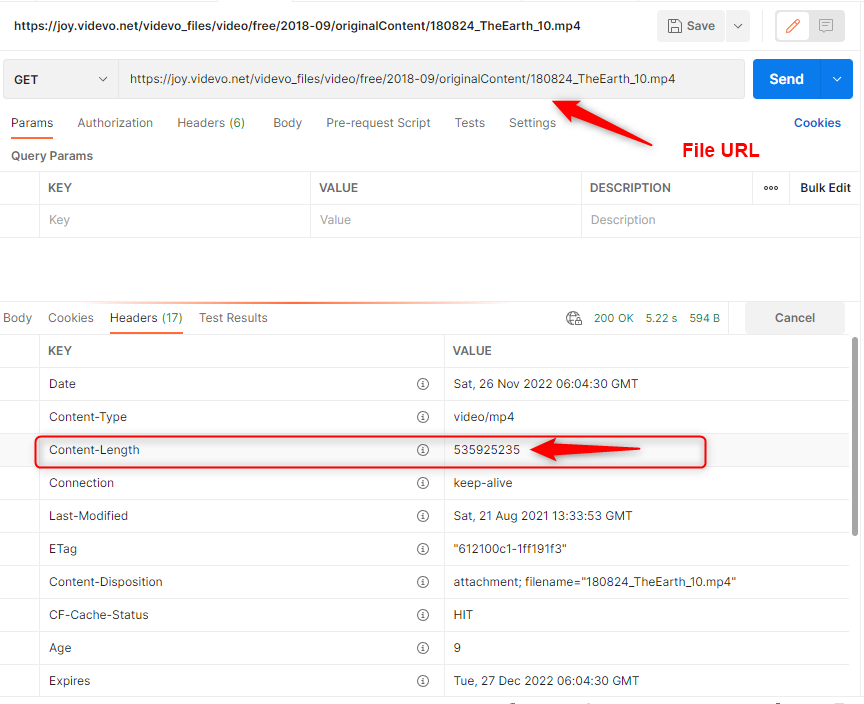
It's actually associated with the content length.File URL should always send the Content-Length otherwise the YouTube action will only allow you to upload files up to 50 MB in size, and you will receive the warning message "Unknown file size. Upload limit 49.996 MB" in the response.
Video URL is providing video length. See attached image.
Attachments
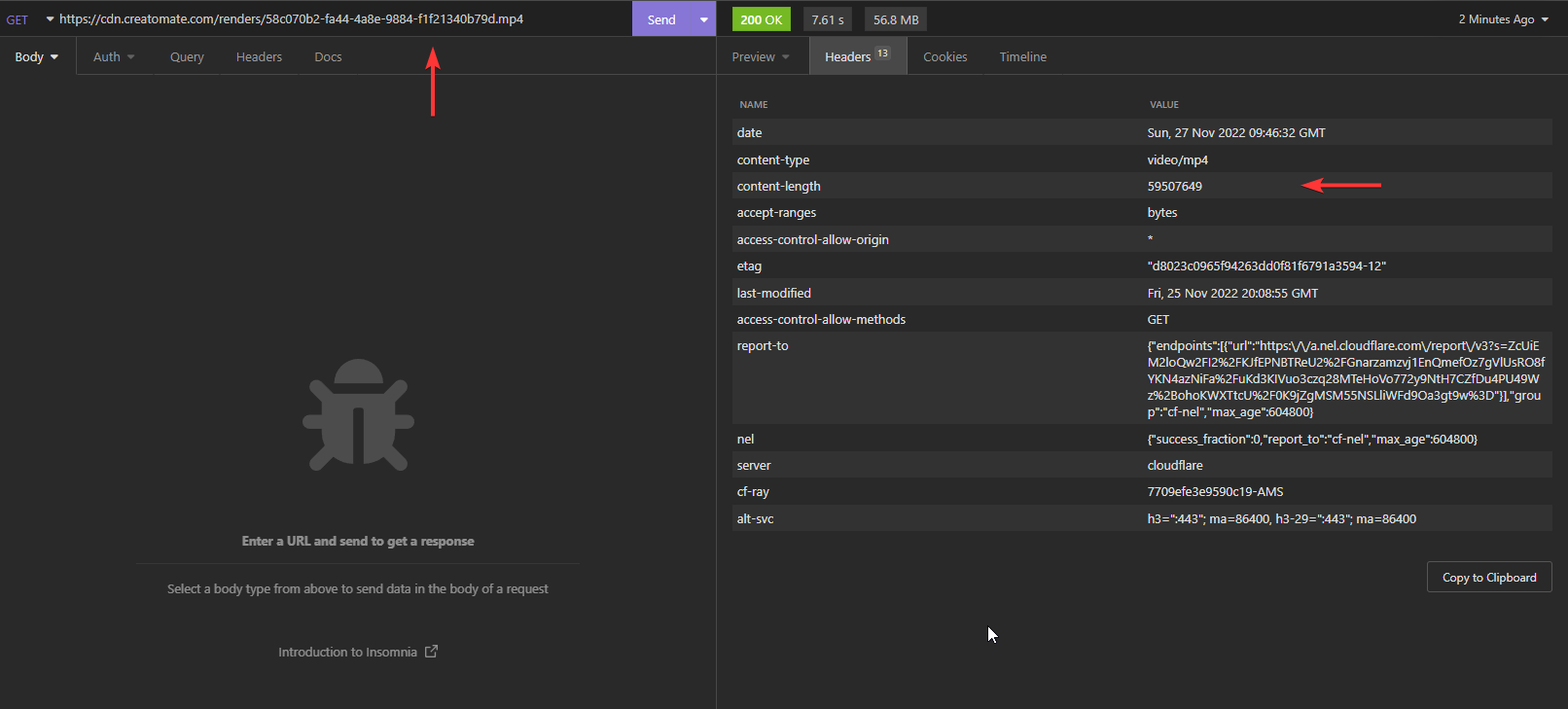
Video URL is providing video length. See attached image.
Please try again. What isn't it working?
Please try again. What isn't it working?
Hey @andrewstrealtor
We have checked your workflow and are able to reproduce the issue on our end.
Our technical team is looking over it deeply and will get back to you with the updates soon.
Any progress on this?
Any progress on this?
We are still troubleshooting the error at our end and will appreciate your kind patience regarding the same.
I guess I just thought since the feature was live now since Nov 18th that it would work since I'm using a supported video format and the file size information is being provided in the header info.
I guess I just thought since the feature was live now since Nov 18th that it would work since I'm using a supported video format and the file size information is being provided in the header info.
Please re-authenticate the Youtube integration once and then try uploading the videos again. We will await for your response.
Hey @andrewstrealtor
Can you please update us regarding our last email?
Thanks!
It seemed to have been working but not sure if the same issue came back or if a new one started but I can't get a video to post longer than 3:50 at the moment. See https://forum.pabbly.com/threads/youtube-video-upload-not-going-passed-3-50-for-longer-videos.11808/#post-54740