Zoho Books Create Invoice ==> not sent to contact
Status: Closed · Asked by Fanny Opti-Biz on · 0 views
Hello,
I have set up a workflow to create an invoice in Zoho Books triggered by Stripe payment webhook, but although I select option "send"=true, the invoice does not get sent and stays as draft.
Anybody with same issue managed to fix it?
Thank you!
Hey @opti-biz
Kindly allow us some time, we are currently looking into it.
Hey @opti-biz
Sorry for the delay, our tech team is looking into your concern and shall notify you with an update soon.
Hello,
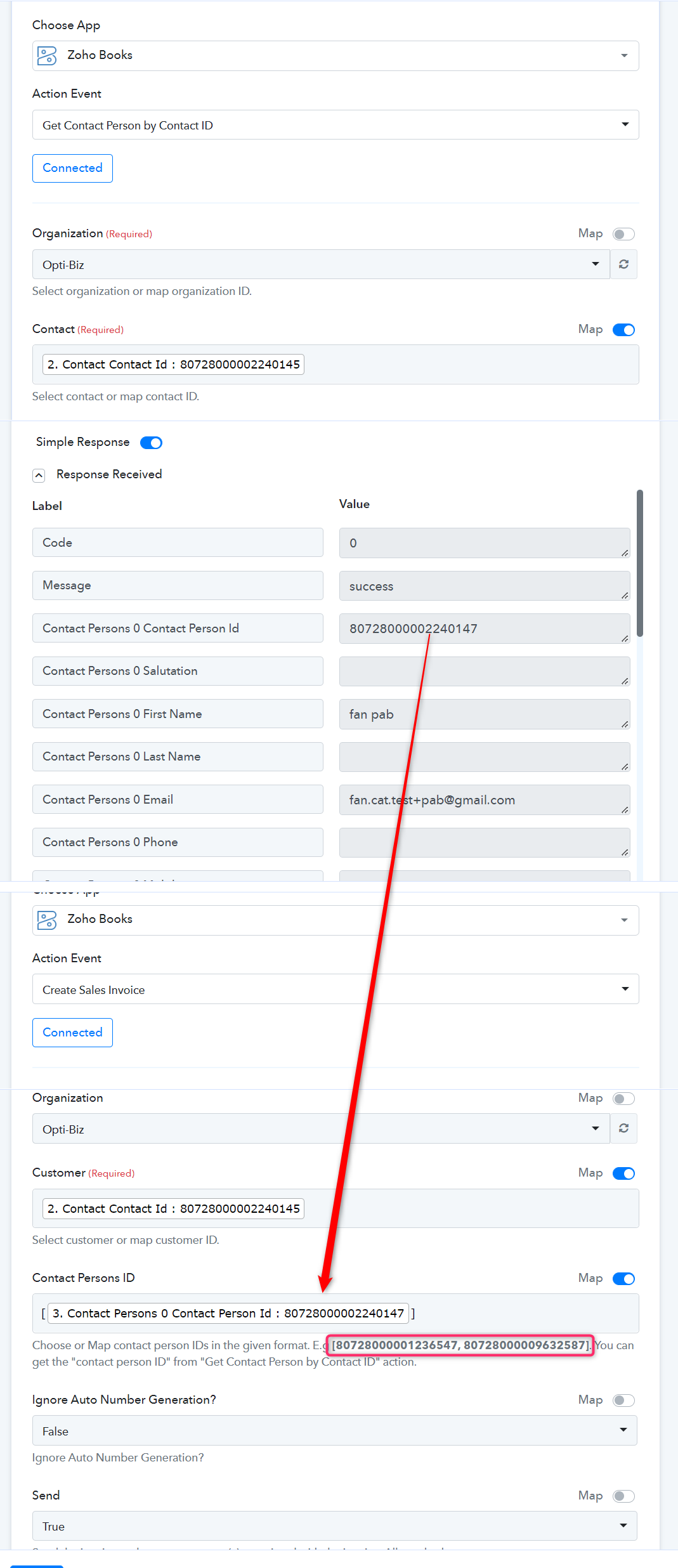
I think I identified the origin of the problem. It is related with field "Contact Persons ID".
When selecting a customer ID, the contact persons ID is automatically filled in with email address (not sure where this email is picked up, but inserting a different customer ID provides a different email).
The invoice creation / sending works fine when executing the step individually ("save and send test request".
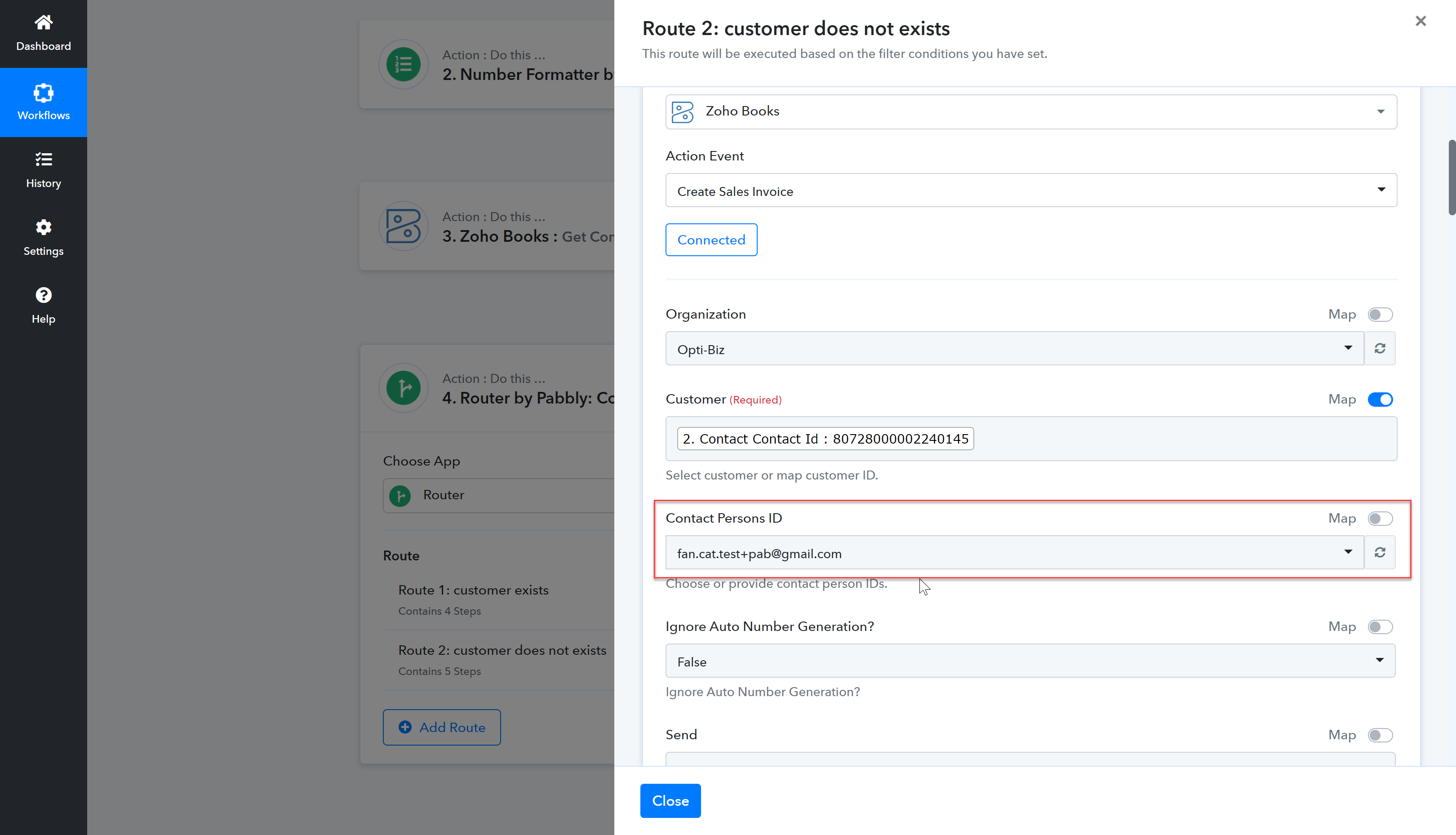
But when testing the complete workflow, it goes into error, as the customer ID (picked up from previous creation step) is still mapped with the "old" email address (field "contact persons id") which seems to be static; hence the contact person is not found:
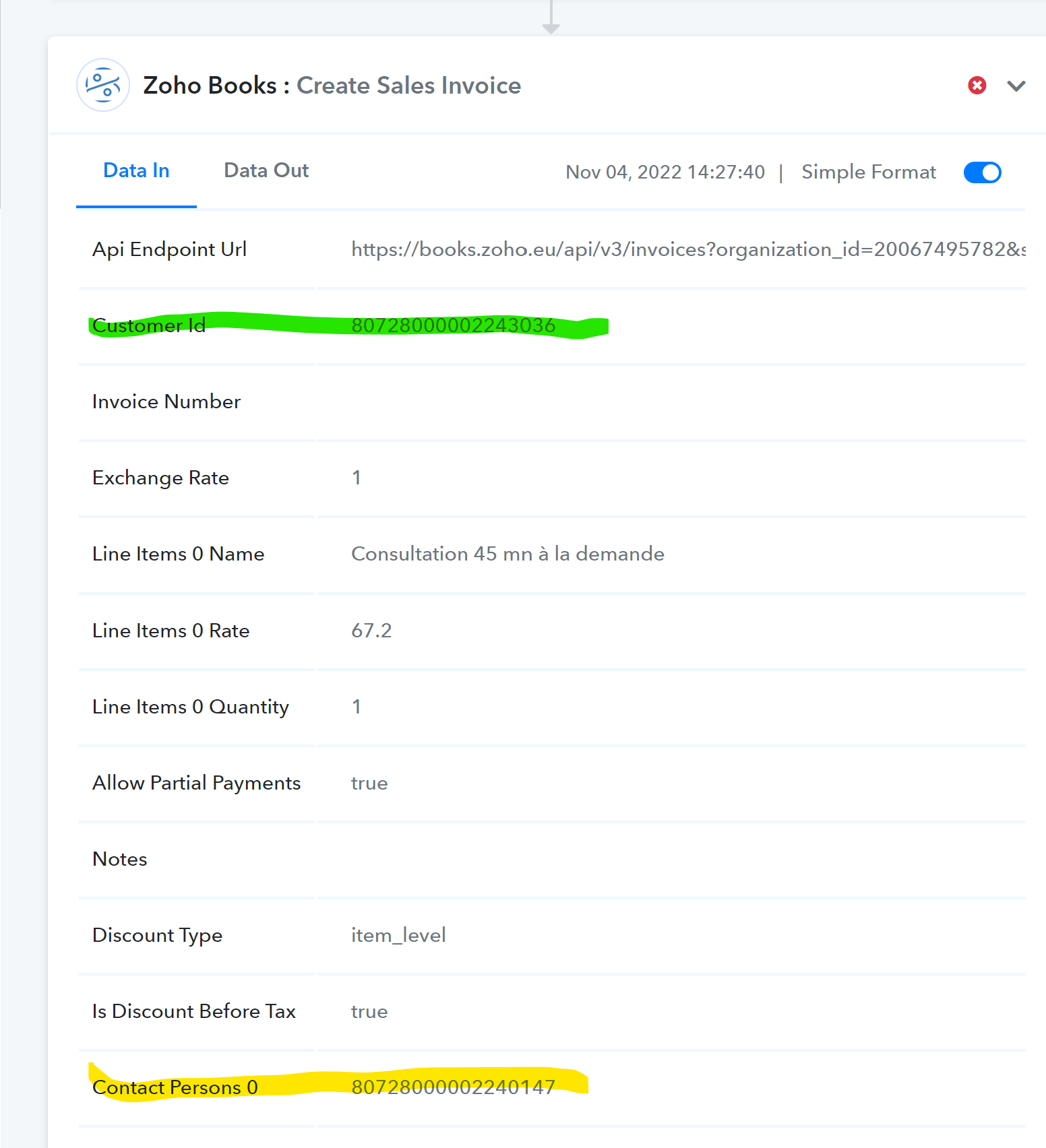
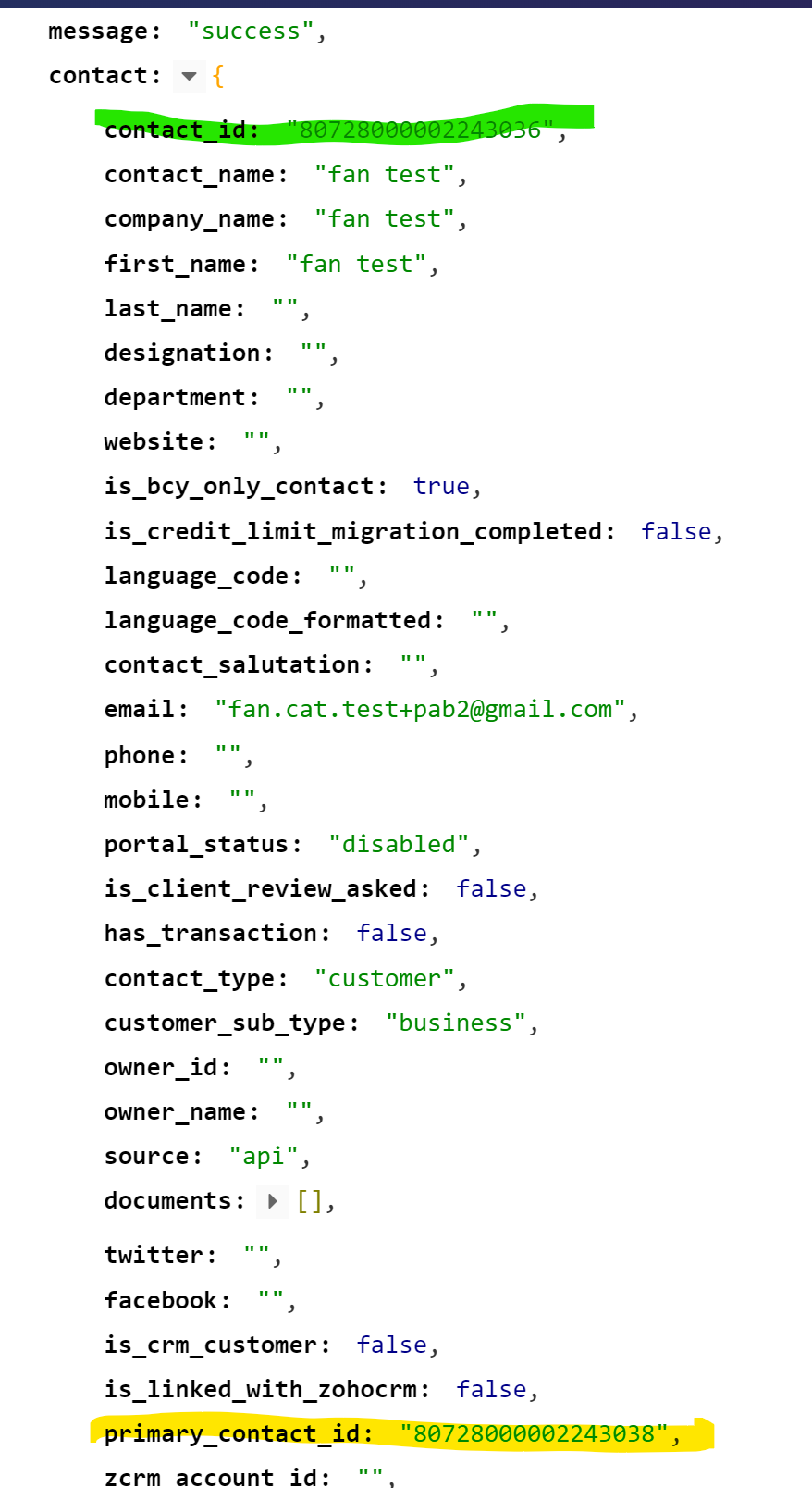
see the actual contact person ID, which is different from the one sent in the workflow step:
I have also tried to replace the mapped email with manual insertion of contact person ID from previous step, but I then get a message saying JSON is not well formed.
Hey @opti-biz
Our team is currently looking into and it seems like in the Person field the value you are passing is getting static.
So, our team has contacted the Zoho support team on how we can retrieve the person Id to pass dynamically.
Shall notify you with an update soon.
Hey @opti-biz
We have added a new action step in Zoho Books to Get the Person's ID which you can pass it further in the "Create Sales Invoice" action step.