Zoho Books/Invoice
Status: Open · Asked by Sagar Shah on · 0 views
I am facing an issue with a workflow for Zoho Books. Workflow URL - https://connect.pabbly.com/workflow/mapping/IjU3NjUwNTZjMDYzZjA0MzM1MjY1NTUzMzUxMzQi_pc
I am trying to create an invoice with the help of Zoho Forms & Google Sheet and a few text and number formatters. While setting up the workflow, it takes data for all the standard fields of the invoice, however it's showing an error for the Custom Fields. When I am trying to map data from the previous step, it shows the following error -
Code - 120121
Message - Invalid Custom Field Index Provided
By keeping the Custom field blank, the workflow is running successfully and the invoice is getting created. However, while inserting any kind of static text or data from previous step in the Custom Field, the workflow is failing.
I tried multiple solutions to resolve this, unable to figure out a solution except for keeping it blank, which is not an ideal situation.
Regards,
Sagar
Hey @sagar.shah
The Zoho Books action step is not visible in the workflow you've shared, where you encountered the issue. Therefore, please share the correct workflow where you experienced the error.
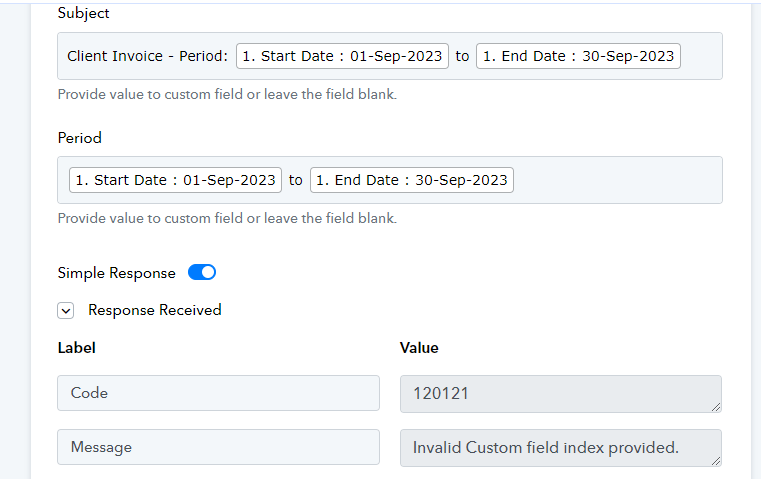
I have attached an image here. There are two fields which are custom fields in the Zoho Invoice - Subject & Period.
Any text added here, a static text or data from previous step, it's not accepting it and showing the following error -
Code - 120121
Message - Invalid Custom Field Index Provided
Attachments
Kindly share the Workflow URL in which you have this concern.
Hey @Supreme @ArshilAhmad
I had shared the Workflow URL earlier too. Resharing it here- https://connect.pabbly.com/workflow/mapping/IjU3NjUwNTZjMDYzZjA0MzM1MjY1NTUzMzUxMzQi_pc
Let me know if this URL is working for you or not.
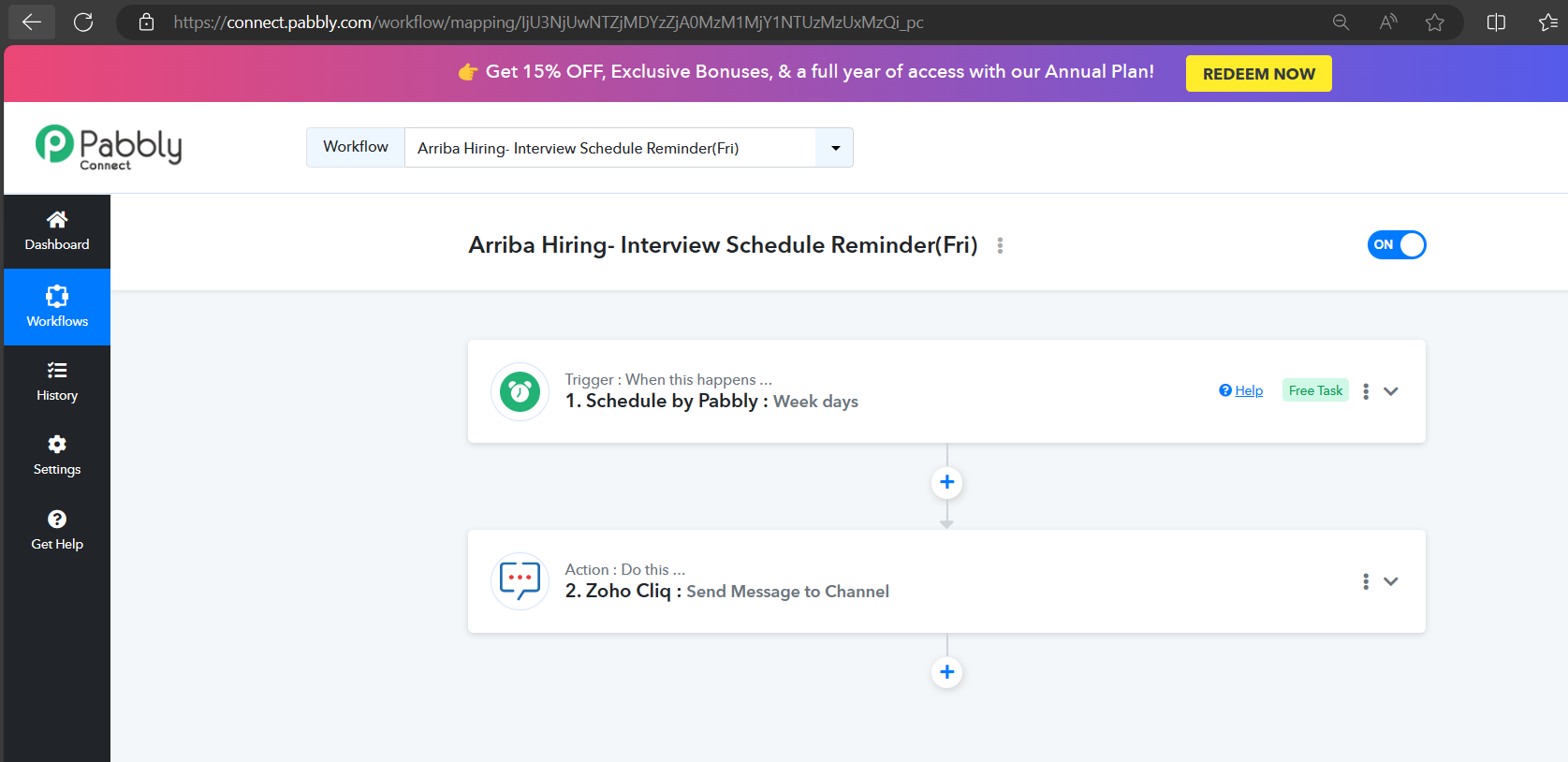
We cannot see any action step that you have set up for Zoho Books in your shared workflow.
Hey @Supreme
Sharing the correct Workflow URL. It seems that the previously shared URL was incorrect.
Please check - https://connect.pabbly.com/workflow/mapping/IjU3NmQwNTY1MDYzMjA0MzI1MjY0NTUzMSI_3D_pc
Refer the Router part in Step 4
Share the field type of the following options once which you are trying to pass.
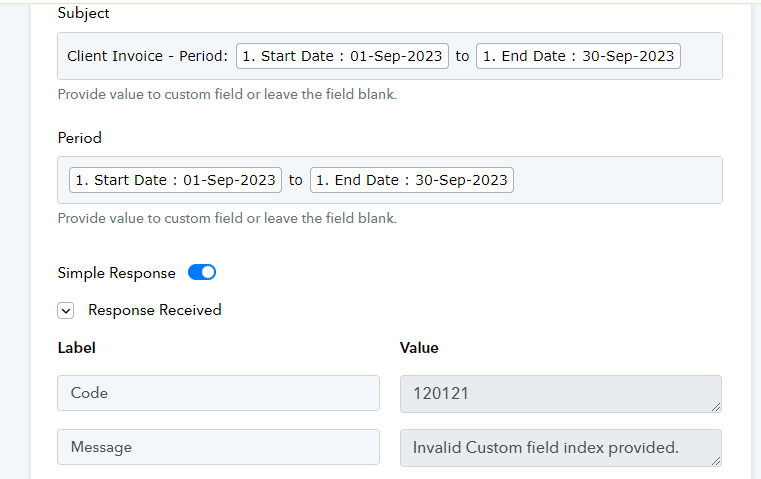
The field type is Date (DD-MMM-YYYY) from Zoho Form, to be passed to a Text based fields, which are Subject and Period.
Subject and Period fields are single line Text boxes.
Thank you for providing the information. We are currently in the process of investigating it, so we kindly request your patience while we do so.
Hey @Supreme and @ArshilAhmad
Any further update on the Zoho Invoice issue? Looking forward to hearing from you soon.
Our team is currently looking into it and shall notify you with an update ASAP.
Hey @sagar.shah,
We have investigated the issue you encountered regarding the static field not being included in the creation of a sales invoice. We kindly request that you connect the action step "Create Sales Invoice (Beta)" and follow the instructions outlined in the video provided. This will ensure that you can successfully add the field, thereby preventing any future occurrences of this error.
Here is the link to the instructional video: https://www.screenpresso.com/=Py2ce
If you require any help do not hesitate to contact us.
Best regards,
Nivesh