Zoho Campaigns - Error Code 500
Status: Closed · Asked by Bringlese Academy on · 0 views
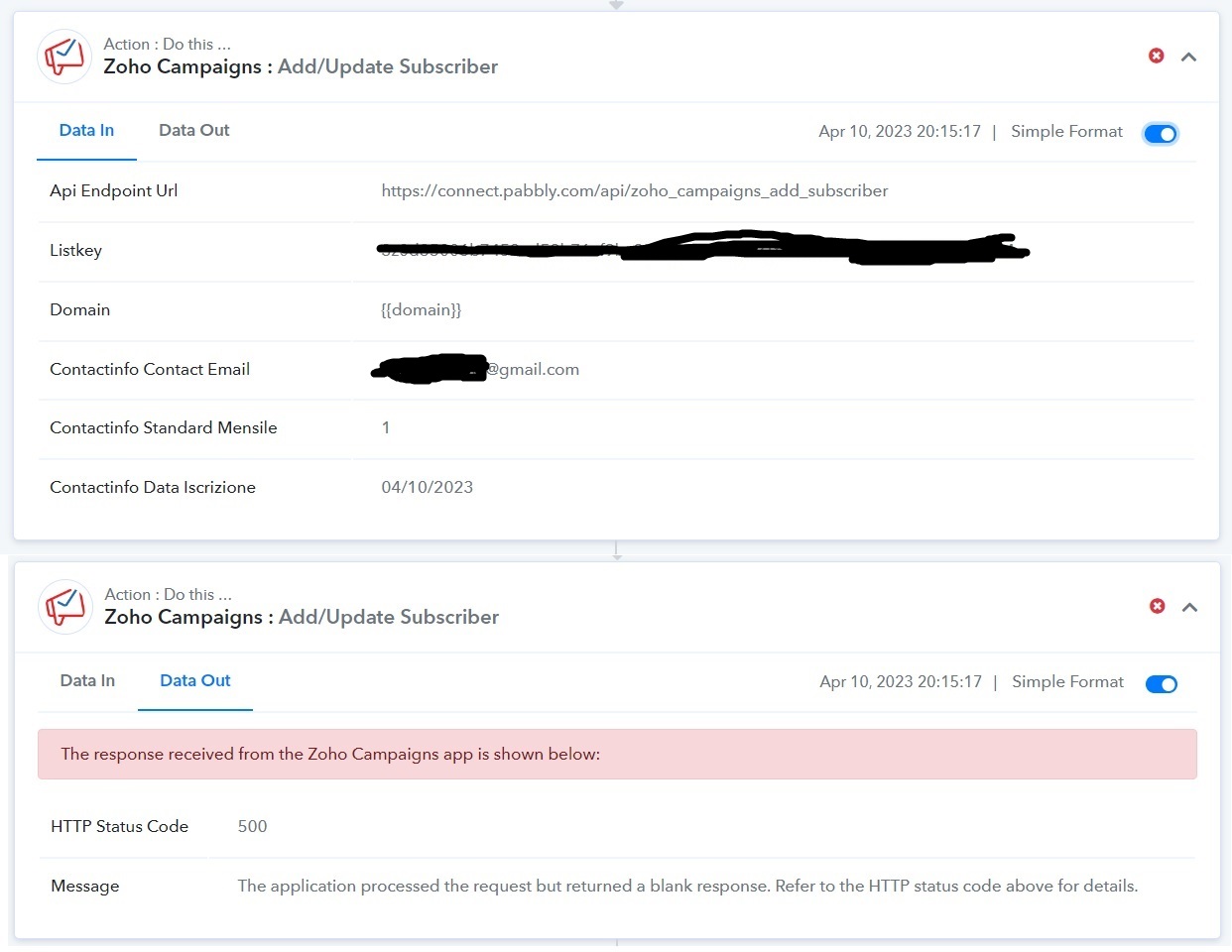
I have been having this problem for a few days when I try to add or update a contact on zoho campaigns:
[TABLE]
[TR]
[TD]HTTP Status Code[/TD]
[TD]500[/TD]
[/TR]
[TR]
[TD]Message[/TD]
[TD]The application processed the request but returned a blank response. Refer to the HTTP status code above for details.[/TD]
[/TR]
[/TABLE]
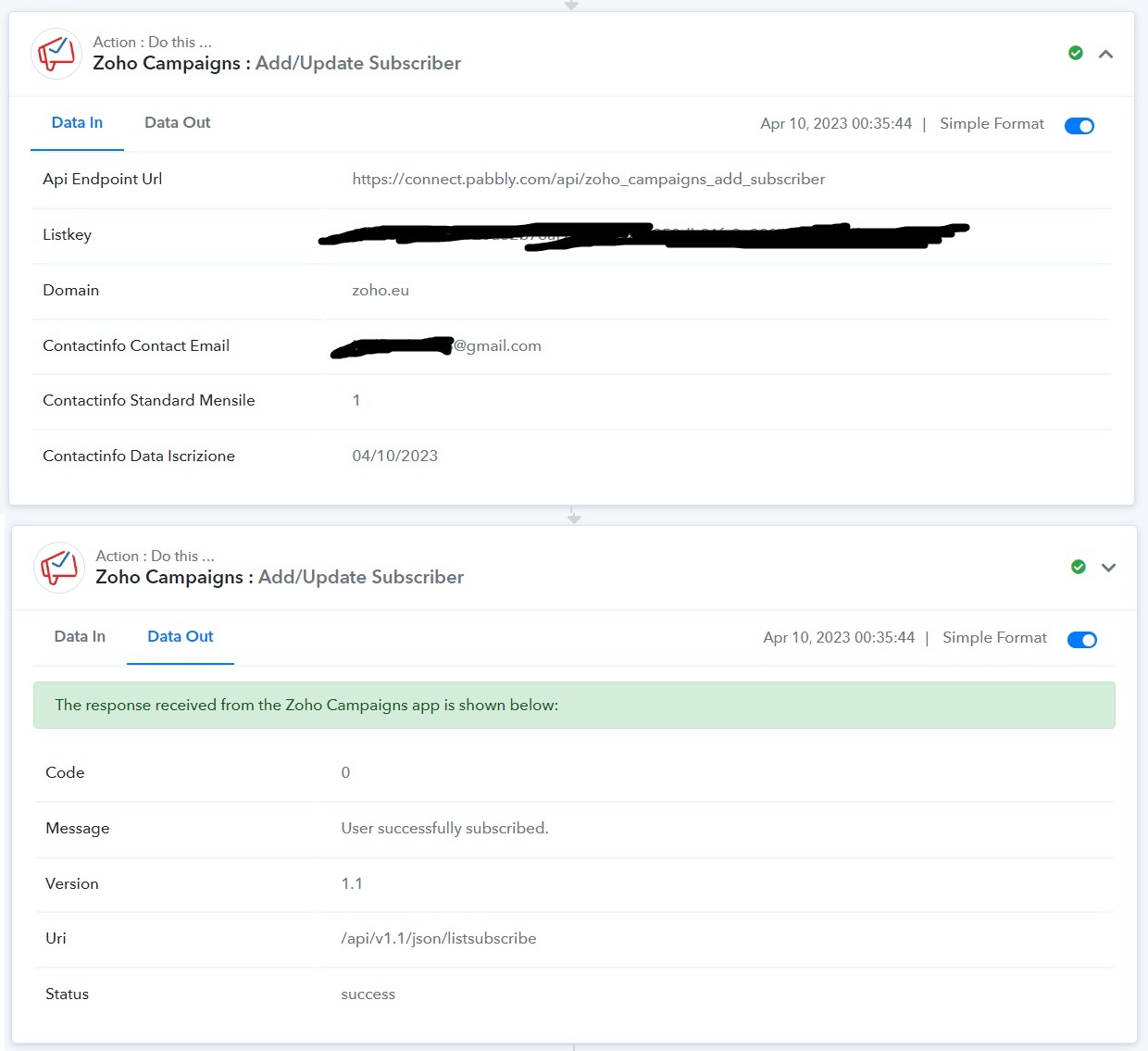
Until a few days ago it was working correctly. The main difference is in the "domain":
Before it was zoho.eu, now it is simply {{domain}}
That's the only thing that has changed I think. Could you please help me? Thank you very much
I attach a screen from when the event was correct, and a screen with the current error. The first error happened the 10th of april (GMT+1).
Attachments
Hey @Bringlese_academy
As we can see from your screenshot, you might not have passed the domain while making the connection for your Zoho Campaign.
So, kindly make a new connection and then try again. Also, refer to the following video tutorial for a better understanding.
(Watch the second part of the video)
Thanks for the answer. I passed the value as requested, in my case zoho.eu, and in fact until April 10 everything worked perfectly. I didn't make any changes to either zoho or pabbly, so I don't understand what this could be from.
@Supreme I've also created a new connection with zoho campaigns, passing the zoho.eu value when prompted, but I still get the same error. It's like the zoho campaigns link fails to fetch the {{domain}} variable. Can you check please? Thank you
Please allow us some time to check your concern with our team, I will get back to you soon.
I also faced the same issue with Zoho campaigns. It still shows an error even after creating a new connection.
Hey @Poorva @Bringlese_academy
We have forwarded your concern to our technical team and they are currently looking into it.
Hey @Poorva @Bringlese_academyWe have forwarded your concern to our technical team and they are currently looking into it.
Thank you! To let you know, the problem persists.
Hey @Poorva @Bringlese_academyWe have forwarded your concern to our technical team and they are currently looking into it.
Thank you. Just FYI, our email server used to be cpanel through Godaddy. They changed the email in and out server addresses without updating us. that affected our emails and we had to update our mail account to have the latest server details. We feel it maybe around the same time that this "domain" field not getting passed got affected. Not sure but letting you know if it helps with your investigation.
Hey @Poorva
Thank you for the insight we have shared it with the team and will update the Zoho Campaign integration as necessary.
@Supreme Hey guys, I've so many problems related to this automation, my entire email marketing system is KO, please solve it asap, thanks
Hey @Bringlese_academy
We have forwarded your concern to the technical team and once they make any changes to it, we will let you know.
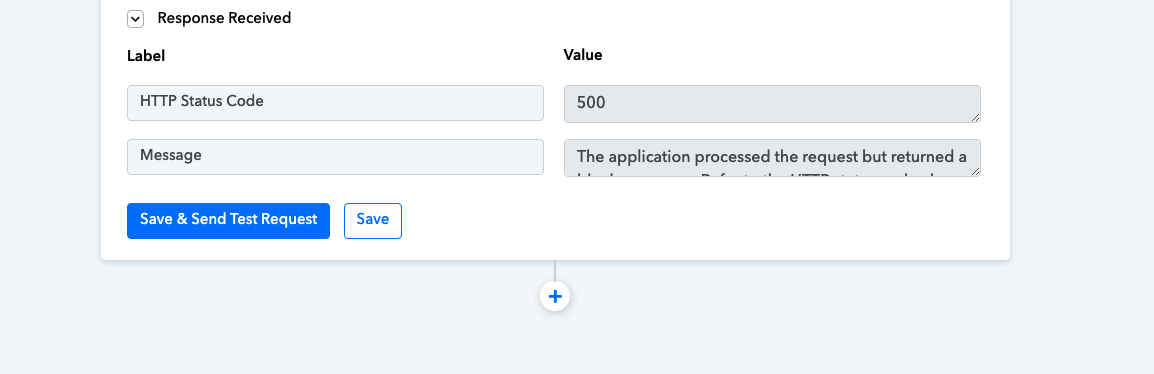
We are facing the same problem, (HTTP 500 The application processed the request but returned a blank response. Refer to the HTTP status code above for details.)
Attachments
Hey @Rehomes @Bringlese_academy
We have made a slight change in the action step of the Zoho Campaign and it should work accordingly now.
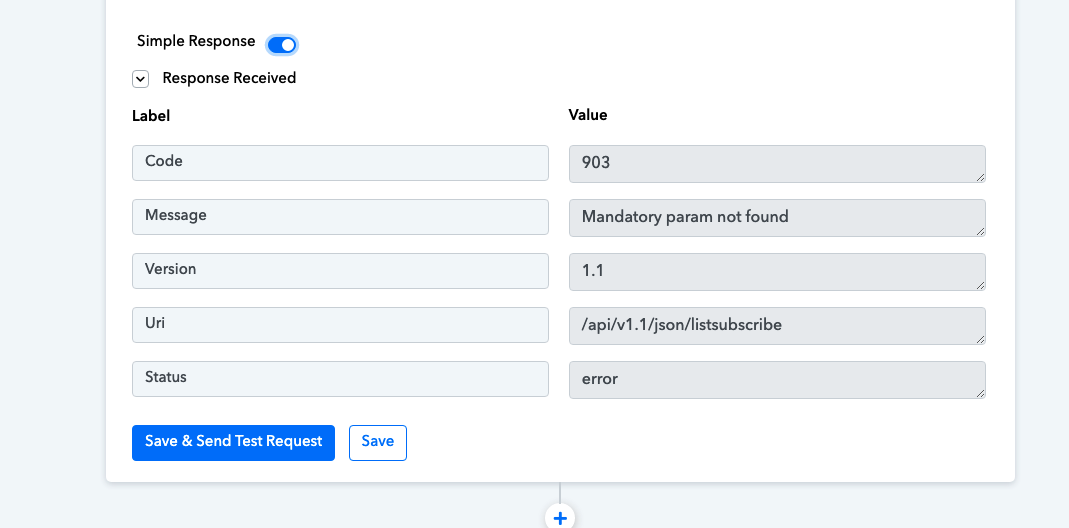
Zoho Campaigns is again facing problem. Please check Screen short, and advise
Attachments
Hey @Rehomes
Please allow us some time, we are currently looking into it.
I am also facing the Zoho campaign issue. Error code- 903.
Attachments
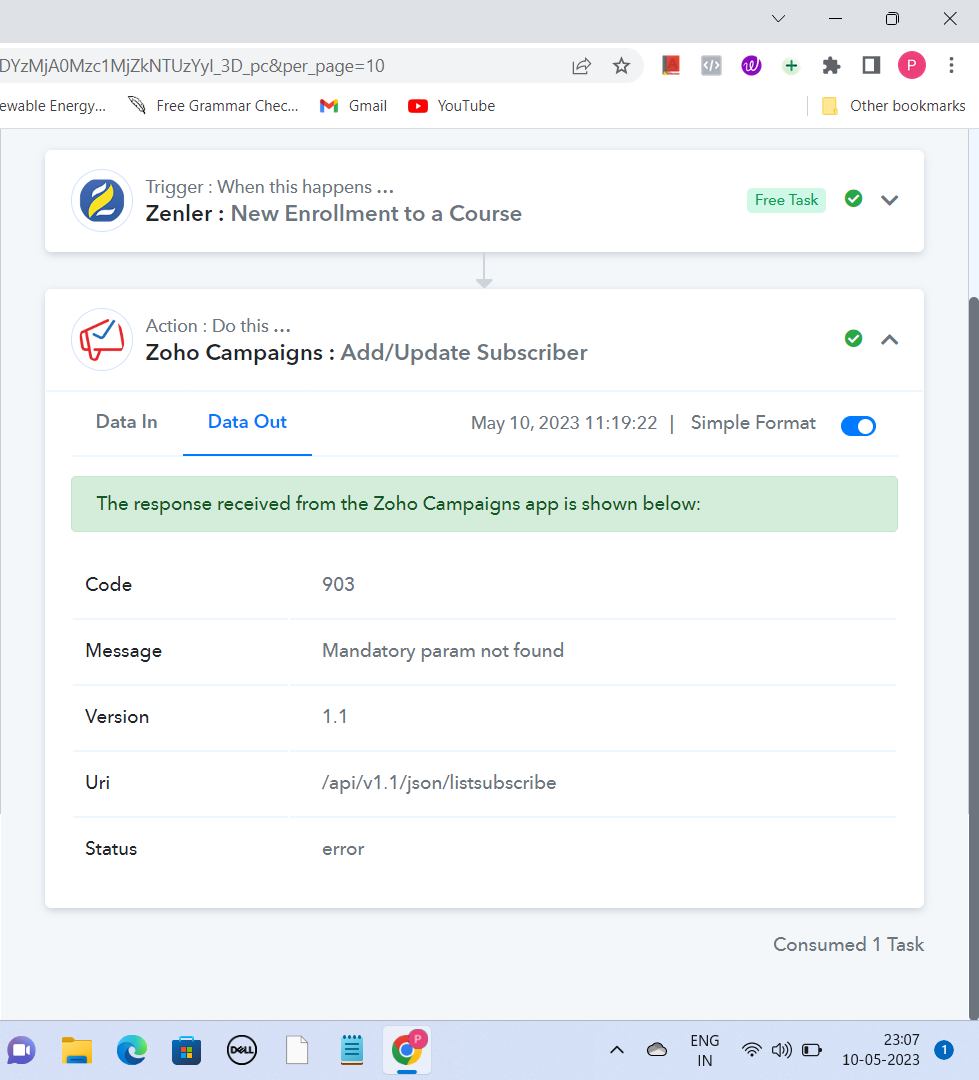
Hey @Poorva
We are currently Looking into it and will notify you with an update soon.
Hello @Poorva @Rehomes @Bringlese_academy
We have made some changes and have verified that the issue has been resolved now.
However, we recommend that you also check from your end to ensure that everything is working as expected.
If you are still facing the same issue, please let us know so that we can further investigate and provide a solution.
Hello @Poorva @Rehomes @Bringlese_academyWe have made some changes and have verified that the issue has been resolved now.
However, we recommend that you also check from your end to ensure that everything is working as expected.
If you are still facing the same issue, please let us know so that we can further investigate and provide a solution.
Thanks! Its working now.