ZOHO CRM Manual Fields
Status: Closed · Asked by Vishal R on · 0 views
Hi, I have a couple of manual fields for all my leads in ZOHO CRM. I am using facebook lead forms to capture leads and automate to ZOHO CRM. While I do this in pabbly, I am not able to find custom fields. All your guides only talk about fields that area already available default in Zoho CRM.
Can you please help me with how to pass form values to my customer fileds to create a new lead?
Hey @Vishal R
Could you please share the name of the workflow in which you are trying the Zoho CRM's action event? So that we can look into it and can guide you accordingly.
Hey @Vishal R
Though you can try the "ZOHO CRM: Insert Record" action to fetch your Custom field. Kindly try this action event in your workflow once and let us know if that works for you.
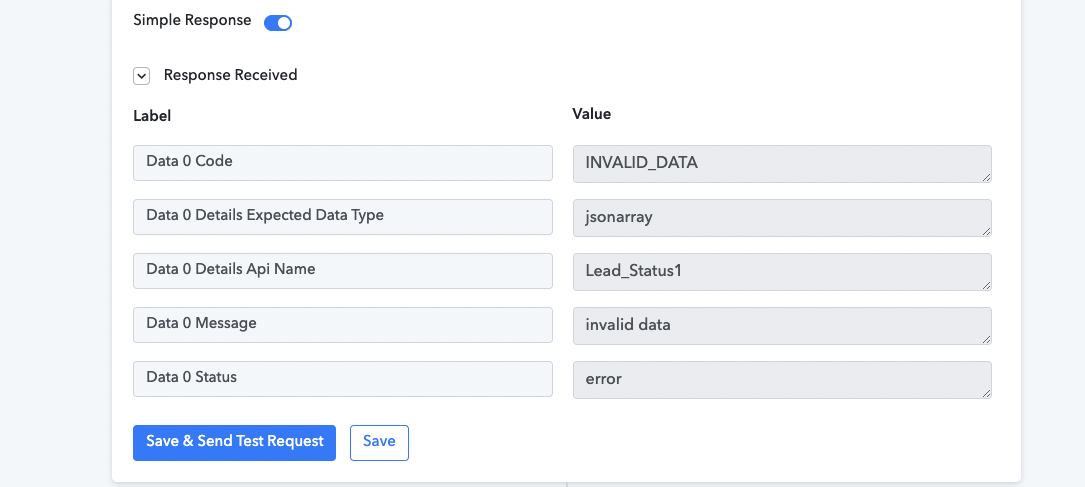
I Tried the insert record option, but it seems to throw me a error mesasge. Attaching that for your reference
Name of the workflow - Landing to Sheets to Whatsapp - Book Inspection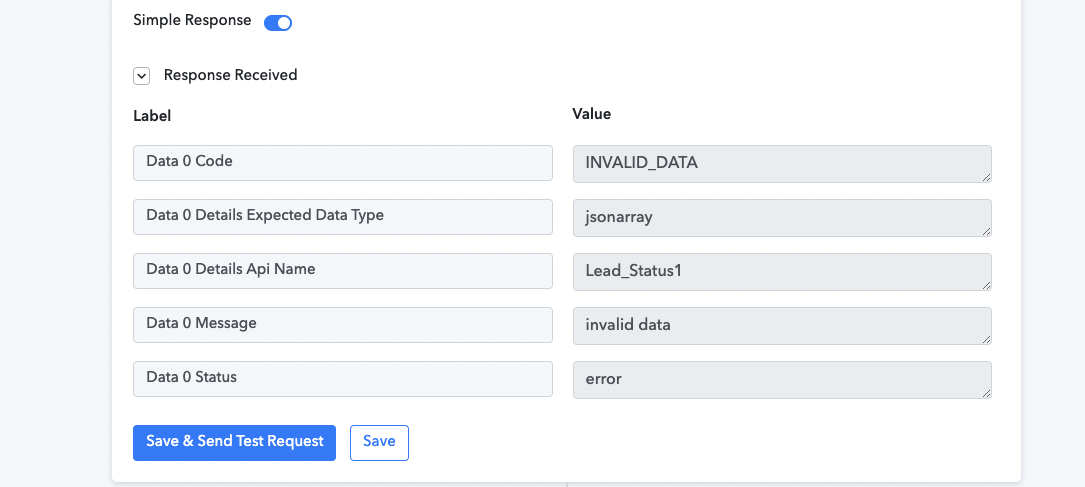
Attachments
Hey @Vishal R
Kindly pass the respective data in the fields of "Zoho CRM: Insert Record" and make sure you have passed the exact data type according to the custom field you have selected in your Zoho CRM.
As we can see you haven't passed any data in the action event.
I'm also facing the same issue I want to connect our website leads to Zoho CRM but for a few fields, there are no options in pabbly.
I'm also facing the same issue I want to connect our website leads to Zoho CRM but for a few fields, there are no options in pabbly.
Can you please elaborate on your concern briefly, so that we can look into it and guide you along with the workflow URL with which you are getting trouble?