Zoho Deal Creation - Layout mapping error
Status: Closed · Asked by Prashanth D on · 0 views
Hello,
I am integrating Delas from Google Sheets to Zoho CRM.
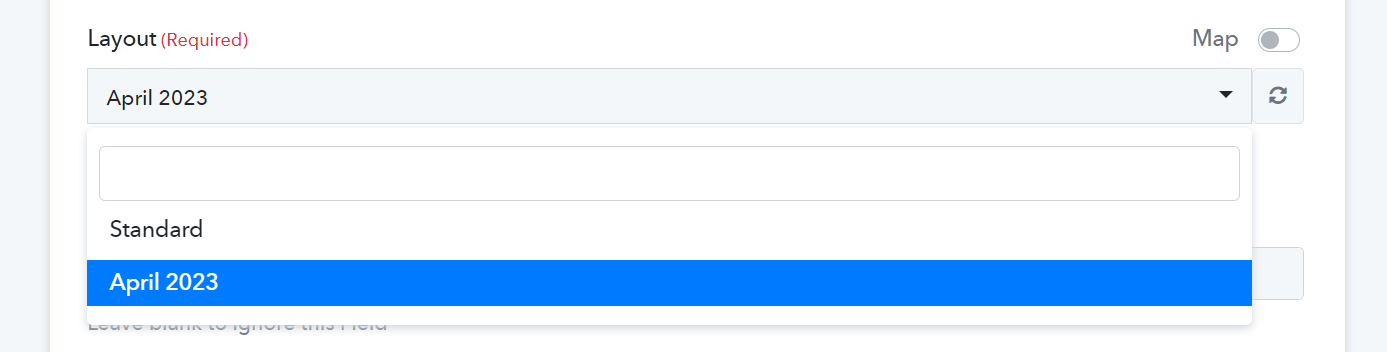
In the workflow, The layouts created in Zoho CRM are appearing, and I can select the "April 2023" Layout. The test response is also "Success" on the workflow, but the deal is appearing under the "Standard" pipeline and not on "April 2023"
I am attaching the relevant screenshots. Please have a look and guide me.
Attachments

Hello @Prashanth
I would like to express my sincere apologies for the inconvenience caused to you.
I would like to inform you that we have deprecated the "Insert record" action event. Therefore, I would like to request you to use the "insert/update record" action event instead as it serves the same purpose as inserting a record and mapping all the necessary fields. After doing so, please try to capture the response again.
In addition, I kindly request you to enable the map option for the layout field. After enabling the map option, you can copy the ID displayed in the map and paste it into the layout field, which is located below. Doing so, it should resolve the issue you are currently facing.
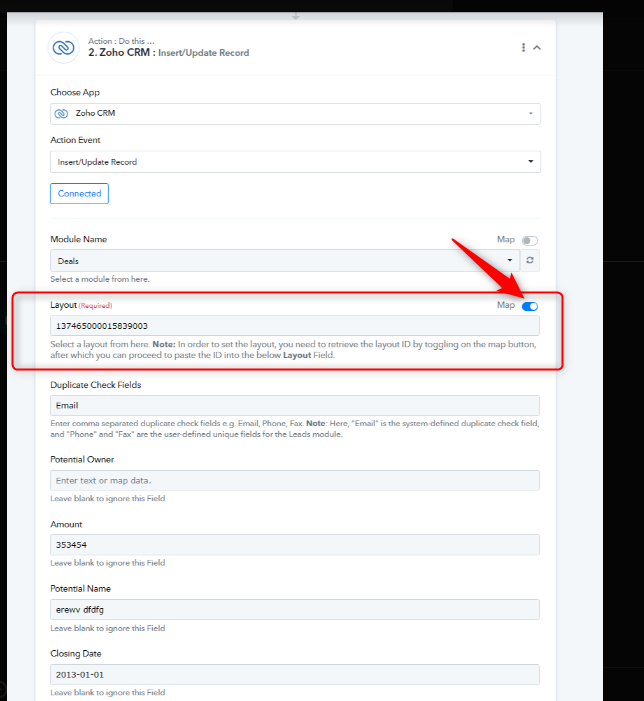
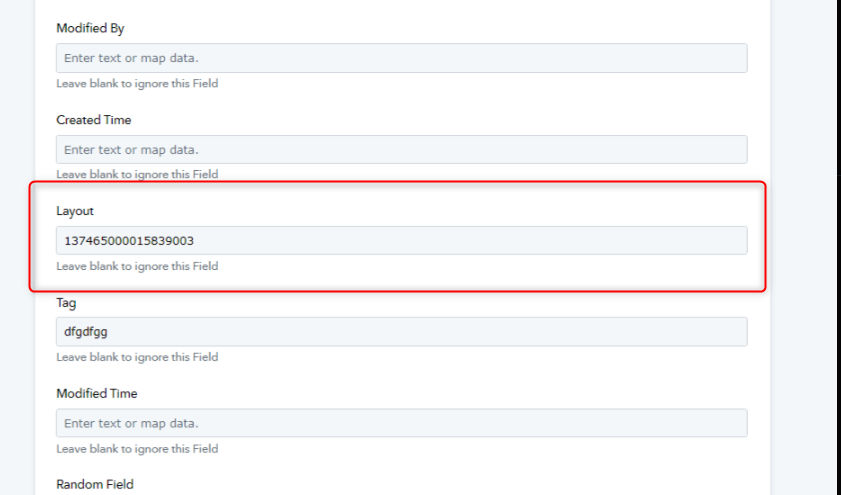
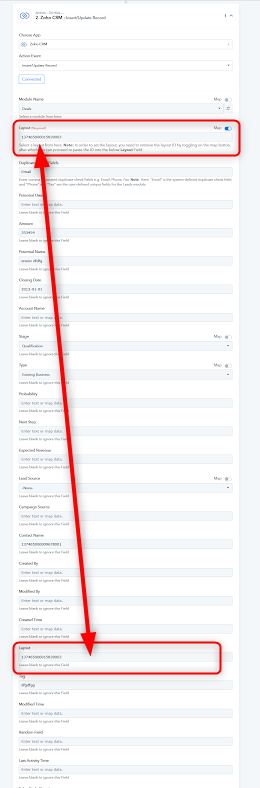
Please let me know if you still facing the same issue.
Thank you, Arshita for the detailed explanation.
I followed the instructions but still facing an error in the workflow - attached screenshot. could please see what am I missing?
Attachments
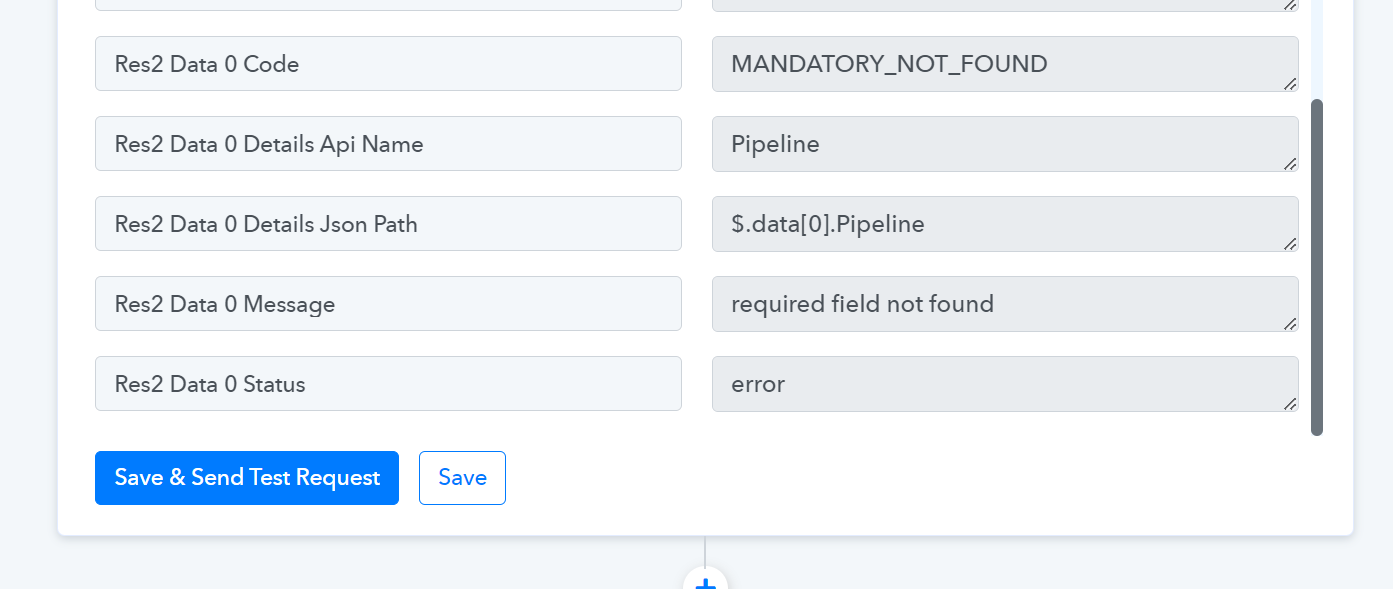
I think one more field of "Pipeline" may be required to be mapped to create the deal in Zoho, which is missing in the workflow. Am I right? Attaching the Zoho screenshot.
Attachments
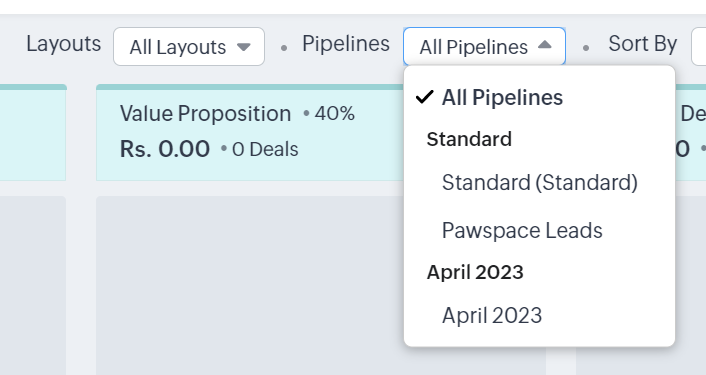
We have made some changes to your workflow by adding an additional field called Pipeline, which requires you to input the name of your existing pipeline.
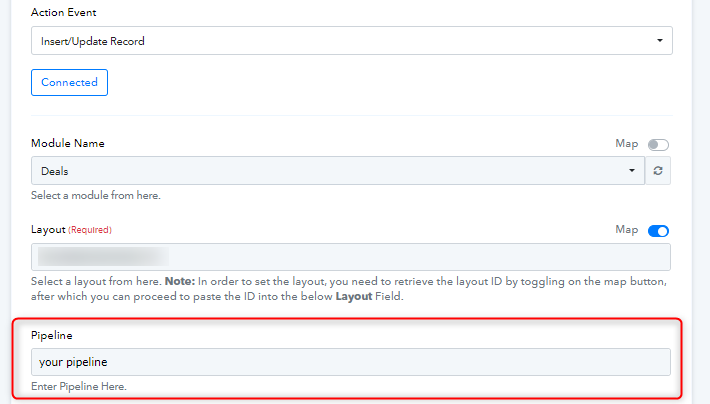
I kindly ask that you reconnect your Zoho CRM account and ensure that all the fields are mapped properly, including the layout field as per the instructions I provided earlier. After mapping all the fields, please save and run a test request.
Once the workflow is successfully executed, kindly capture the response and verify if the workflow is functioning as intended.
Please let me know if you are still facing any issues.
Thank you very much for your prompt support. It worked. somehow the "Pipeline" field was not appearing but then i deleted the step and did everything again where i could see "Pipeline" field