Zoho Sheet Errors
Status: Open · Asked by Thomas Cochran on · 0 views
I am getting two different errors in the same work flow. They are both Create Row in Zoho Sheets. The last successful execution was 5/8/2023. All since 5/9/2023 have had these errors.
[TABLE]
[TR]
[TD]Error Message[/TD]
[TD]Internal server error. Please report this issue to [email hidden][/TD]
[/TR]
[TR]
[TD]Error Code[/TD]
[TD]2866[/TD]
[/TR]
[/TABLE]
[TABLE]
[TR]
[TD]Error Message[/TD]
[TD]The parameter [json_data] required for processing this request is missing.[/TD]
[/TR]
[TR]
[TD]Method[/TD]
[TD]worksheet.records.add[/TD]
[/TR]
[TR]
[TD]Error Code[/TD]
[TD]2831[/TD]
[/TR]
[TR]
[TD]Status[/TD]
[TD]failure[/TD]
[/TR]
[/TABLE]
Hey @tboy123,
Please grant me access to your workflow by adding me as a team member. This will allow me to gain a better understanding of your issue.
Once you have added me as a Team Member, do let us know the name of your workflow.
Email: arshil.ahmad@pabbly.com
Also, remember to revoke access once your query has been resolved.
Attaching a video for your reference:
Done.
User Registration to Full List, Non-booked list, Name/Level List, and Create Eval Sheet
I've taken note of your concern. Please allow us some time to investigate this issue, and we'll provide you with an update as soon as possible.
Same happen to me it was working fine few days ago 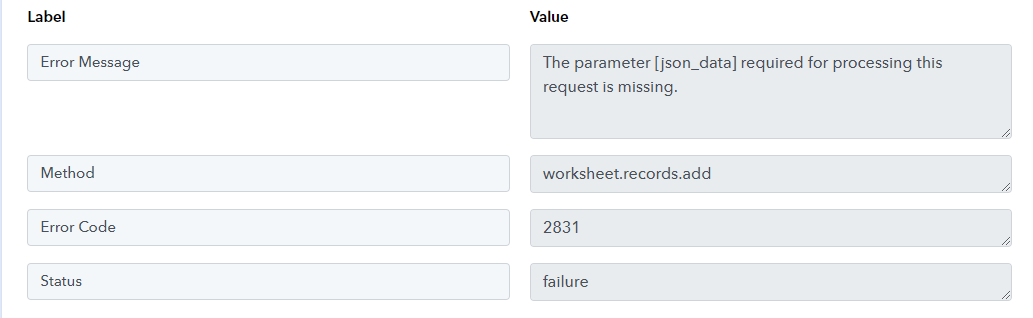
I am getting two different errors in the same work flow. They are both Create Row in Zoho Sheets. The last successful execution was 5/8/2023. All since 5/9/2023 have had these errors.[TABLE]
[TR]
[TD]Error Message[/TD]
[TD]Internal server error. Please report this issue to [EMAIL][email hidden][/EMAIL][/TD]
[/TR]
[TR]
[TD]Error Code[/TD]
[TD]2866[/TD]
[/TR]
[/TABLE]
Please get in touch with Zoho Sheet's customer support. As this message is from their end, they will be able to assist you with this issue.
[TABLE]
[TR]
[TD]Error Message[/TD]
[TD]The parameter [json_data] required for processing this request is missing.[/TD]
[/TR]
[TR]
[TD]Method[/TD]
[TD]worksheet.records.add[/TD]
[/TR]
[TR]
[TD]Error Code[/TD]
[TD]2831[/TD]
[/TR]
[TR]
[TD]Status[/TD]
[TD]failure[/TD]
[/TR]
[/TABLE]
As part of our troubleshooting process for this issue, could you please share your task history with us?
Same happen to me it was working fine few days ago
To help us investigate this issue thoroughly, could you please share the following information with us: your task history, workflow, and the email address associated with the account in question?
Please get in touch with Zoho Sheet's customer support. As this message is from their end, they will be able to assist you with this issue.As part of our troubleshooting process for this issue, could you please share your task history with us?
How should I share the task history?
IjU3NjAwNTY5MDYzMjA0MzI1MjZlNTUzNzUxMzA1MTY2NTQzNSI_3D_pc
This is the ID.
Sorry, that was an error.
IjU3NjAwNTY5MDYzMjA0MzA1MjY1NTUzMDUxMzQ1MTY2NTQzMiI_3D_pc
That is just one example of several.
Hey @tboy123
After making some adjustments, we confirmed that the problem was fixed.
However, to make sure everything is operating as planned, we advise you to double-check from your end as well.
Please let us know if you are still having trouble so we can look into it further.
I did have an error at May 15, 2023 15:02:53 EST
IjU3NjAwNTY5MDYzMDA0MzA1MjY1NTUzMTUxMzI1MTY2NTQzMCI_3D_pc
[TABLE]
[TR]
[TD]Error Message[/TD]
[TD]Internal server error. Please report this issue to [email hidden][/TD]
[/TR]
[TR]
[TD]Method[/TD]
[TD]worksheet.rows.delete[/TD]
[/TR]
[TR]
[TD]Error Code[/TD]
[TD]2866[/TD]
[/TR]
[TR]
[TD]Status[/TD]
[TD]failure[/TD]
[/TR]
[/TABLE]
Hey @tboy123
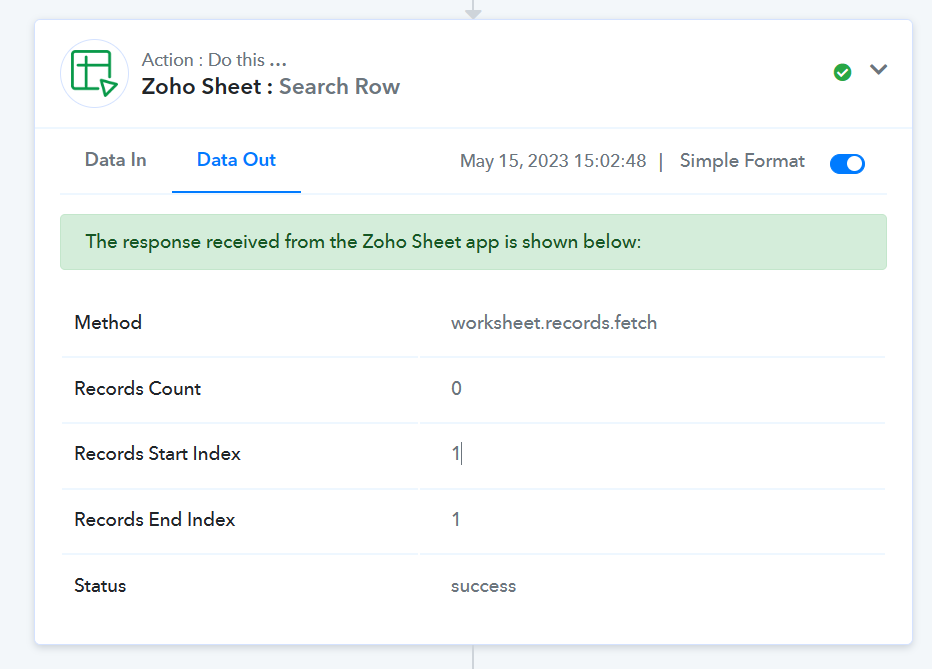
Since the data couldn't be found in your Zoho Sheets in the "Zoho Sheet: Search Row" action step, and because of that your "Clear Row" action step didn't work.