Zoom: Can we Transfer Zoom Recordings to Drive / ThinkIFIC?
Status: Closed · Asked by zest83 on · 0 views
We have regular meetings on zoom
We manually download the recordings and upload them to Google Drive
Can we use Pabbly to download / transfer the recordings to a location in Google Drive?
If yes, please do share some reference workflow/video
I tried uploading the file using the following video:
youtube.com/watch?v=sW11eeCfYuU
BUT
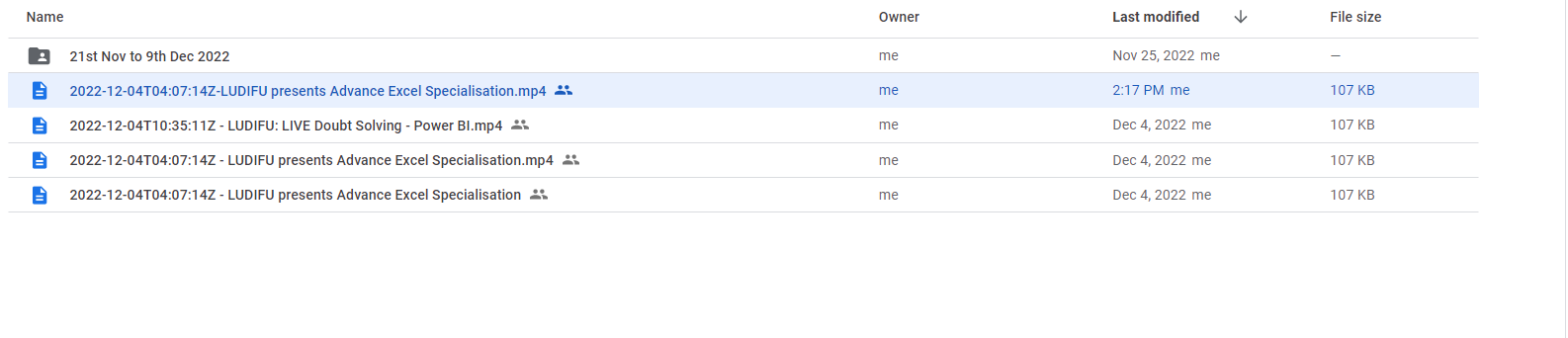
The file DOES NOT upload as a ".MP4"
Gets Uploaded as a RANDOM file.
For reference, I TRIED Uploading the file here but it does not allow.
A File got created in Google Drive with this name: 2022-12-04T04_07_14Z - LUDIFU presents Advance Excel Specialisation.mp4.7HBqB2u1Jx6UFYhK
Workflow URL: https://connect.pabbly.com/workflow/mapping/IjU3NjIwNTZhMDYzNDA0MzE1MjY5NTUzMiI_3D_pc
Thank you
Attachments

Hey @zest83
We have removed the extra space from the file name. Could you please now try the same and let me know if you are getting the file correctly saved to Google drive?
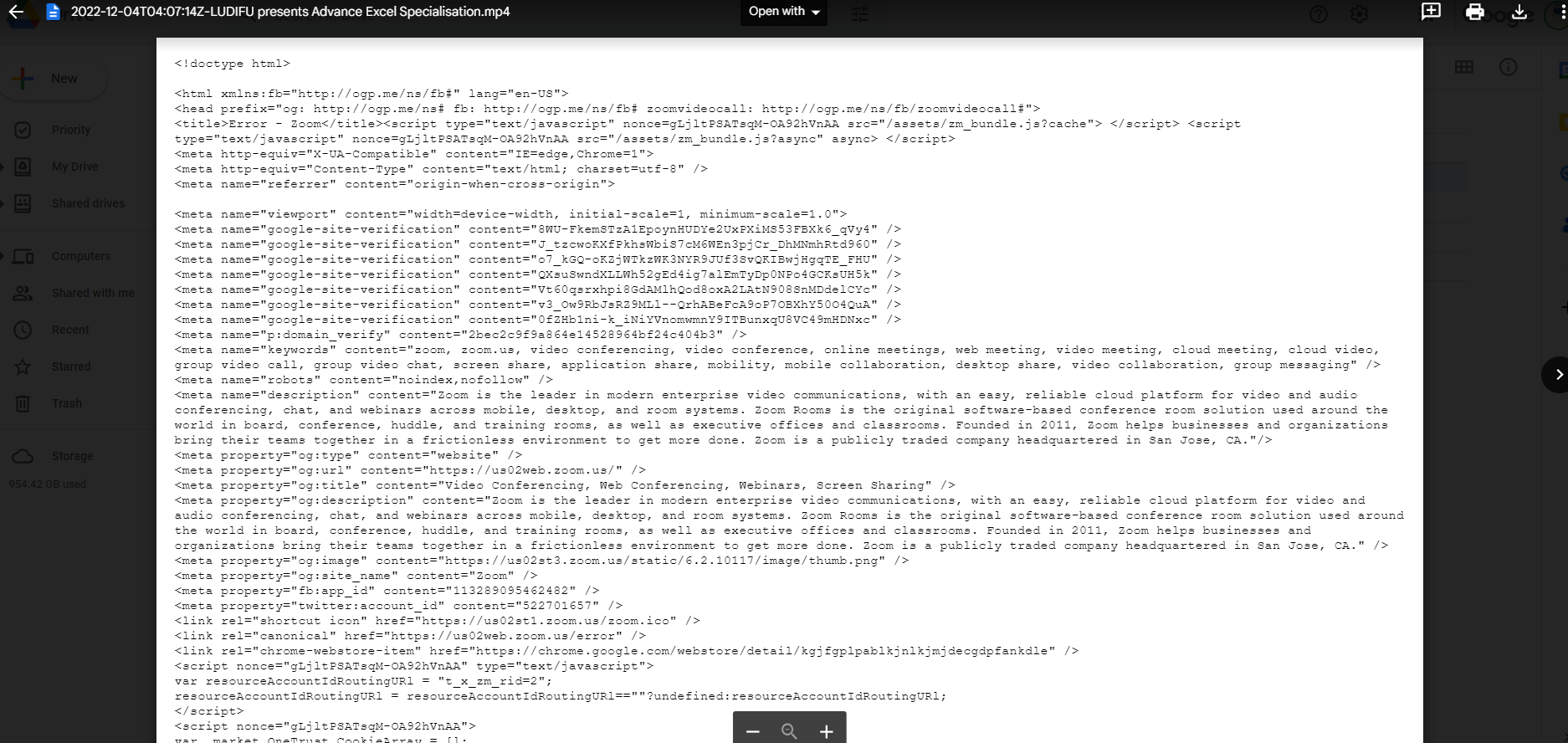
The Video File does not get saved as a Video File. Its getting saved as a random file again
OPENED the file inside Google Drive and attached a screenshot of the same.
Its still Not Transferring the video to Google Drive
Attachments
We are checking the details, we will let you know about the issue.
Request update on this. It’s been so long
Hey @zest83
We are still checking the issue with the technical team. We will keep you updated on the status of this issue.
Are there any updates on this? I tried this weekend and got a random file and no uploads of the actual files.
Hey @jlaverde
We have already shown this issue to the technical team. They are already working on it to fix the issue. As of now, we don't have any ETA for this. We will keep you updated on the status of this issue.
@Kunal are there any updates to this issue? I'm experiencing the same thing.