Zoom Recording to One drive
Status: Closed · Asked by nirmehta on · 0 views
How to integrate zoom cloud recording stored in zoom and it can transfer to onedrive directly. Can it be possible integrate with Pabbly connect. Please share workflow to create
Hey @nirmehta
Yes, you can integrate Zoom with One Drive by the following steps -
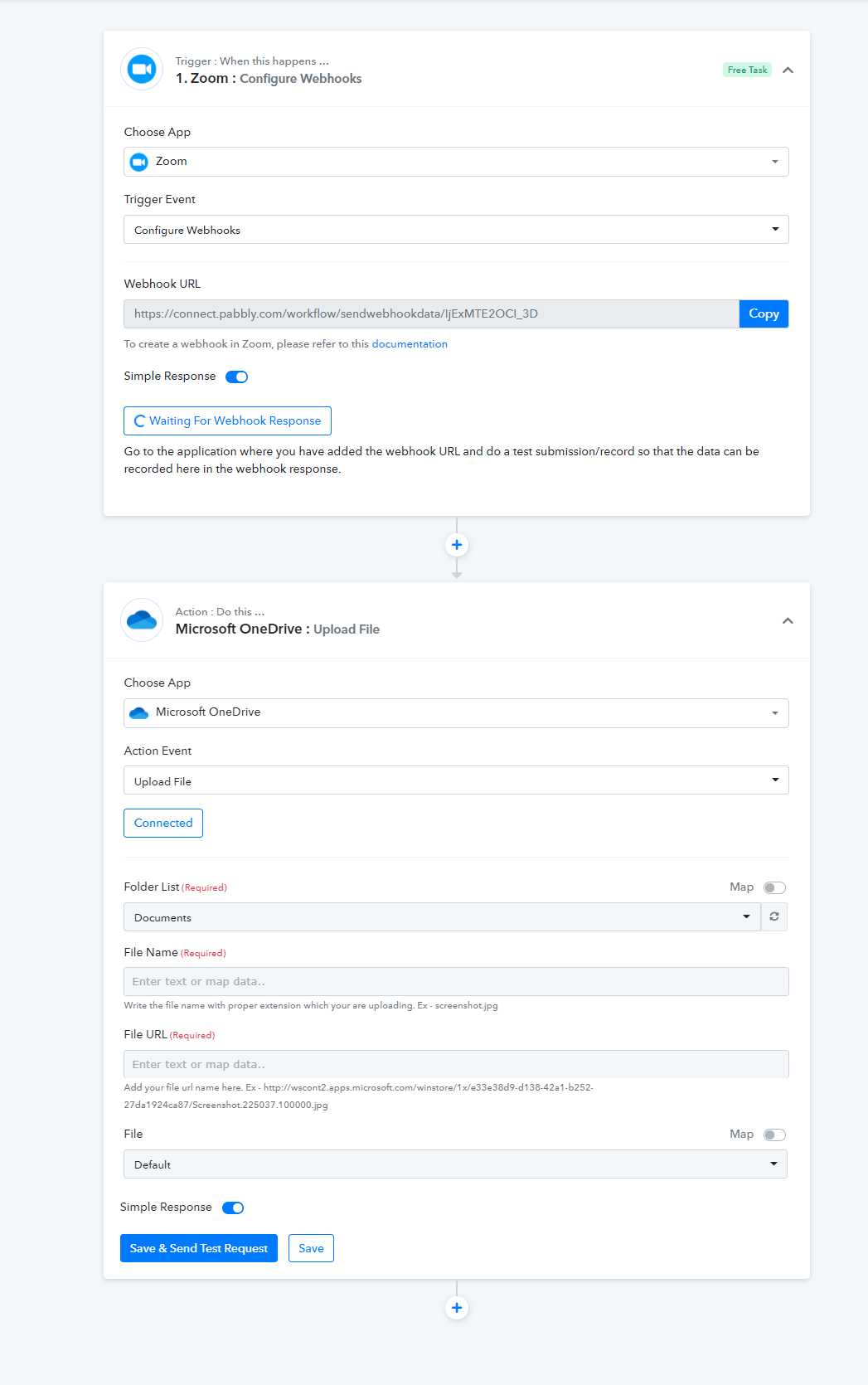
- Select the Zoom as Trigger and select the " Configure Webhook " Trigger event.
- Follow the steps in the documentation of Zoom to integrate it further.
-https://www.pabbly.com/pabbly-connect-zoom-integration-guide/#zoom-webhooks - Then add the One Drive Action and connect it with your account to Upload the file.
Please check out the following screenshot for better understanding -
Moreover, please check out these tutorial videos for better understanding -
Watch the first part of the video -
youtube.com/watch?v=kcmhd8LZe48
And watch the second part of the video -
can we auto download in one drive.
can we auto download in one drive.
Can you please elaborate what do you mean by auto download here?
means after completing meeting the recording stores in cloud recording of zoom. so that recording currently i have to download in my system and then i need to upload in onedrive or google drive so is it possible that in between steps not required. And after it is uploaded in one drive i can delete the recording in zoom app
Hey @nirmehta
Already saved video in your Zoom account wouldn't be transferred to your One Drive. By this Workflow, the newly recorded video will only be transferred to your One Drive.
Hey @nirmehtaAlready saved video in your Zoom account wouldn't be transferred to your One Drive. By this Workflow, the newly recorded video will only be transferred to your One Drive.
OK will try and see
I did try to create workflow but video is not uploading in the drive. It just an image file which is generated
Hey @nirmehta
Could you please confirm that you have selected the correct event type in the Zoom API?
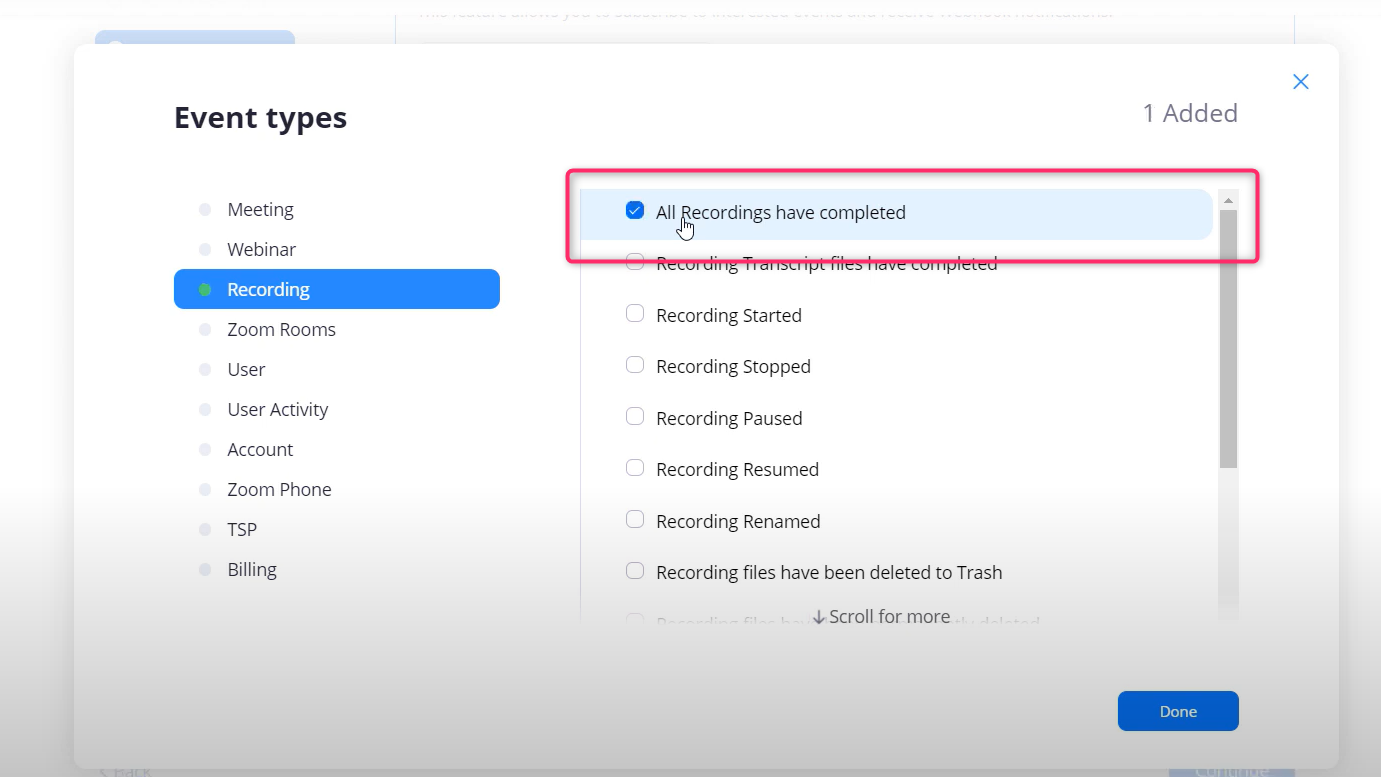
Further, please mind the size of the video to be upload to the Drive.
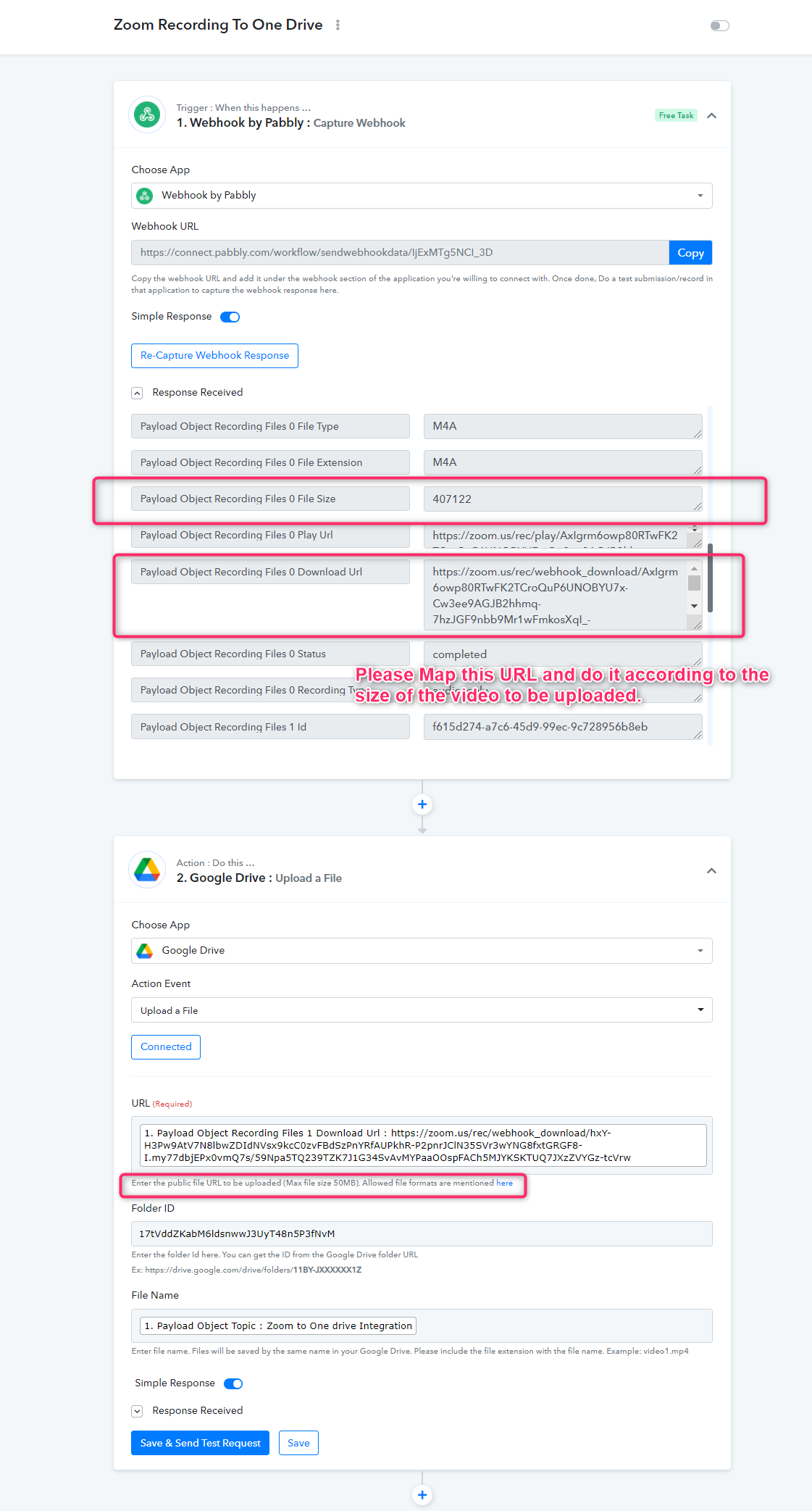
Yes i mapped it correctly mostly all videos of zoom recorded in zoom would be more than 100 MB. so i dont think this could directly download the file in drive.
Hey @nirmehta
We have re-created a similar workflow at our end and recorded a short video for better understanding. Please check out the following-
Workflow - https://connect.pabbly.com/workflow/share/DUUDMQRDBCxQGVMHBGlRNQwYVm9QGgJUA2RURg##
Video - https://www.screenpresso.com/=xU4Qf
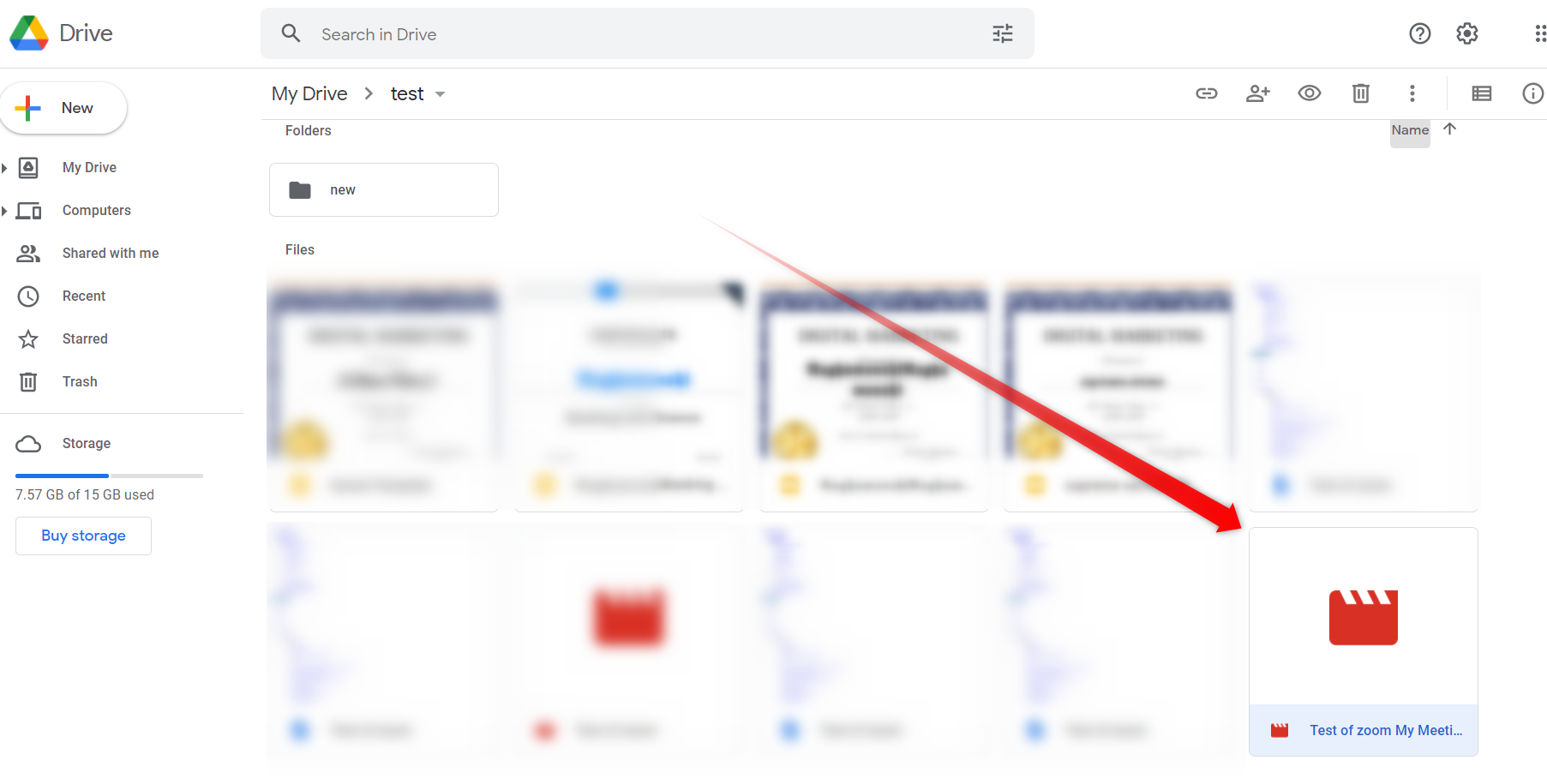
Saved video on the drive -
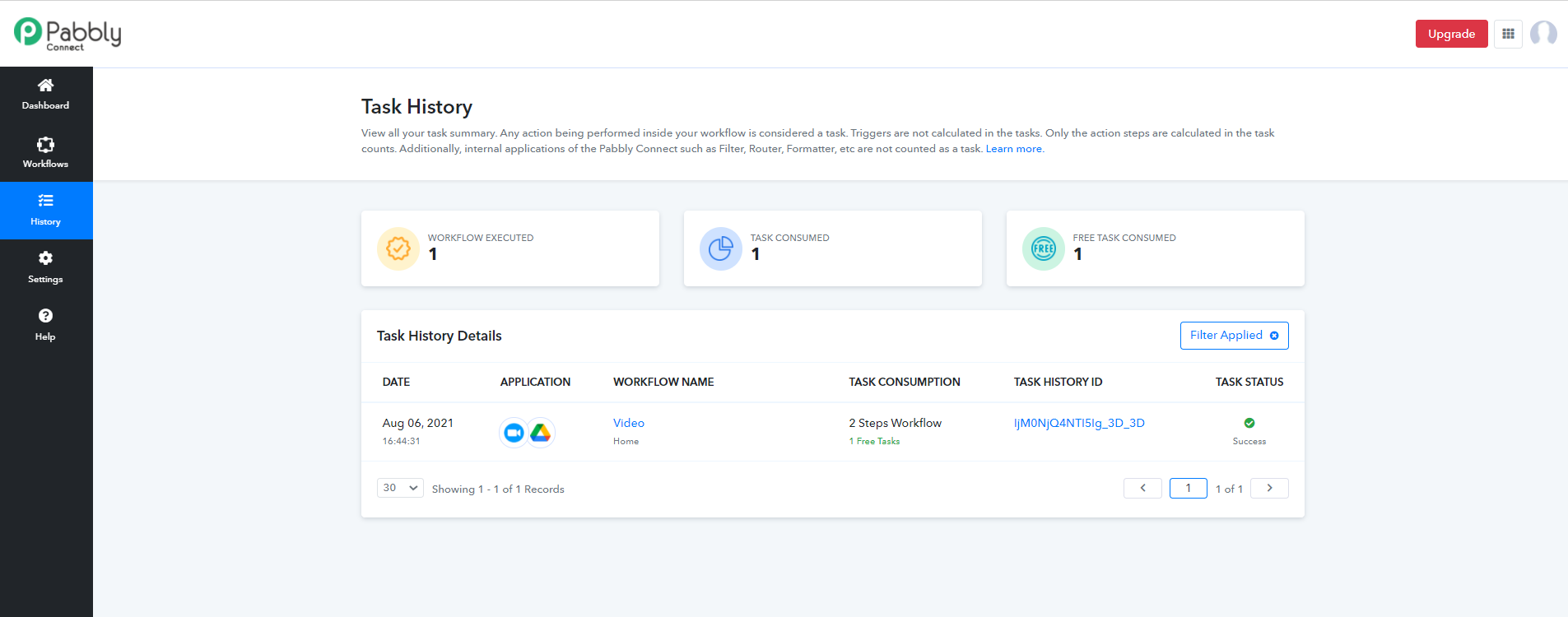
Recent history of the workflow -
Further, there will be a limitation of file size up to 50MB.