Zoom Recordings to Youtube
Status: Closed · Asked by Batch8888 on · 0 views
Hi support
re ticket ##434201
Im setting up a workflow to upload Zoom recordings to Youtube. I cant configure the download urL?
I messaged support via chat and you emailed me a reply below, suggesting to Re-capture the webhook.
This didnt work.
I have re-captured the webhook response. Several times.
In the History when i click on the latest events I can see all the line items of response from Zoom.
however when i go to the workflow it is not showing all the data fields from Zoom?? Im seeing only say 20 fields... not including the download URL
Here is a Loom showing what i see...
https://www.loom.com/share/0c9fef20e91a4434abe8ec2adb183419
help?/
thanks andrew
-------
Hey Andrew!
Thanks for contacting Pabbly support.
Kindly check the image below-
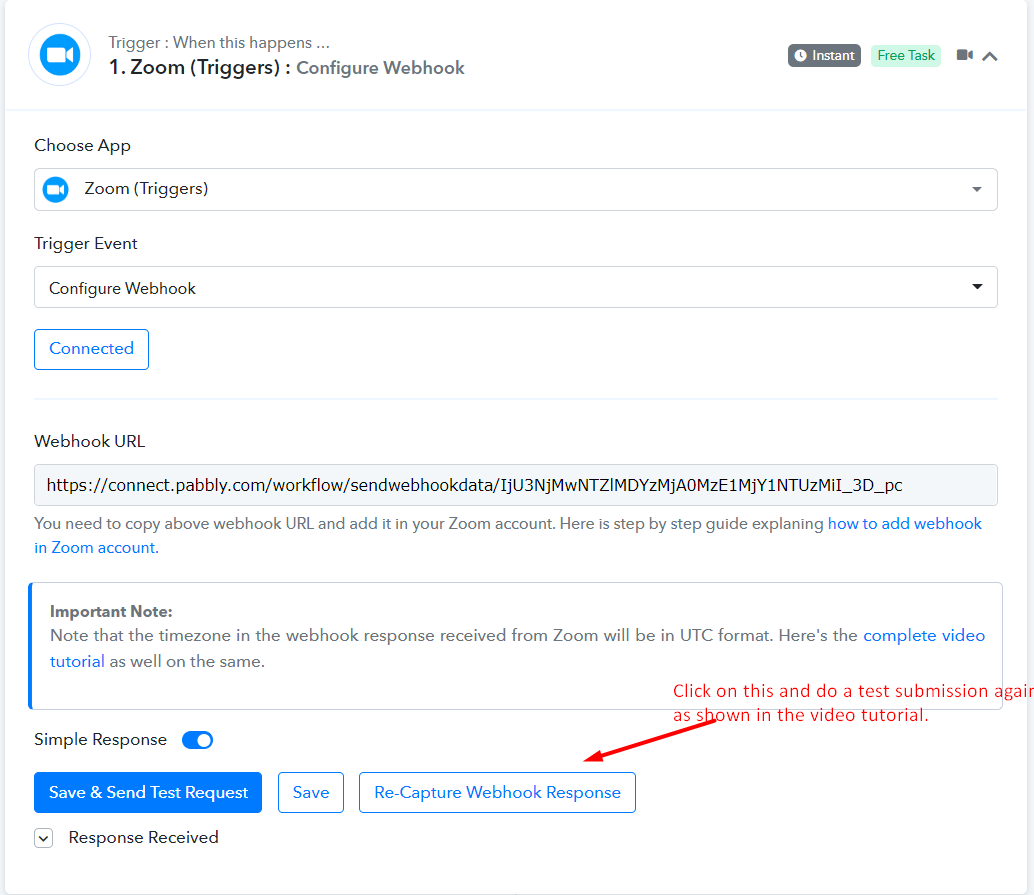
Once done, you will be seeing the download URL, as we can see that it is coming in your workflow histroy-
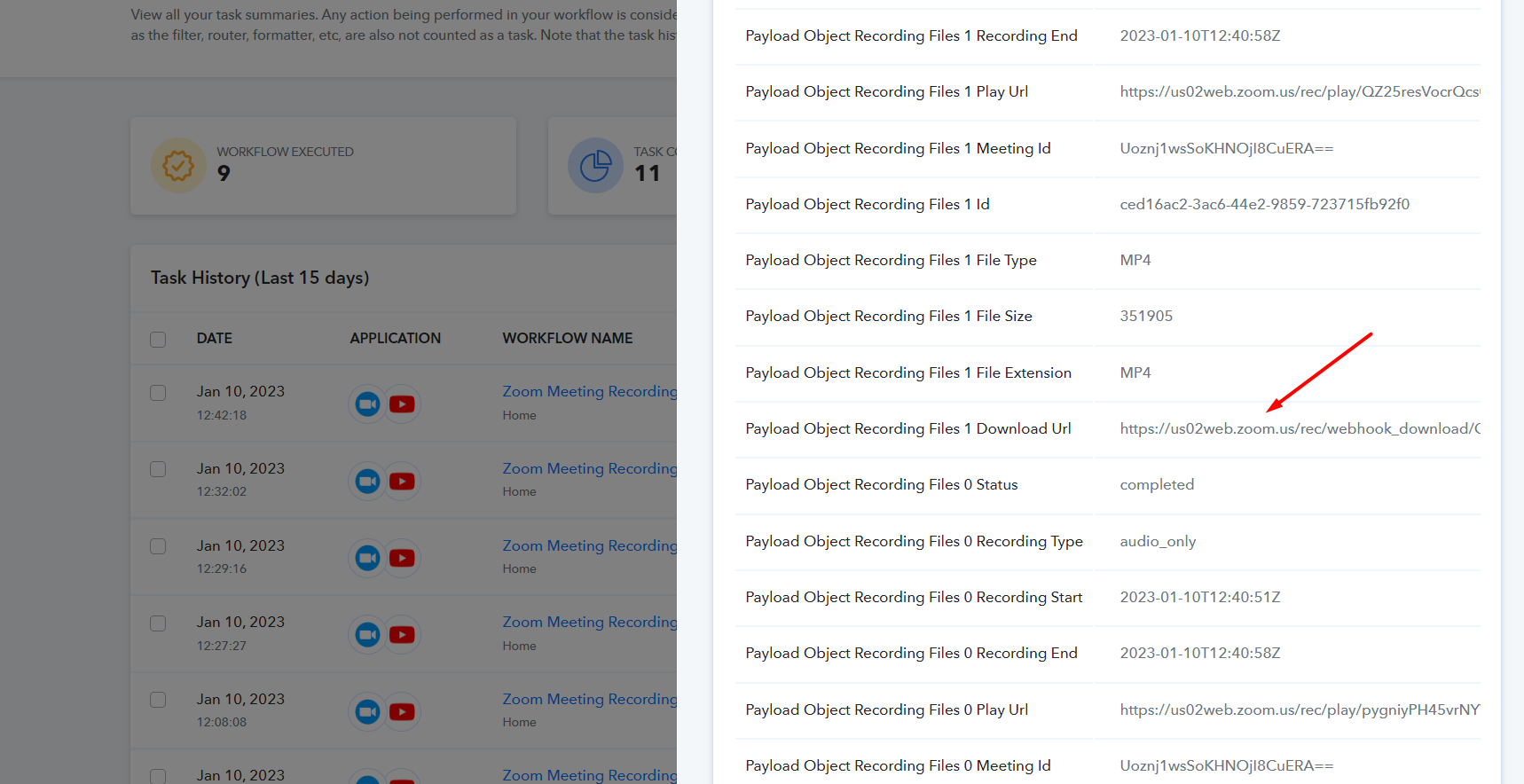
It will work for you.
Do check and let us know about it.
Regards
Subin
Pabbly.com
P.S. - Please post all your future queries on our forum for quicker assistance - https://forum.pabbly.com/
@Subin
Hey @Batch8888
Kindly use the "All Recordings have Completed" trigger event in your Zoom account instead of using the "Recording Completed".
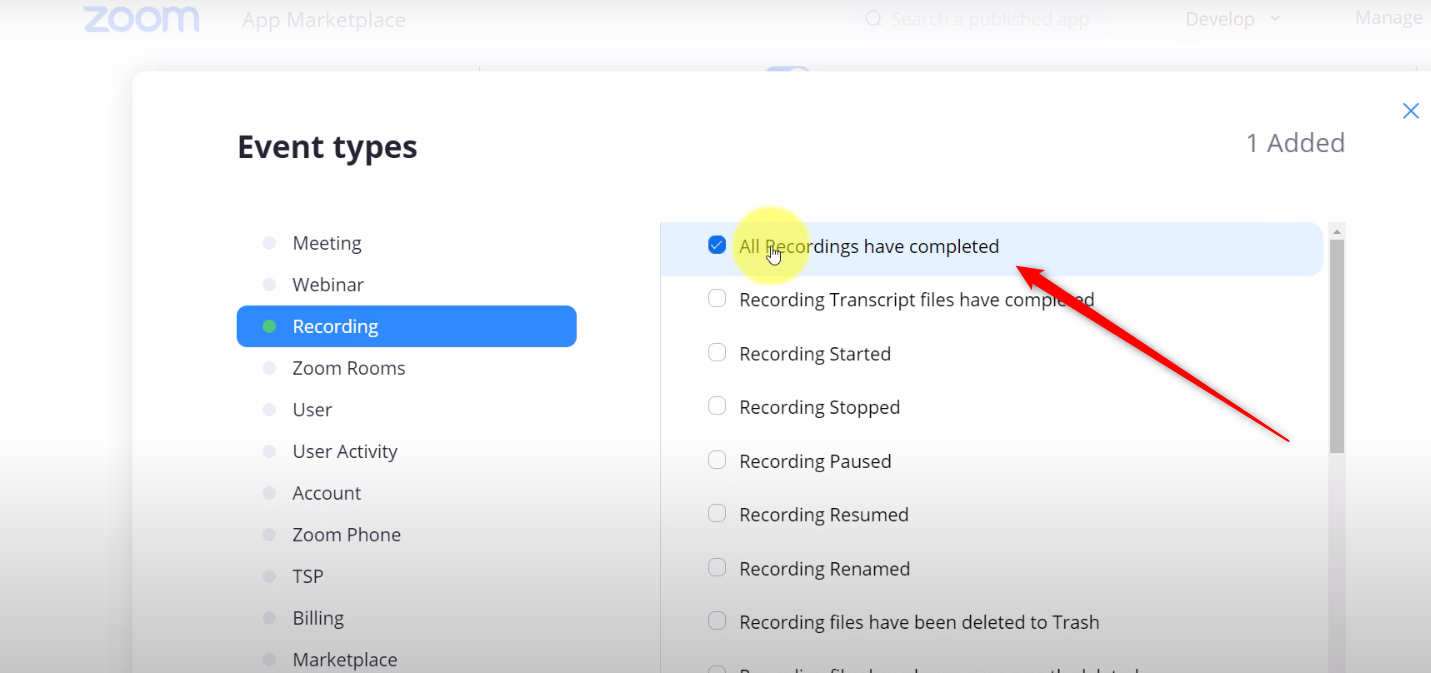
Kindly watch the first part of the video tutorial once and then try again.