

My use case is
(1) forwarding a pdf document attached to an email to Parsio.io inbox - done
done
(2) parsing the attached pdf document using Parsio.io -done
(3) saving parsed data to google sheet using Pabbly -done
(4) sending an email (body of email populated using parsed data) using Pabbly -done
(5) renaming the pdf document stored and attach the renamed pdf document to an email using Pabbly then send via Sendinblue - not sure
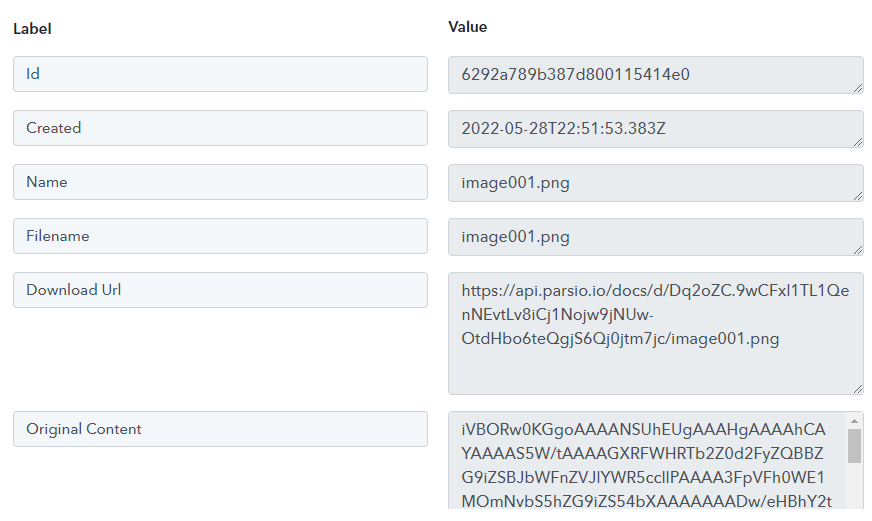
I am stuck on step (5) as Pabbly does not seem to grab the url to the pdf document stored by Parsio. And I am not sure how to rename the pdf file and attach to an email sent via Sendinblue.
 parsio.io
It would be great if someone could help. Thanks.
(1) forwarding a pdf document attached to an email to Parsio.io inbox -
done(2) parsing the attached pdf document using Parsio.io -
done(3) saving parsed data to google sheet using Pabbly -
done(4) sending an email (body of email populated using parsed data) using Pabbly -
done(5) renaming the pdf document stored and attach the renamed pdf document to an email using Pabbly then send via Sendinblue -
not sureI am stuck on step (5) as Pabbly does not seem to grab the url to the pdf document stored by Parsio. And I am not sure how to rename the pdf file and attach to an email sent via Sendinblue.
Saving Attachments Automatically to Google Drive
Today many businesses use Google Drive as a storage for hundreds of emails and attachments they receive from clients every day. Uploading them manually to Google Drive is a pretty tedious and time-consuming task that distracts you from the main business aspects. In this article we’ll show you how
parsio.io
It would be great if someone could help. Thanks.


