ChrisJW94
Member
- Your Workflow URL
- https://connect.pabbly.com/workflow/mapping/IjU3NjcwNTZkMDYzNjA0MzI1MjZiNTUzNTUxMzQi_pc
- Your Task History ID
- IjU3NjUwNTY1MDYzNjA0MzY1MjZjNTUzNDUxMzY1MTY0NTQzMjBmMzQi_pc
- Consent to Access & Modify
- I authorize Pabbly Support to log in to my account and make changes to the specified workflow for troubleshooting.
I’m experiencing an issue with one of my workflows and wanted to check if you can help investigate.
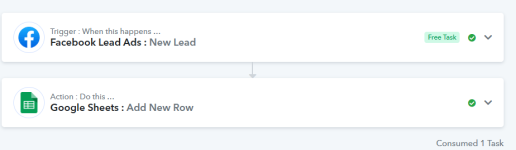
I have multiple workflows set up to send Facebook Lead Ads leads into Google Sheets. These have been running fine historically. However, one specific workflow for an Invisalign lead form has completely stopped triggering since 8th December.
We have received plenty of new leads via Facebook since then, but the workflow history only shows executions up until 8th December, with nothing recorded after that date.
What’s confusing is that:
I haven’t come across this behaviour before, so I wanted to see if there’s anything on your end that could explain why the trigger stopped firing from that date onwards.
Happy to provide workflow IDs, lead form IDs, or screenshots if needed.
Thanks in advance for your help.
I have multiple workflows set up to send Facebook Lead Ads leads into Google Sheets. These have been running fine historically. However, one specific workflow for an Invisalign lead form has completely stopped triggering since 8th December.
We have received plenty of new leads via Facebook since then, but the workflow history only shows executions up until 8th December, with nothing recorded after that date.
What’s confusing is that:
- Another workflow for the same client is still working perfectly
- Both workflows use the same Facebook connection
- Other workflows using this same Facebook connection for different clients are also working fine
- This issue happened on the same date (8th December) for another client as well, with a different lead form
I haven’t come across this behaviour before, so I wanted to see if there’s anything on your end that could explain why the trigger stopped firing from that date onwards.
Happy to provide workflow IDs, lead form IDs, or screenshots if needed.
Thanks in advance for your help.