thesocialtone
Member
Hi, I have successfully connected Flowlu and Google Sheets via API (Pabbly has access to all API features like tasks, custom fields, team etc).
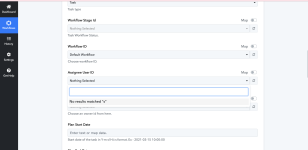
I have refreshed the fields and connection several times but I am unable to select task assignees, owners etc and put the task into the Execution stage of the project Workflow.
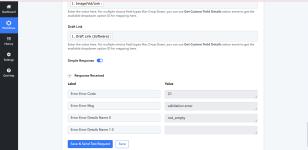
Also, when I click save without setting the above I get an Error 21.
Does anyone have any idea what the issue is?
Is there documentation on Google Sheets to Flowlu Tasks that I can read too?
Thanks
I have refreshed the fields and connection several times but I am unable to select task assignees, owners etc and put the task into the Execution stage of the project Workflow.
Also, when I click save without setting the above I get an Error 21.
Does anyone have any idea what the issue is?
Is there documentation on Google Sheets to Flowlu Tasks that I can read too?
Thanks