CopperCRM>Creating a task without project

Saul

Member
Hello, tasks usually go without project. But when automating task creation, project field is required on pabbly...
How can we jump over this field...?

thanks

1621935544522.png
 

Attachments

  • 1621935513004.png
    1621935513004.png
    47.4 KB · Views: 146
P

Pabblymember11

Guest
Hey @Saul

You can jump into the Project field directly by switching off the map button, refresh it and then can select the project in the dropdown.

Further, the project field has been made required from the Copper application end itself.

2021-05-25_15h59_03.png
 

Saul

Member
Hello,

..no, even if I switch map off, this field is still marked as required... while most tasks dont have a project, and when you create them in copper you dont need a project
 
P

Pabblymember11

Guest
Hey @Saul

Our team is currently looking into the possibility of creating a task endpoint without a project.

So we will update you ASAP if it's possible.
 
P

Pabblymember11

Guest
Hey @Saul
..no, even if I switch map off, this field is still marked as required... while most tasks dont have a project, and when you create them in copper you dont need a project
We have checked the possibility and tried with the conditions according to you.

Now the Create Task Action Event doesn't require the project to be mentioned. We were also able to add the Due Date field as well

Regarding the Activity Type field, we have contacted the Copper team to look into the possibility.

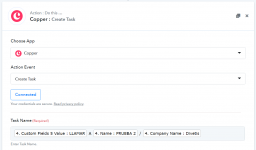
As of now you can use the create task Action without Project and with the due date fields as shown below -

2021-05-25.png


Please try at your end and let us know if that works for you.
 
Top