delete only 1 row while there are many rows that meet the condition (google sheet)
Status: Closed · Asked by ti saigon on · 0 views
Hi
i have issue with delete row in Google sheet flow
If value in column d = "Posted", delete row
But only one row deleted
Related guide: https://forum.pabbly.com/threads/query-regarding-calendly-google-sheet-integration-through-pabbly.1387/#post-6540
Please see image and help
My Google sheet; https://docs.google.com/spreadsheets/d/1cbPDPQC7XqGcj5FRqd_epTKdNQS3JX0RuqwrB3nn_f0/edit#gid=0
Thank you
Attachments
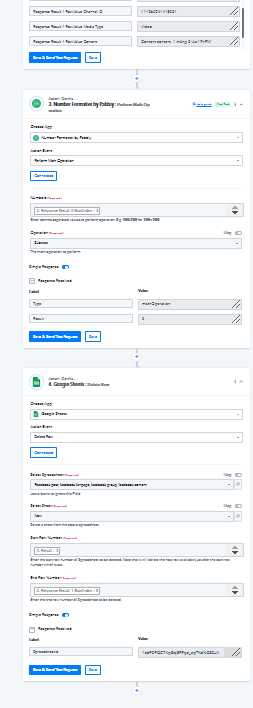
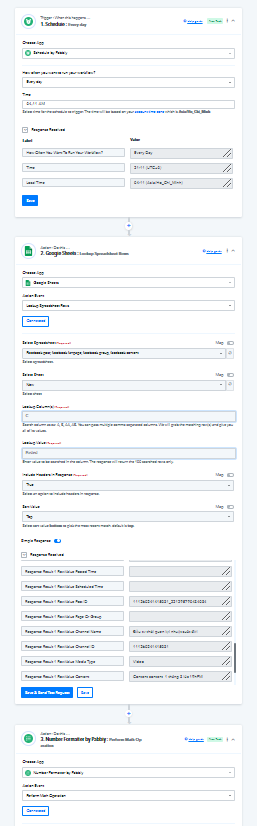
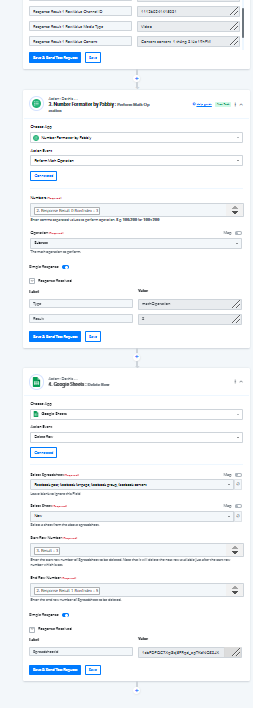
It appears that you haven't subtracted a row from the desired row to delete the selected row from the Google Sheets.
Though we have corrected it for now and it should work now.
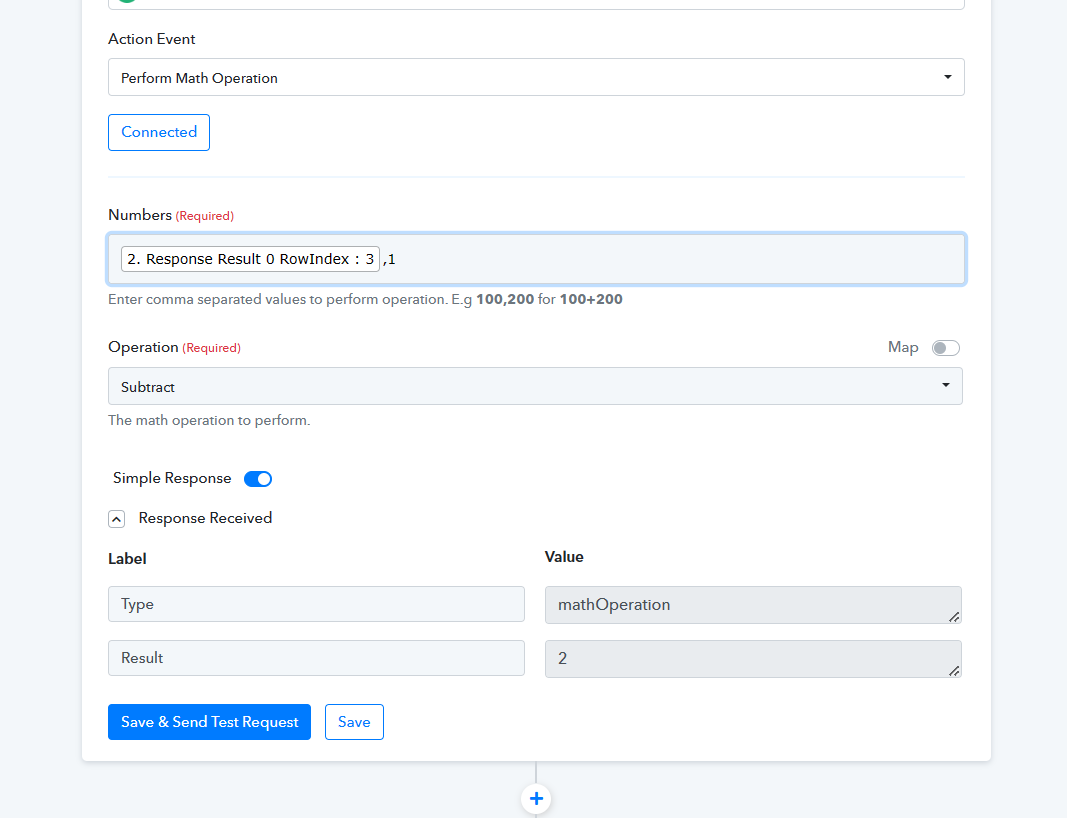
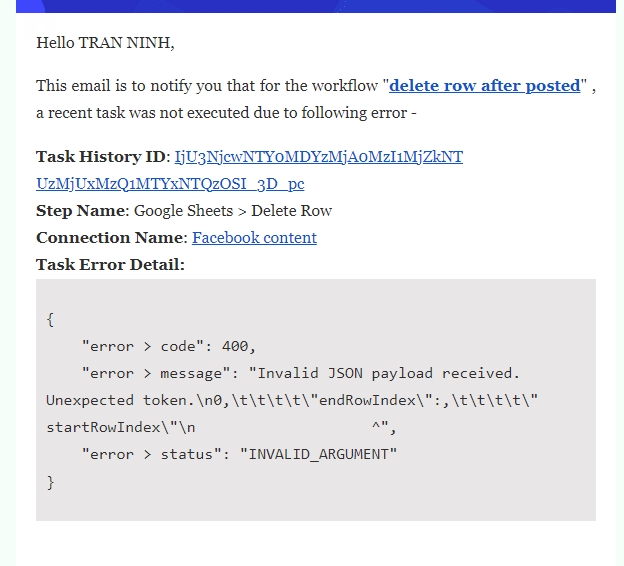
@Supreme Please check, i've received email about task error detail . Thank you
[JUSTIFY]Hello TRAN NINH,
This email is to notify you that for the workflow "delete row after posted" , a recent task was not executed due to following error -[/JUSTIFY]
Task History ID: IjU3NjcwNTY0MDYzMjA0MzI1MjZkNTUzMjUxMzQ1MTYxNTQzOSI_3D_pc
Step Name: Google Sheets > Delete Row
Connection Name: Facebook content
Task Error Detail:
{
"error > code": 400,
"error > message": "Invalid JSON payload received. Unexpected token.\n0,\t\t\t\t\"endRowIndex\":,\t\t\t\t\"startRowIndex\"\n ^",
"error > status": "INVALID_ARGUMENT"
}
Attachments
Can you please check your history log once that whether are you getting the desired data from your Google Sheets: Lookup Value action step or not?
Now, can delete rows, but not all rows with value "Posted" . I tried it and it deleted 2rows but there is still 1 row left unremoved.
Hey @tisaigon
If you have more than 1 row to delete you can use the Iterator action step after the Lookup Value action step.
Though we have added that for you now. Kindly give it a try and let us know.
Super. thank you
@Supreme
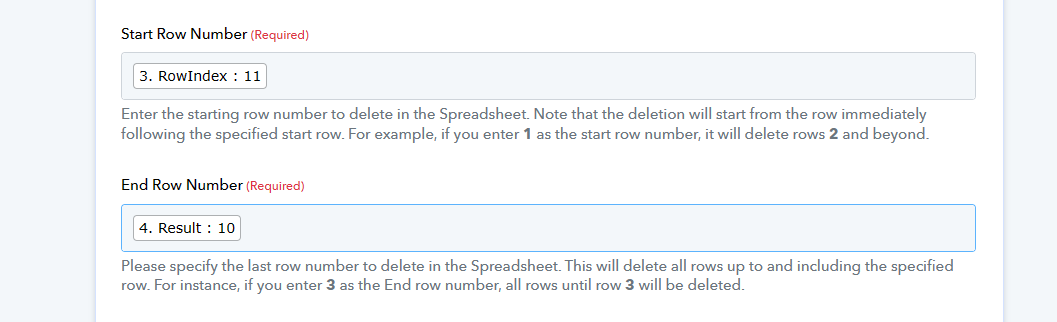
I have 10 rows meet condition (cell B(i) = Posted) but error / not delete.
Please see screen and help
Thank you
My Google sheet:
https://docs.google.com/spreadsheets/d/1cbPDPQC7XqGcj5FRqd_epTKdNQS3JX0RuqwrB3nn_f0/edit#gid=0
My flow:
https://connect.pabbly.com/workflow/mapping/IjU3NmMwNTY4MDYzMTA0MzQ1MjZiNTUzZCI_3D_pc
Attachments
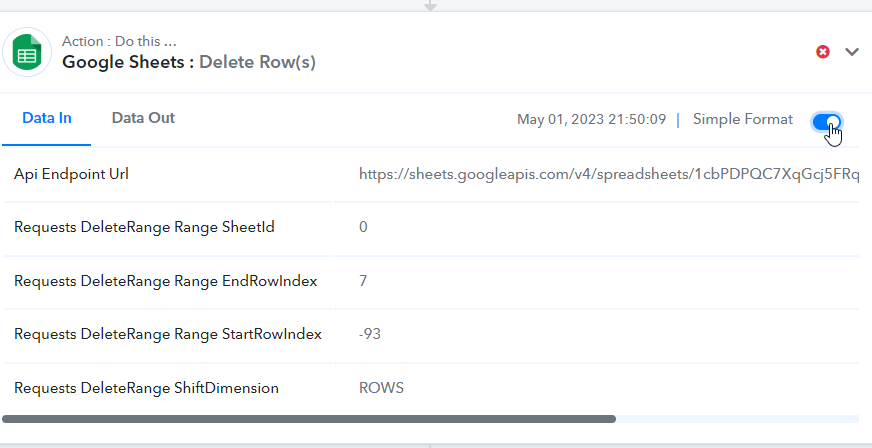
Or only delete last row
Attachments
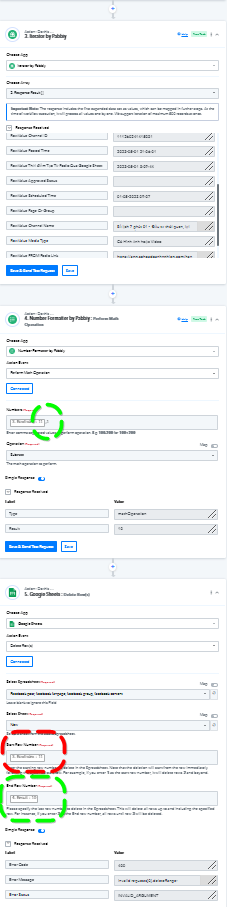
@Supreme please help, thanks
You have passed the start row number in the end row and the end row number in the start row.
So, kindly correctly map the row index.