Deleting row in Google Sheet
Status: Closed · Asked by pabbledabble on · 0 views
Hi
I am using API to send a form which looks up a value in Google Sheets and then delete the row.
My steps are
1. Webhook
2. Google Sheets: Lookup Row
3. Google Sheets: Delete Row
I can get the response but when I go to delete row it asks Start Row Number and End Row Number.
How do I complete this please?
I want it to delete the whole single row where the entry was found in the lookup.
Hey @pabbledabble
For your use case, you can check out this similar thread for a better understanding.
Hi
At the Math step, what is the relevance of 1 here 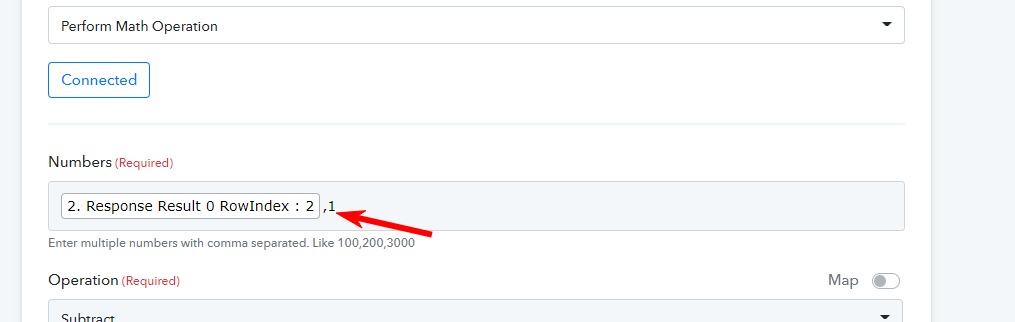
Is it always 1? Or how do I work out what number to put here
Hey @pabbledabble
To delete the row of the Google Sheets, you need to fill the immediate upper index of that desired row index, in terms to delete the row.
The subtraction on the Math operator is to get the upper row index to set the limit to delete the row, so it will always be subtracted by 1.
Further, you can try the similar work on our sample workflow -
https://connect.pabbly.com/workflow/share/WhJSYAdQUnpeF1QuDm9QeVhLBzAJVQc9XU0GD1w5URc#
Google Sheet - https://docs.google.com/spreadsheets/d/1yH5pYODOoSHqd1QphTX-TXFsVYZrpEtdSvDg-p47TWw/edit?usp=sharing