Dropbox To Google Drive - Not Working

Your Task History ID
IjU3NjUwNTY1MDYzNDA0MzU1MjZjNTUzNDUxMzQi_pc
I'm looking for a sync that takes any new files in Dropbox and copies it to Google Drive. The connect I setup does not appear to be working.

 

ArshilAhmad

Well-known member
Staff member
Hi @saltproductions,

Please follow the steps provided in the video below to set up Dropbox as your trigger application. Only the first half is relevant for you.

Then follow these steps to setup Google Drive as your action application and upload a file to your Google Drive. Skip to 09:40.
 
Thanks! I also seem to have an issue with my folder's path. In DropBox Business, it's simply the below:
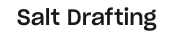
DropBox Folder Name.png

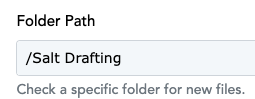
I've copied that directly into Pabbly:
Pabbly Folder Field.png

And I'm receiving these errors:
Pabbly Responses.png
 

Attachments

  • DropBox Folder Name.png
    DropBox Folder Name.png
    6.8 KB · Views: 98
  • Pabbly Folder Field.png
    Pabbly Folder Field.png
    10.8 KB · Views: 97

ArshilAhmad

Well-known member
Staff member
Please add some files to the folder whose data you want to capture. Watch the video shared below, which explains how you can fix this issue.
 
P

Pabblymember11

Guest
Unfortunately this did not fix the issue. Does this connection work if we are using a DropBox Business account?
Can you please share the screenshot of your account where the path has been mentioned, so that we can look into it?
 
P

Pabblymember11

Guest
Hey @saltproductions

Can you please cross-check if your are using the same DropBox account to get the new file since the trigger event is performing accordingly?

1718792725058.png


1718792767089.png
 
Top