Srijin Francis
Member
Hi Team,
Hope you are doing great.
We are currently collecting lead data from our Facebook Ads and storing it in a Google Sheet. At present, we have accumulated over 1000+ converted leads in this sheet. We are looking to send all of this data to Facebook’s Conversion API using Pabbly Connect.
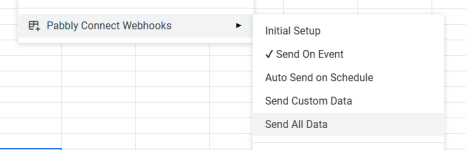
While I found a tutorial video that demonstrates how to send data for each new row added to the sheet, I couldn’t find clear guidance on whether it’s possible to upload a bulk set of conversion data at once — especially if the data is added manually to the sheet, rather than coming in real-time.
Could you please clarify the following:
Any guidance, documentation, or examples would be greatly appreciated.
Thank you for your support!
Thanks
Srijin Francis
Hope you are doing great.
We are currently collecting lead data from our Facebook Ads and storing it in a Google Sheet. At present, we have accumulated over 1000+ converted leads in this sheet. We are looking to send all of this data to Facebook’s Conversion API using Pabbly Connect.
While I found a tutorial video that demonstrates how to send data for each new row added to the sheet, I couldn’t find clear guidance on whether it’s possible to upload a bulk set of conversion data at once — especially if the data is added manually to the sheet, rather than coming in real-time.
Could you please clarify the following:
- Is it possible to upload bulk conversion data from a Google Sheet to Facebook Conversion API using Pabbly Connect?
Any guidance, documentation, or examples would be greatly appreciated.
Thank you for your support!
Thanks
Srijin Francis