Facebook Offline Events & Conversion Events
Status: Closed · Asked by keithyu on · 0 views
I set up a Pabbly automation to send back Shopify orders to the pixel as both an offline event and purchase conversion event.
However, the offline event set on Facebook doesn't populate. It still says that no activity was detected.
I'm also unsure if purchase conversion events are being sent back
I've set up a similar automation with Zapier before and it worked flawlessly. How do I troubleshoot the Pabbly automation and ensure that both conversion event and offline event set are being populated?
Hey @keithyu
Could you please share the name of the workflow once, so that we can look into it and can guide you accordingly.
Hi
The workflow is on a client account. Workflow names are:
MHD Watches - FB Conversion
Hell For Leather - FB Conversion
PBuddies - FB Conversion
Hey @keithyu
If you are using some other email address to use Pabbly connect then please let us know the email address in which the workflows exist.
Email used is [email hidden]
Hey @keithyu
Please allow us some time, we are currently looking into your concern.
Hey @keithyu
As we can see from your API response to the Facebook action step, you might have changed your Facebook accounts credentials and because of that, your action step is not working.
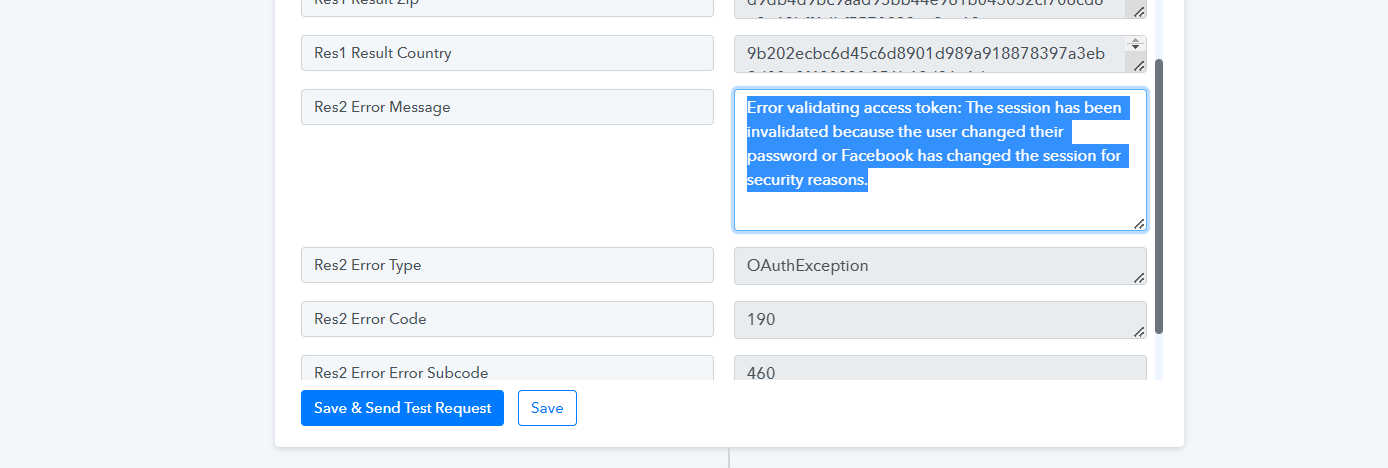
So, pelase make a new connection and then try again.
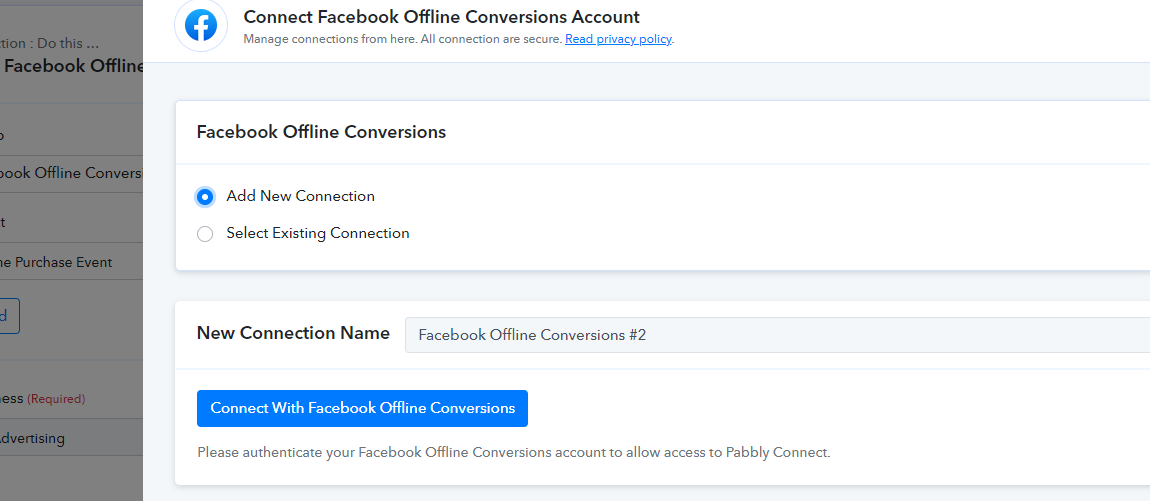
We tried resetting the connection before and the same thing happened. No purchases being added to offline event set and pixel event
We tried resetting the connection before and the same thing happened. No purchases being added to offline event set and pixel event
As we can see from your Facebook connection and it seems like you are still using the old connection to use the action event.
Kindly add a new connection and try again.