Fail in workflow form google new tasks to infinity new item.

henrylau

Member
1757540537712.png


We have log in google task , and infinity separately. It fails. It works very good 8 days ago for over year. Is your server unstable?
Please try to fix it, and inform me the solution. my email is [email protected]

 

henrylau

Member
I have added infinity new connection, and connect with new connection 40, and come back to the end with "save and send test request" with the below message indication PDF.
 

Attachments

  • 123.pdf
    58.9 KB · Views: 41

ArshilAhmad

Well-known member
Staff member
Please allow us some time to look into this concern. We will get back to you with an update soon.
 

henrylau

Member
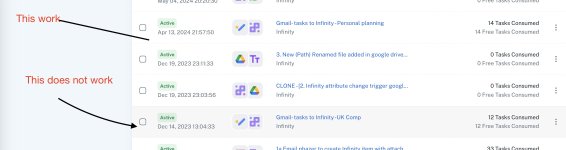
I have checked in the same google task to infinity work flow. One workflow onto infinity folder - executive ( Failure). Another workflow onto infinity folder - Personal (Sucess).

This problem is not from google tasks.
I have added new connection of infinity "new task". It does not work.
 

Attachments

  • 123.jpg
    123.jpg
    185.5 KB · Views: 42

ArshilAhmad

Well-known member
Staff member
We understand that the issue is not related to Google Task. Please allow us some time to investigate why you are encountering the error in the 'Infinity: Create Item' action step. We will get back to you as soon as we have any updates.
 

Preeti Paryani

Well-known member
Staff member
Hello @henrylau,

Thank you for your question. Upon testing, our team found that the Submit Day field is a non-editable field, which is causing the issue. We recommend updating your Infinity account to make this field editable. Once the changes are made, please refresh the fields in Pabbly Connect and then try running the action again.

1757659492517.png


Our team also executed a test without editing this particular field, and the item was created successfully.

1757659500124.png
 
Top