Failed Campaign
Status: Answered · Asked by Dave Meney on · 0 views
Hello Dave,
We reviewed the screenshots you shared and identified a few points regarding your recent campaign.
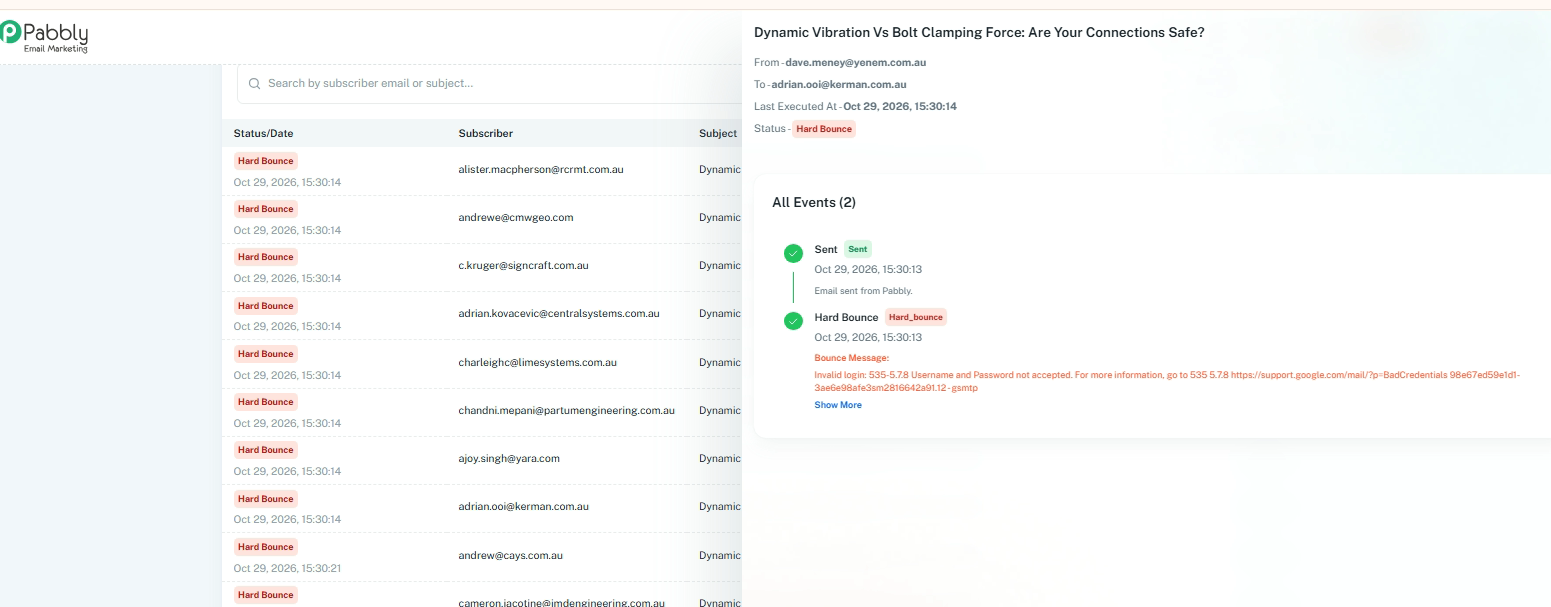
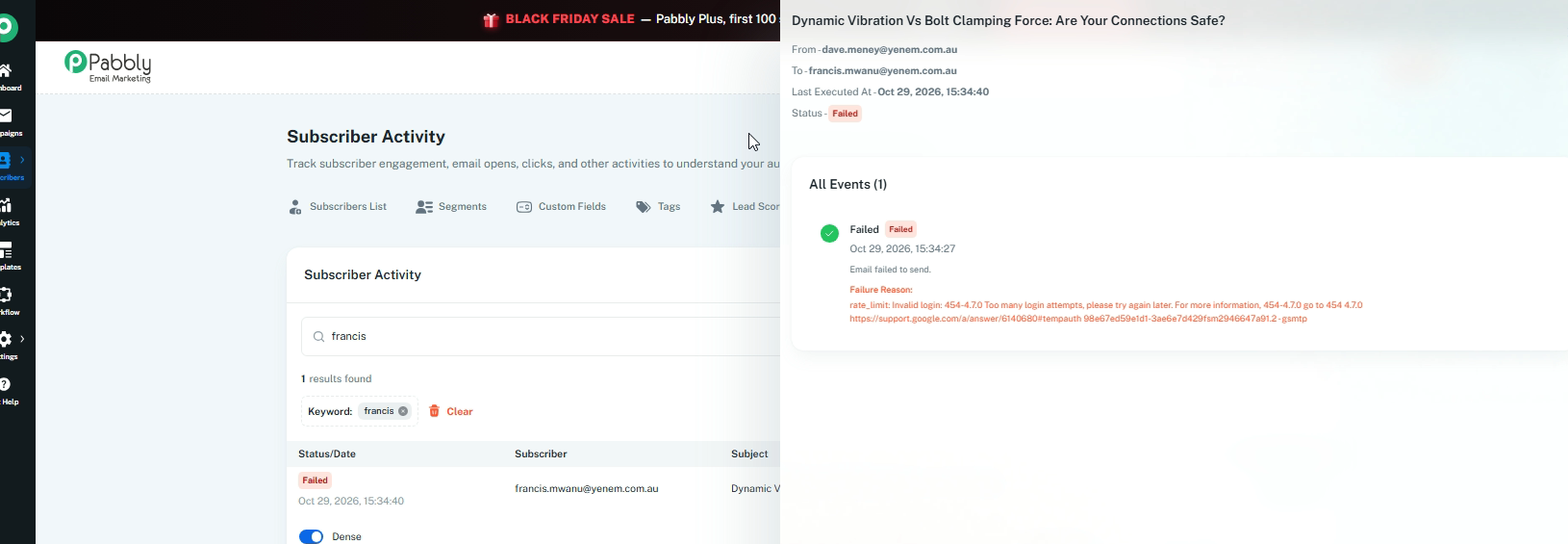
1. Based on the execution logs, your campaign appears to be using a Google delivery server rather than Pabbly’s Send With Us delivery server.
The logs show the following errors:
Invalid login credentials: The SMTP response indicates that the username or password was not accepted.
Too many login attempts: Another error indicates that Google has temporarily restricted further login attempts due to repeated failures.
Please verify your Google delivery server configuration, including the username, password, and authentication settings. If necessary, reset your password and update the credentials before trying again.
2. Please also check whether your Google account has reached its daily sending limit. Google accounts have sending limits that vary by account type and usage. If the limit has been reached, further emails may be rejected or delayed.
NOTE: Regular Google accounts have a 200-email limit, and a Google Workspace account has a 200-300 email limit
3. We also recommend trying Pabbly’s Send With Us delivery server as an alternative to your Google SMTP server, as it's already active.
If you send a test campaign through Send With Us and encounter any delivery issues, please share the campaign details and delivery logs with us. Our team can then investigate the available records and assist you further.