[FB Leads to Google Spreadsheet] Leads not vissible in spreadsheet
Status: Open · Asked by Doe John on · 0 views
Hi everyone,
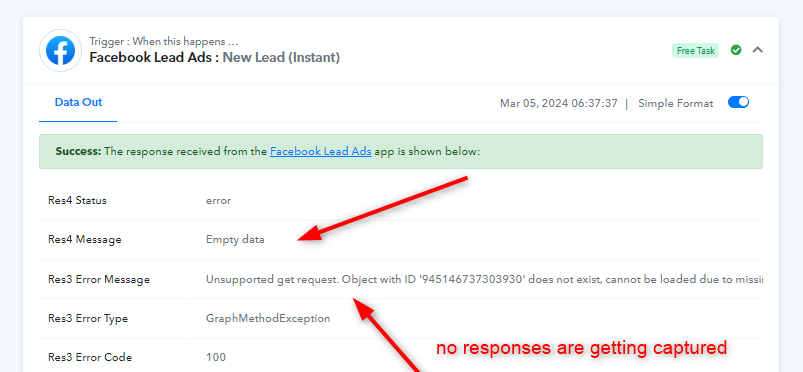
After finishing the workflow we've captured 4 new leads with Meta. The workflow says '4 tasks consumed', however the leads don't appear in the Google spreadsheet. Can someone help me?
Name of the workflow: CLONE - [Decorette FB Leads naar Google Spreadsheet]. The leads in the spreadsheet are added manually for our client.
Hey @Doe John
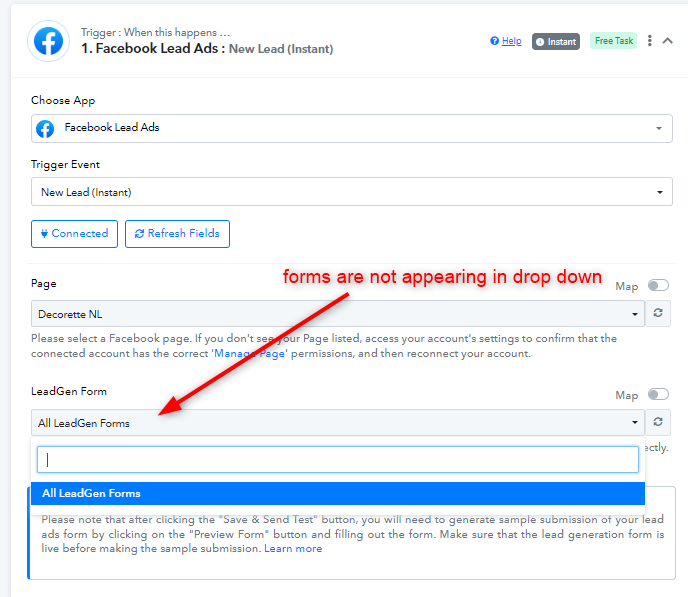
It seems that your Facebook Connection is not working properly. Kindly make a new connection and make sure that you have all the admin permissions for the form you want to use. Refer to this thread for all other instructions - https://forum.pabbly.com/threads/facebook-lead-ads.2740/
Also, Kindly share with us the link of the form you want to use.
youtube.com/watch?v=ncInsBoUWxs
Attachments
Hi @Luv,
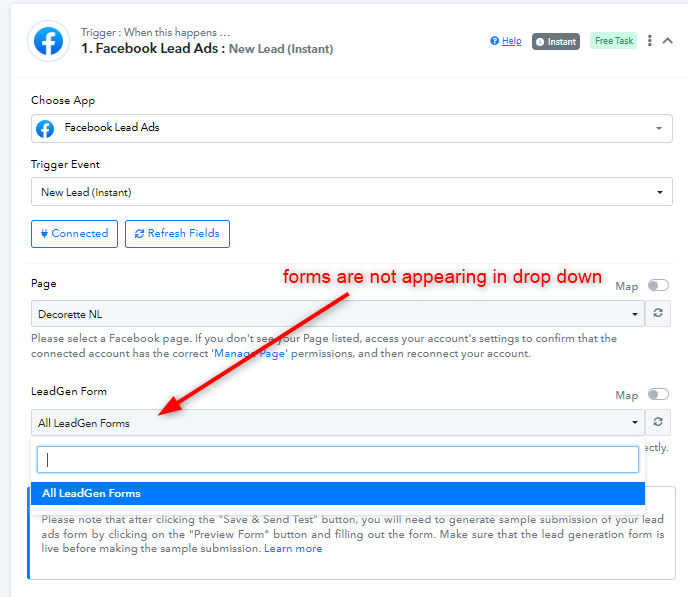
Thanks for your support. I think I've changed everything in the right way. I could select the Leadform this time.
Could you check please?
https://fb.me/1HXrFeyBH8Ja0X5
Hey @Doe John
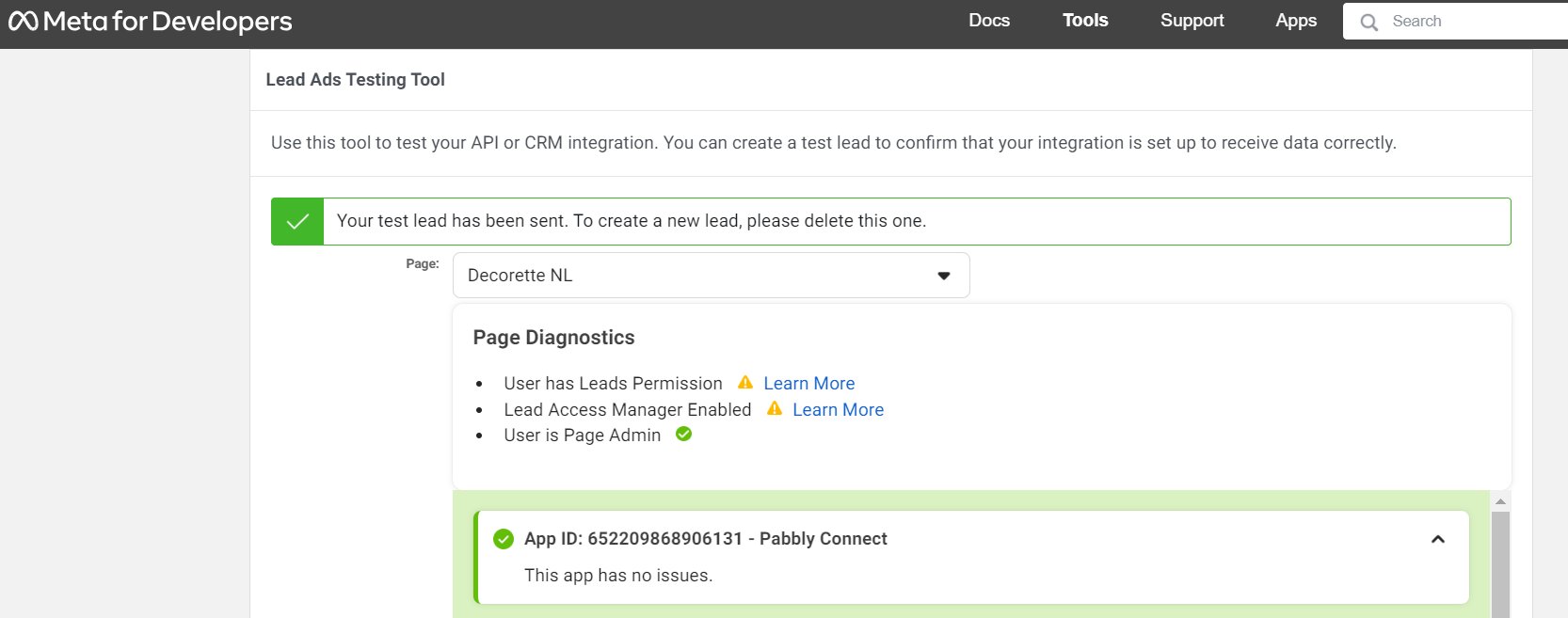
Great! The forms are there now. Now you can just follow the further steps from the video mentioned below. Let us know if you still face any issues.
Hey @Doe JohnGreat! The forms are there now. Now you can just follow the further steps from the video mentioned below. Let us know if you still face any issues.
Thanks for your help. Now waiting for a new lead. Will update you.
Hi @Luv, the new lead didn't appear in the spreadsheet. Is it necessary to be super admin in the business manager?
Hey @Doe John
It seems like that your workflow is turned off. Kindly turn that on and then try again.
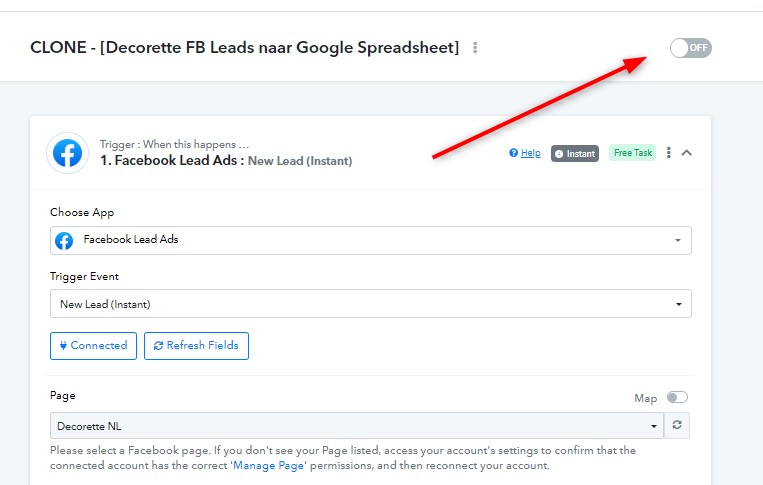
It's this one @Luv :

The issue appears to be related to you not having permissions to capture the leads from the Facebook account you have connected with. Please make sure that you have the required permission and try again.