Getting an OK API response but not receiving the actual message.
Status: Open · Asked by Tapoban Ray on · 0 views
I am trying to use the WhatsApp Cloud API to send bulk messages to clients.
I have registered a new phone number that is not registered in normal whatsapp or the business whatsapp. Now the problem I am facing is, whenever I am doing an API call I am getting an OK response with a response code of 200, but I am not receiving the actual message on the recipient's whatsapp number.
But when I am using the default whatsapp test number then I am receiving the message perfectly fine.
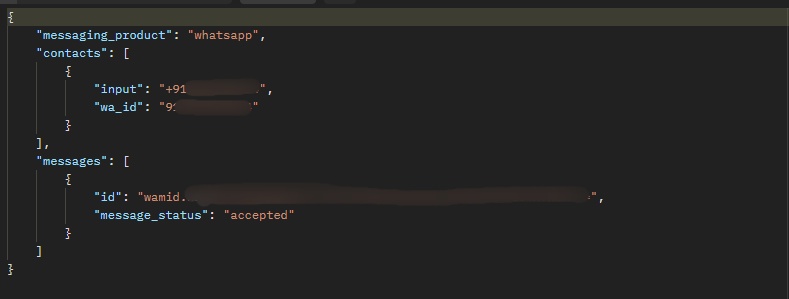
I am using the hello_world template and have not added any payment method. Please someone help me figure it out. I am not getting any error API response that's why I cannot understand if the payment method matters or not. [IMG align="left" width="709px" alt="Here's the API response that I am getting."]https://forum.pabbly.com/attachments/partial_blur-jpg.42870/?hash=8f7c9fb58ae457829fc2989a924da44d[/IMG]
Attachments
Hi @Tapoban Ray,
Could you please try executing this endpoint in Postman and see if the recipient is receiving the message when you execute the endpoint there or not?
Hi @Tapoban Ray,Could you please try executing this endpoint in Postman and see if the recipient is receiving the message when you execute the endpoint there or not?
Yes, I have already tried multiple times using Postman, but I'm getting OK response everytime without the actual message.
Please try executing the endpoint in this manner and see if it fixes your issue.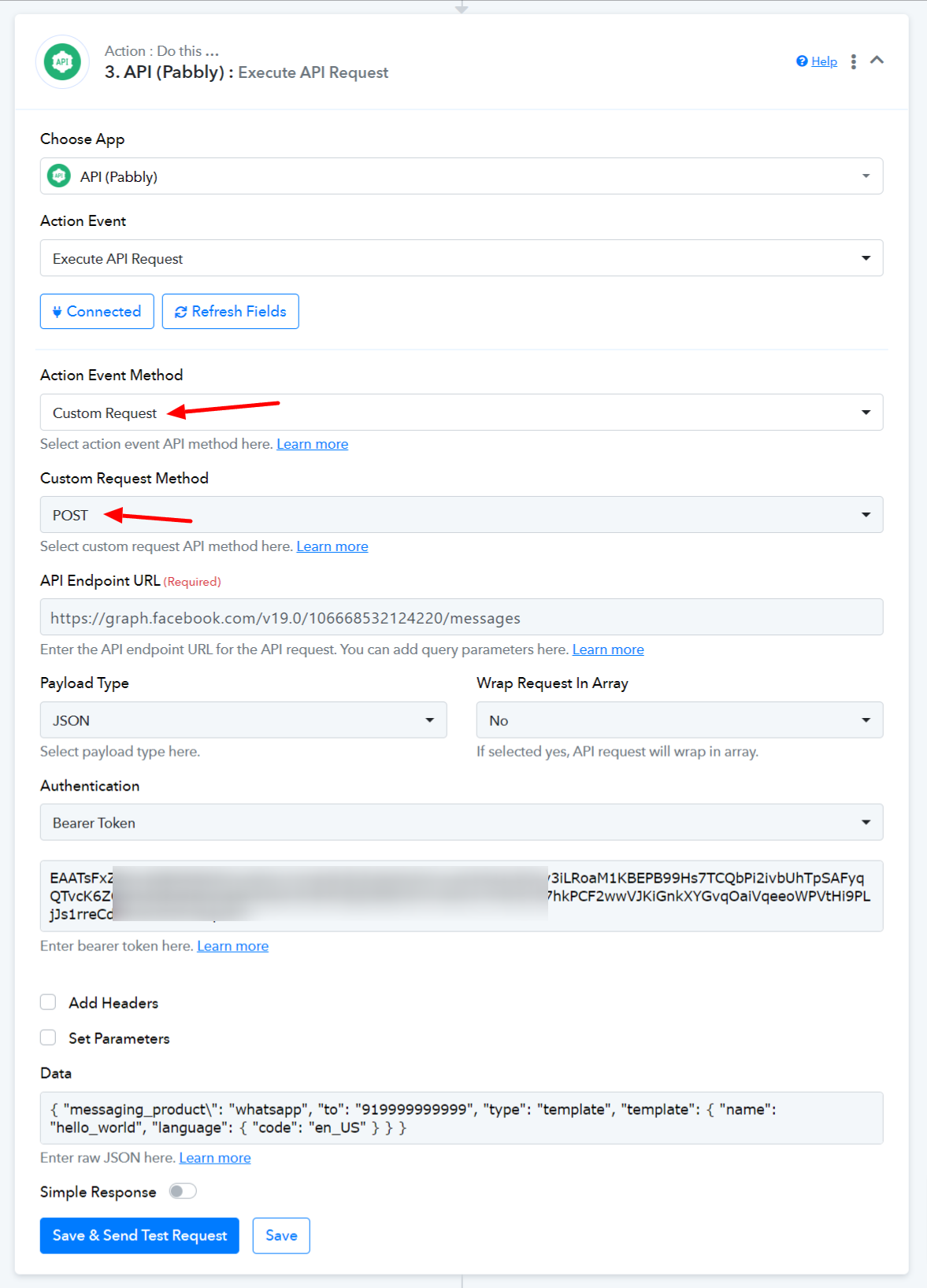
If the issue persists, try checking these points:
1. Ensure that the new phone number is properly registered and verified with the WhatsApp Business API.
2. Verify that the phone number is added and confirmed in your WhatsApp Business Manager.
3. Make sure that your WhatsApp Business account setup is complete and there are no pending verifications or issues.
youtube.com/watch?v=qAzhxOpv5JY
4. Ensure that the API key you are using has the necessary permissions to send messages from the new phone number.
5. Ensure that you are not exceeding any rate limits or quotas imposed by the WhatsApp Cloud API.
6. Ensure that the API key you are using has the necessary permissions to send messages from the new phone number.
If all these checks are in place and the issue still persists, you might want to reach out to WhatsApp Business API support for more detailed assistance, especially since you are encountering the same issue in Postman as well.
I see.... Alright I'll try again.... I actually already did the Custom Request sending using Pabbly Connect.
Can you please answer me the following questions?
- Do we have to create a WhatsApp Business account in the WhatsApp Business App using that number in order to use the WhatsApp Business API?
- Do we have to pay any amount of money in order to use the API or it's free?
I have not created any WhatsApp Business Account using the number separately in the WhatsApp Business app and neither did I pay any amount of money. Please let me know.
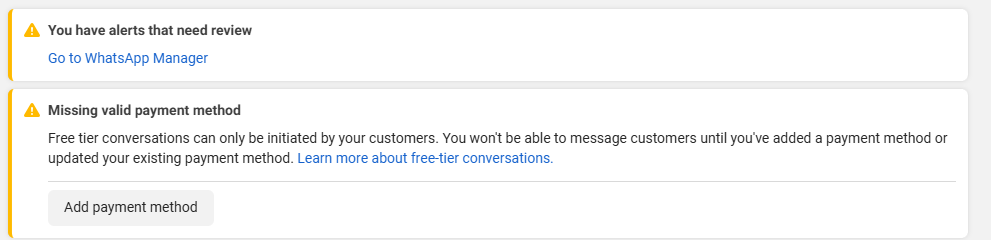
And here are the warnings that I was receiving, and they are mostly about payments.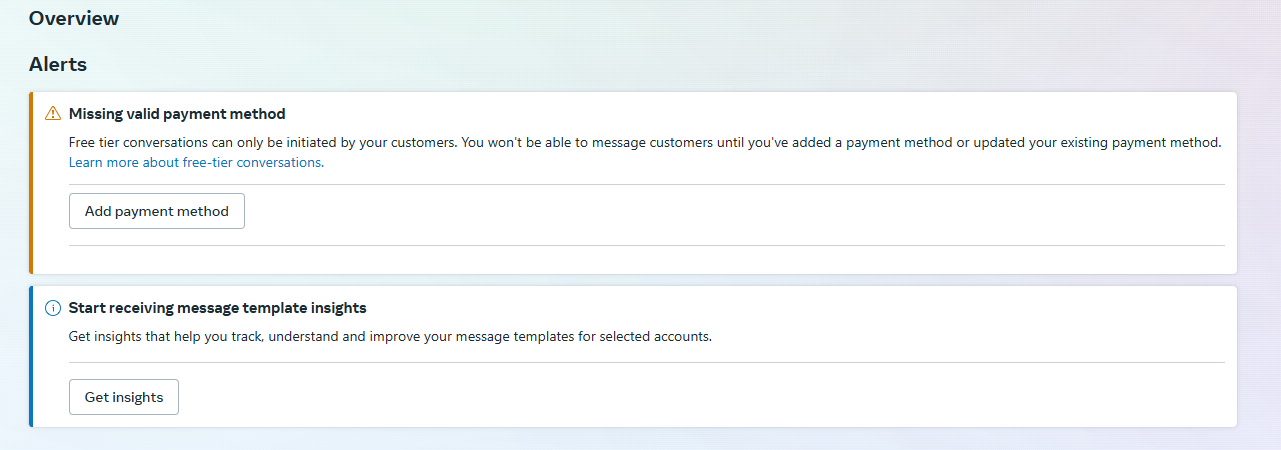
I see.... Alright I'll try again.... I actually already did the Custom Request sending using Pabbly Connect.Can you please answer me the following questions?
- Do we have to create a WhatsApp Business account in the WhatsApp Business App using that number in order to use the WhatsApp Business API?
Yes, you would have to create a WhatsApp Business account in the WhatsApp Business app. You would need to use a number that you are not already using on WhatsApp.
- Do we have to pay any amount of money in order to use the API or it's free?
Kindly get in touch with Meta's support to inquire about WhatsApp Cloud API pricing and related queries, as they are much better equipped to handle this concern of yours.

https://developers.facebook.com/docs/whatsapp/pricing
Please check out the thread shared below:
https://forum.pabbly.com/threads/whatsapp-cloud-api.5745/
I just tried by creating a WhatsApp Business Account on the Official WhatsApp Business App. But I cannot register the number now.
Here's the error message:

I just tried with another number. And I still got the same output: A code 200 OK response from the API, but no message on the recipient's WhatsApp number. I tried this on Postman.
It seems like I am not receiving the message because I didn't pay Meta.
Please tell me it is mandatory to pay Meta in order to send messages from the WhatsApp Cloud API?
Just say YES or NO, because I tried reading a lot of docs and as per my understanding it seems that the root of this error is the payment, if I pay, I'll be able to send messages. But since I am not getting any error message when sending the POST request, I cannot be sure about why the error is occurring. Please answer.
Here's the output: 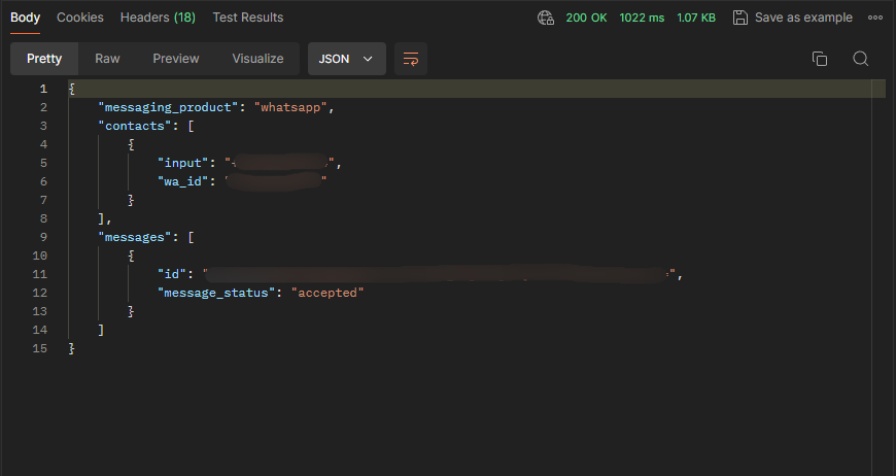
The tutorial that you shared with me:
youtube.com/watch?v=qAzhxOpv5JY
and all the other videos that I watched from the Pabbly YouTube channel, none of them has this option of payment in their API setup webpage.They only have till Step: 5, whereas I have Step: 6 in which they ask me to Add a Payment Method.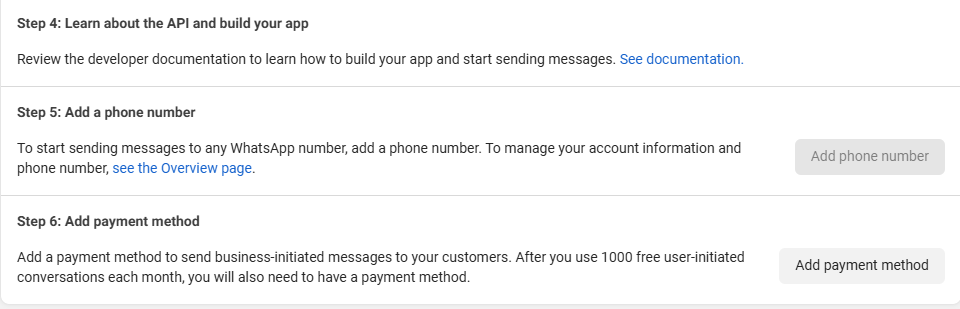
I just tried with another number. And I still got the same output: A code 200 OK response from the API, but no message on the recipient's WhatsApp number. I tried this on Postman.It seems like I am not receiving the message because I didn't pay Meta.
Please tell me it is mandatory to pay Meta in order to send messages from the WhatsApp Cloud API?
Just say YES or NO, because I tried reading a lot of docs and as per my understanding it seems that the root of this error is the payment, if I pay, I'll be able to send messages. But since I am not getting any error message when sending the POST request, I cannot be sure about why the error is occurring. Please answer.Here's the output:
I was running into the same issue and until I entered my payment information, it would not let me send a test message. Now, I can send a test message, but unable to send a customized templated message.
I just tried by creating a WhatsApp Business Account on the Official WhatsApp Business App. But I cannot register the number now.
Here's the error message:
You need to use a number that is not already associated with a WhatsApp account.
I just tried with another number. And I still got the same output: A code 200 OK response from the API, but no message on the recipient's WhatsApp number. I tried this on Postman.It seems like I am not receiving the message because I didn't pay Meta.
Please tell me it is mandatory to pay Meta in order to send messages from the WhatsApp Cloud API?
Just say YES or NO, because I tried reading a lot of docs and as per my understanding it seems that the root of this error is the payment, if I pay, I'll be able to send messages. But since I am not getting any error message when sending the POST request, I cannot be sure about why the error is occurring. Please answer.Here's the output:
Based on the information we have, the first 1,000 messages per month are free. We do not have information on whether a payment method is needed. Since you are not receiving any errors in the response, we do not have much information on why the WhatsApp messages are not being received at the recipient's end. Kindly get in touch with Meta's support team to understand the reason why the messages are not being received.
You should try adding a Payment method as it helped our user above.
We also suggest that you try receiving a WhatsApp message from a number first and then try sending a WhatsApp message to that same number.
I see... Alright... Thank You @ArshilAhmad @tiqbal for helping me... Even I think it's because of the payment method I am facing the issue.... I try again after adding the payment method later.... Thanks guys....