Google Sheet to Gmail not working
Status: Closed · Asked by Gil on · 0 views
When a new row is created in Google Sheets Gmail is not trigger to send new email.
Hey @Gil
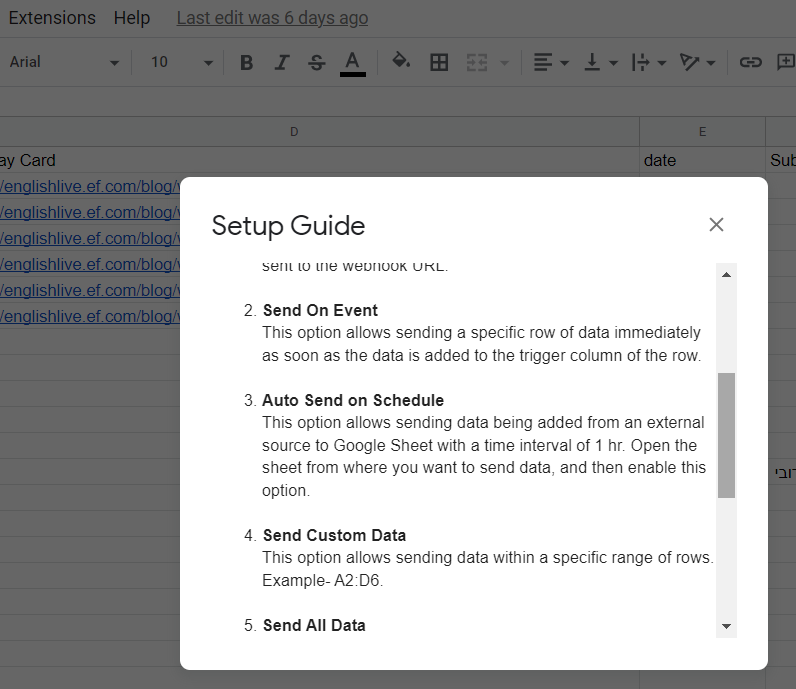
You can only use "Send On Event" when setting up Google Sheets if the data is coming from a Google application or if you manually enter it. If the data is coming from a third-party application, however, you may need to choose "Auto Send On Schedule" or "Send on Schedule," which will forward the data in exactly one hour.
Additionally, make sure the data was filled up to your trigger column.
Check this brief video tutorial which will guide you how does Google Sheet triggers works -
Hey @Gil
We strictly asked our users to not use any kind of formulas or any filter in their Google Sheets to trigger the workflow. Since it might affect the incoming data with the app script.
So, kindly pass the proper data in their Google Sheet to the trigger column manually or from 3rd party application.
Moreover, you can refer to the following thread of one of our users where they have tried a different approach externally.
https://forum.pabbly.com/threads/import-google-sheet-data-from-one-sheet-to-another.2059/#post-9906