Google Sheet Webhook not capturing complete data
Status: Closed · Asked by nitingoyal on · 0 views
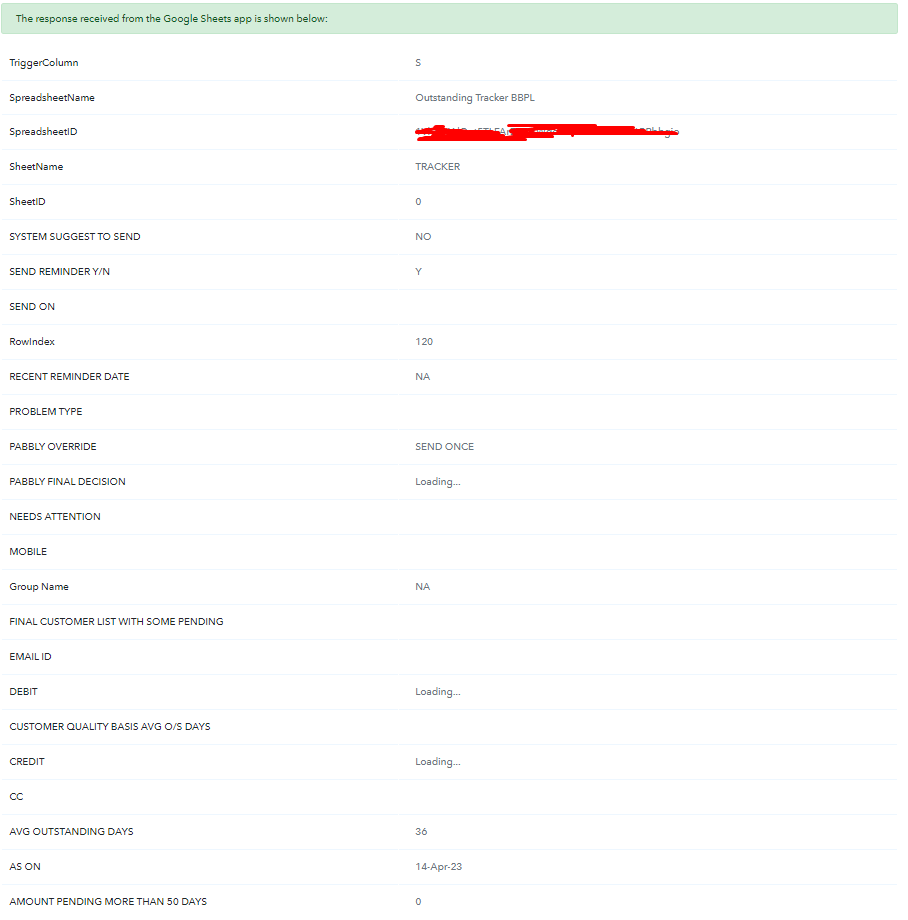
Google Sheet webhook is not capturing all the data.
It showing blank but there are datas in those cells.
Happens when i trigger multiple row simultaneously(without gap).
First few rows captured correctly after that it stop capturing few datas
Attachments

Hello @nitingoyal
I want to inform you that if the data is coming from another workflow or if you manually enter it, you need to choose the "Send On Event" option
However, If you receive data from a third party or another application, please refer to the thread below and set it up accordingly.
Please let me know if you are still facing the same issue.
Hello @nitingoyalI want to inform you that if the data is coming from another workflow or if you manually enter it, you need to choose the "Send On Event" option
However, If you receive data from a third party or another application, please refer to the thread below and set it up accordingly.
Please let me know if you are still facing the same issue.
Hello Arshita,
I think you haven't got my issue,
Workflow is triggering correctly so it's not issue of trigger.
It's just that webhook is not capturing all the data.
Please check attached screenshot
And it's not happening all the time.
Suppose when I trigger 10 rows, it will capture first 2-3 row correctly, but misses few(not all) datas in next 7-8 rows
In this case, please ensure that you have entered the correct column in the trigger column as it should be the last filled column of the sheet.
For example, if you have 3 columns A, B & C, then you have to enter the C in the trigger column to trigger the workflow. If you are expecting to get the data after column C for eg D, E, and F then these columns will not fetch any data.
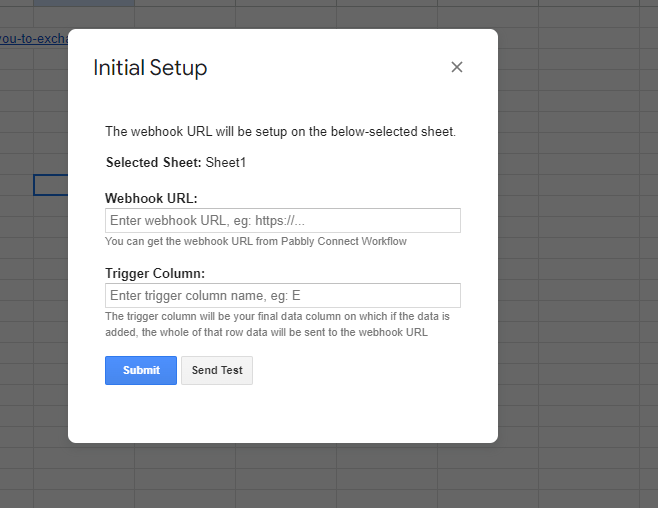
Also please try to run your workflow once in incognito mode of your browser by adding a new connection with Google Sheets.
Please let me know if you are still facing the same issue.