how can send data from my google sheets to google analytics
Status: Closed · Asked by Alaa Bebar on · 0 views
how can send data from my Google Sheets to Google Analytics?
should I build a custom API request with get call option?
here's the workflow I'm trying to set: https://connect.pabbly.com/workflow/mapping/IjU3NjUwNTZhMDYzNzA0MzU1MjZmNTUzZDUxMzEi_pc
it is not complete fro, where should I get the command for that and there a build in application un pabbly alternately.
Hey @alaa bebar
Please inform us if you prefer to transmit data from Google Sheets to Google Analytics whenever new data is added, or if you prefer to schedule regular intervals for data transfer to capture all entries during those times.
Additionally, please specify what kind of updates, additions, or changes you wish to make in Google Analytics based on the data in your Google Sheets, so we can provide effective assistance.
hello @Luv , how are you doin' today the schedule part is updating the data once a day/week depending on the analytic use case.
how can I send data from my Google to Google Analytics let's say the leads generated and the status I want to be able to update data in Google Analytics regarding that
I prefer to transmit data from Google Sheets to Google Analytics whenever new data is added but what alternative will save lesser steps in order to accomplish that from the two options?
Hey @alaa bebar
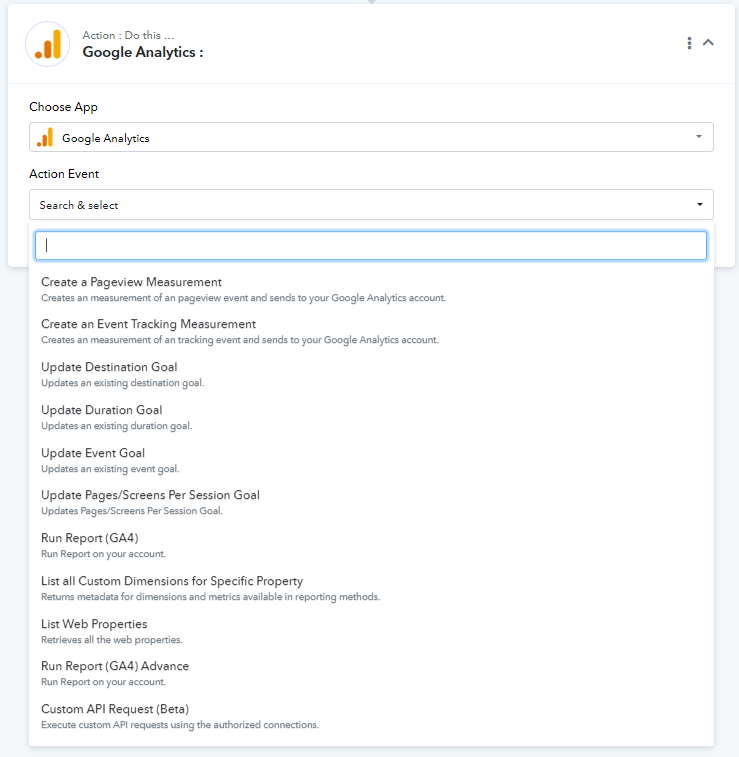
There's a wide range of action events accessible in Google Analytics. Please let us know if the specific action event you're seeking is listed. Refer to the image provided for clarity.
Although, we would recommend using "Run Report (GA4) Advance" action step for your use case.
Additionally, if you wish to trigger an update immediately upon the addition or modification of a row, the workflow will have two steps. Alternatively, if scheduling is preferred, three steps will be necessary.
I'll record a short video trying to explain my use case: https://drive.google.com/file/d/14b9uZXsEQPgxe_Q4L2WL3A6cbT-zkOBf/view?usp=sharing
Hey @alaa bebar
We went through your video and got to know more about your concern. As we have mentioned previously too, you can use "Run Report GA4" in "Google Analytics" action step for your use case.
Kindly connect your Google Analytics account and execute the action step for a test run.
Feel free to reach out if in case you face any issues.
HELLO @Luv HERES A VIDEO RECORDING EXPLAINS WHAT IS THE STRUGGLE IM FACING YOU CAN DIRECT ME
https://drive.google.com/file/d/1StRsRtxJqaGHgW8eYuz-51TXTy5zTtaK/view?usp=sharing
Hey @alaa bebar
To provide you with effective assistance, we need a description of what you aim to automate within Google Analytics. While you've mentioned sending data from Google Sheets to Google Analytics, we still require specific details regarding the actions you intend to incorporate into your workflow.
I'll record another video and share it with you later this evening. my aim is so the data will transport automatically to Google Analytics
Hey @alaa bebar
We understand your intention to transfer data from Google Sheets to Google Analytics. We're interested in knowing your specific use case for Google Analytics. In other words, what actions do you expect Google Analytics to perform with the transferred data.
im using a copy data action for my Google sheet part but I need a destination sheet there's an option for manual mapping is this fits what I'm trying to do to map the google analytics part in it.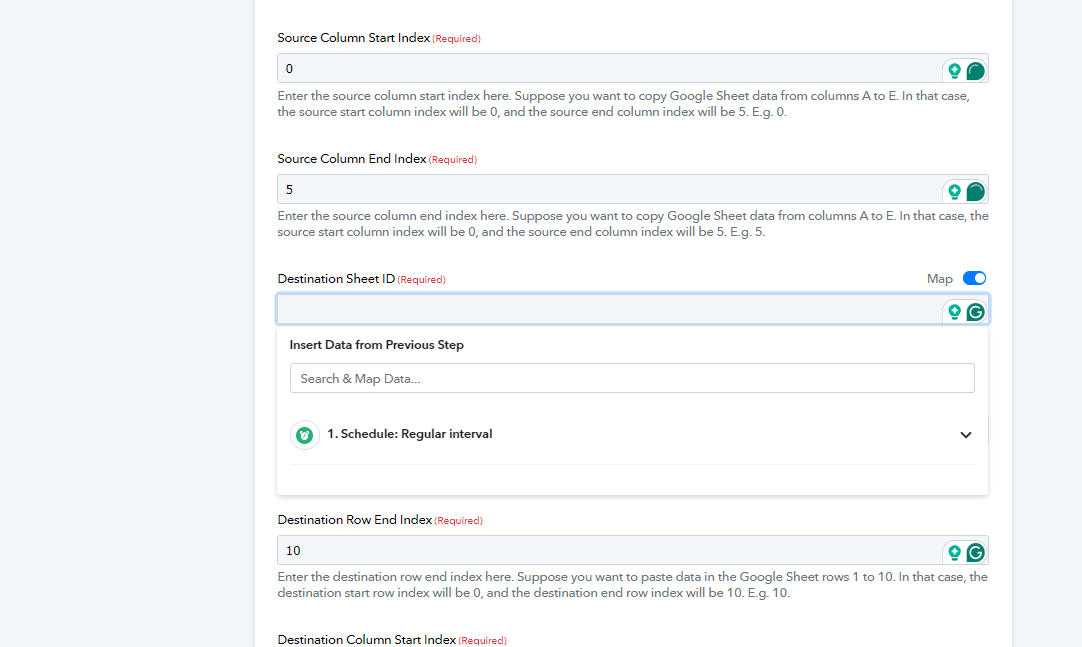
Hey @alaa bebar
You are required to specify the destination sheet ID here. The destination sheet ID refers to the sheet where you intend to transfer the copied data.
You can find the sheet ID at the end of the URL after "gid=".
E.g. https://docs.google.com/spreadsheets/d/1EwXZweUNK_6IkIjOAC9_vGA/edit#gid={sheetId}.
Refer to the image below for more,
Here "0" is the Sheet ID.
You are not helping here, im asking you regarding transferring the data to Google Analytics what should I do?
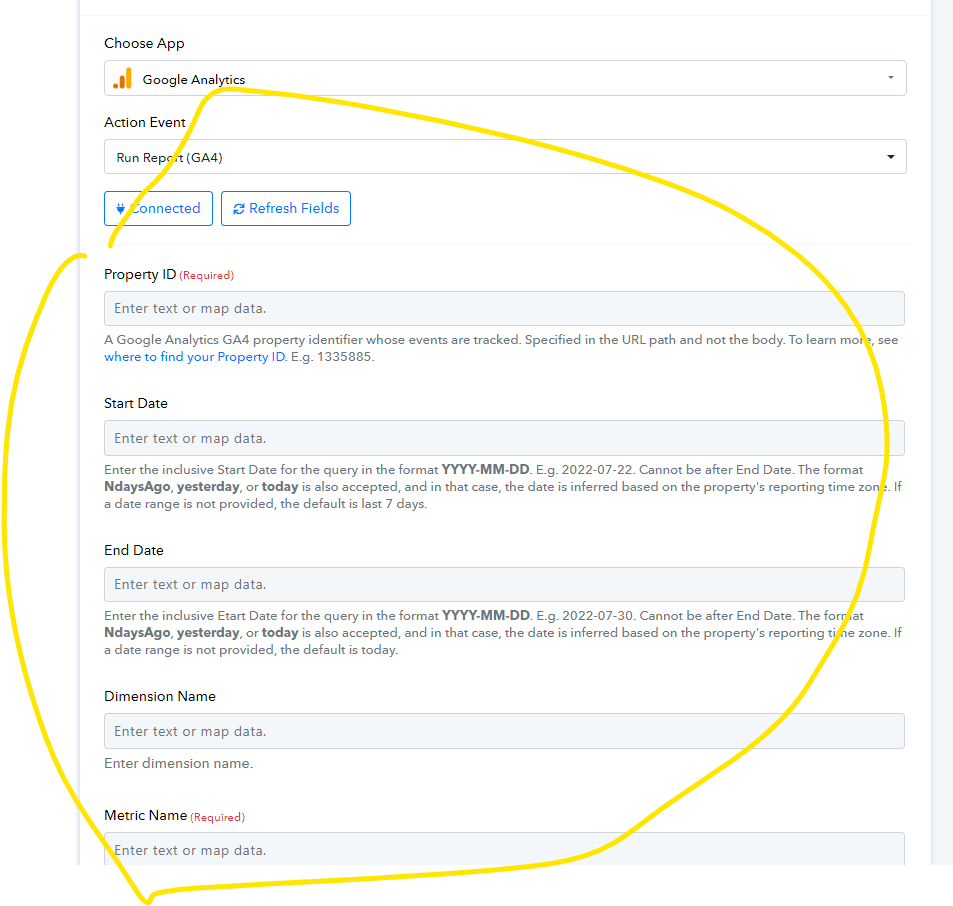
also, the g4 option gives these mapping parameters how can I transfer my data from google sheets to google analytics
Attachments
Hey @alaa bebar
You have asked about the "Destination Sheet ID" in the previous reply for which I explained the same to you.
For using the action step "Run Report G4A (Advanced)"you need to pass the custom JSON request in the action step according to your required metrics and report which you can get with the help of Query Explorer.
After getting the JSON request you can pass it in the action step.
[IMG alt="1706873884381.png"]https://forum.pabbly.com/attachments/1706873884381-png.37557/[/IMG]
For more information on this you can refer to the following thread as well -
https://forum.pabbly.com/threads/google-analytics-report-custom-event-and-filters.18655/
While we're here to aid you in creating this workflow from the ground up, please note that our support is primarily geared towards addressing technical queries and troubleshooting any encountered bugs. Providing assistance with constructing workflows, establishing logic, or mapping steps falls outside the scope of our support. We highly recommend consulting with an automation expert for such tasks here -https://forum.pabbly.com/threads/pabbly-connect-experts-and-consultants.22/
Further you can also ask for hiring automation expert in our Facebook group of over here - https://www.facebook.com/groups/pabbly.connect/
how can I move data from a google sheet to a google analytics
Hey @alaa bebar
We have already replied to your query over the other thread. Kindly refer to it.