How do i get details from LSQ CRM to google Sheet
Status: Open · Asked by Bhaskar Gupta on · 0 views
Hello,
Thank you for reaching out!
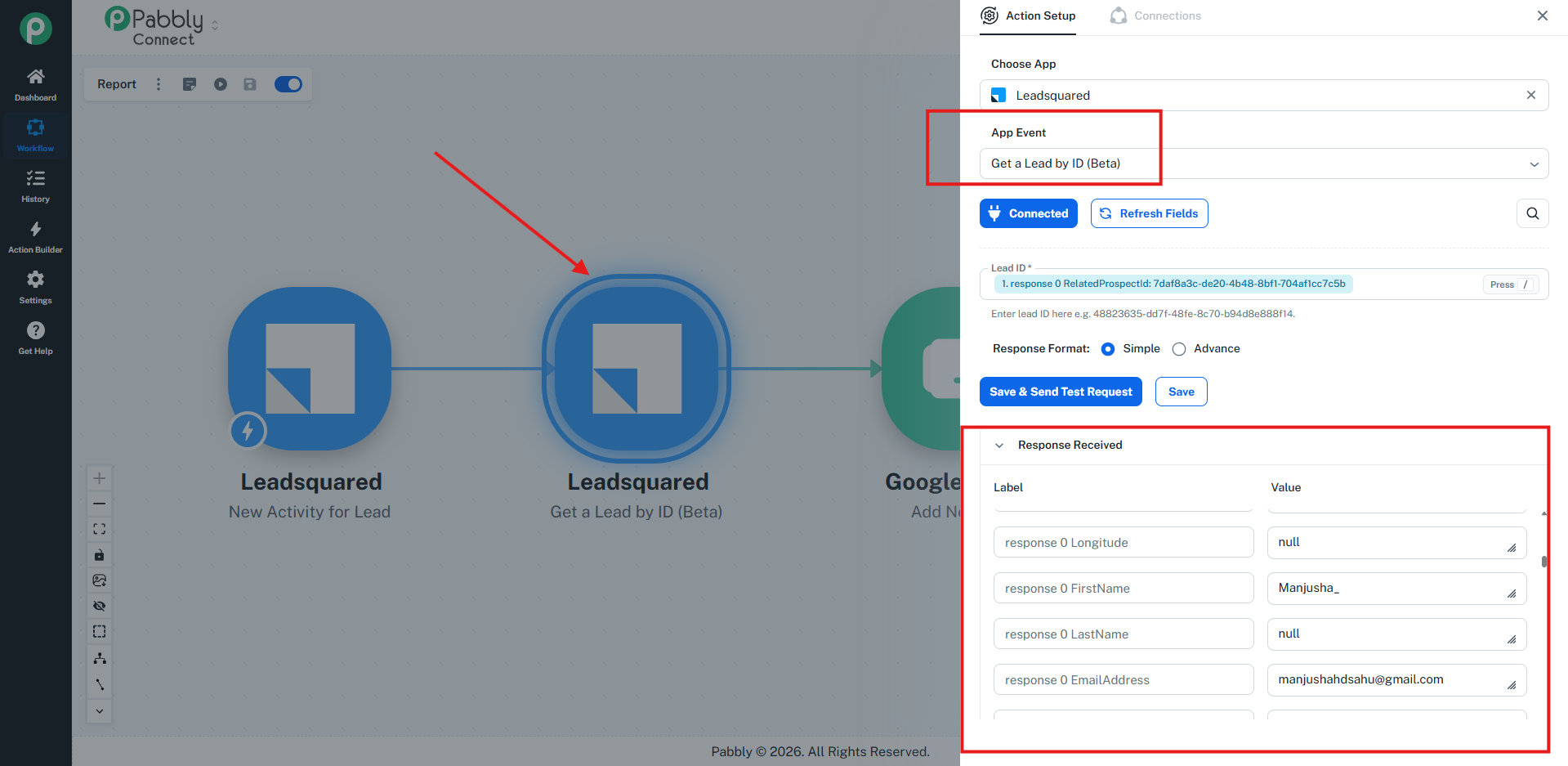
We understand your use case. To proceed with the required execution, we have added a LeadSquared action step with the Get Lead by ID app event.
Within this action, we have mapped the Prospect ID to retrieve the corresponding lead details. The response was successfully received and contains the required lead information.
Kindly check the same from your end. Once confirmed, you can map the required lead details from this response into the respective fields of your Google Sheets action step.
For your reference, please refer to the attached screenshot showing the configuration and successful response.
Do let us know if you need any further assistance in this regard.
Thanks & Regards,
Shekh Dilshekh
Customer Support Specialist