How to assign someone in notion from pabbly connect?

From pabbly connect I want to assign someone to the task
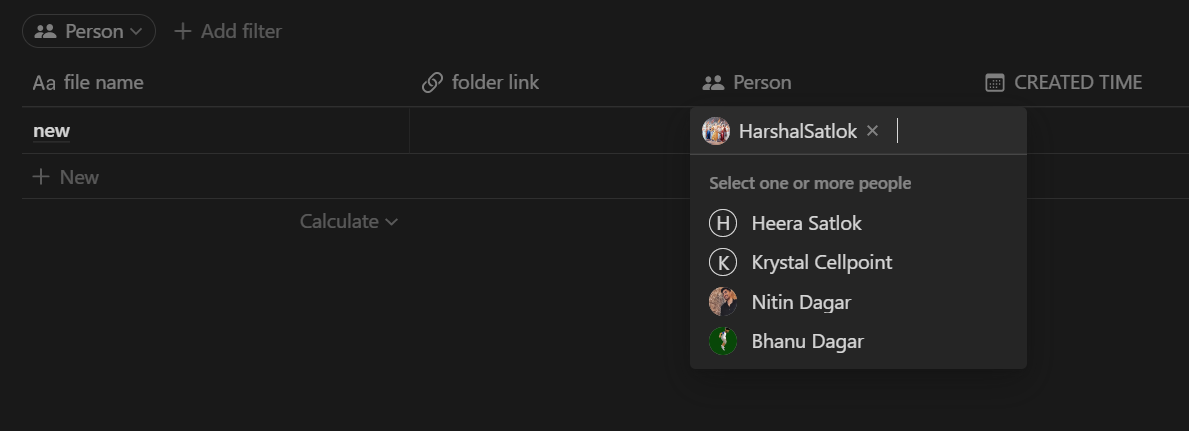
1673251698157.png


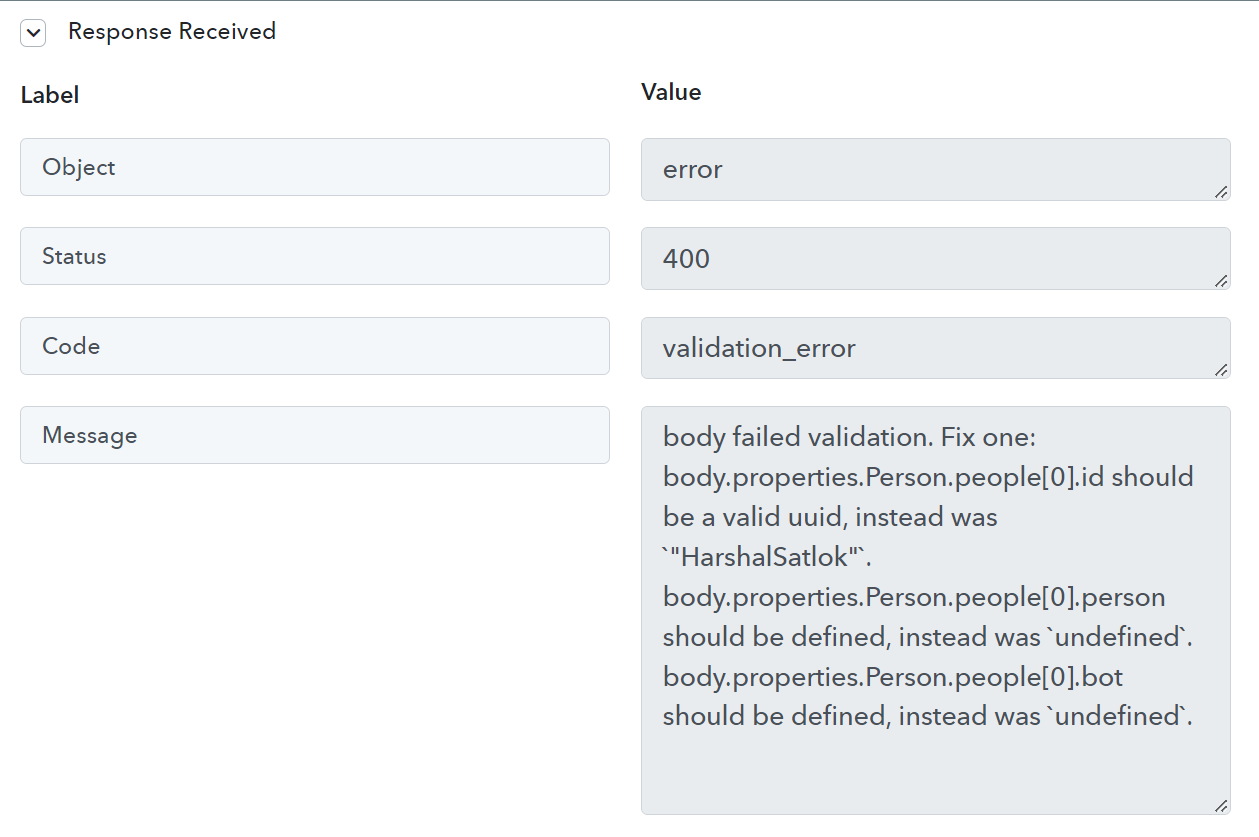
I tried adding the person manually in pabbly connect but it didn't work results given below

1673251875902.png

I'm getting this error every time
1673251948815.png

PLEASE LET ME KNOW HOW TO ASSIGN SOMEONE IN NOTION FROM PABBLY CONNECT
 
P

Pabblymember11

Guest
Hey @HARSHALSATLOK

You may refer to the following video tutorial once on how you can create the database in the workflow.

(Watch the second part of the video)

Further, in the Person field, you need to pass the id of that person with the help of the "List Users " action step.

1673261036434.png
 
THERE's no issue or concern. I just wanna know how to add 'multiple' assignee in a Notion Database. The youtube video you shared above ^ shows how to add '1 assignee'. But there's no documentation or video on Pabbly showing how to add multiple assignees. PLEASE TELL ME 'HOW TO ADD MULTIPLE ASSIGNEES' IN NOTION (Comma seperated Id names doesn't work)
 

ArshilAhmad

Well-known member
Staff member
Please allow us some time to look into this concern. We will get back to you with an update soon.
 

Preeti Paryani

Well-known member
Staff member
Hello @Tanya Saxena,

We are pleased to inform you that now you will be able to pass multiple assignees in the 'Create Database Item' action step.

Please try using it at your end and let us know how it goes.
 
Top