
D
Deleted member 6149
Guest
Would you like to cancel your subscription?
Your presence is highly valued by us, and it's disheartening to witness your departure.
If you still wish to cancel, here are the steps to cancel your subscription:
Login to your account: Click Here to Login
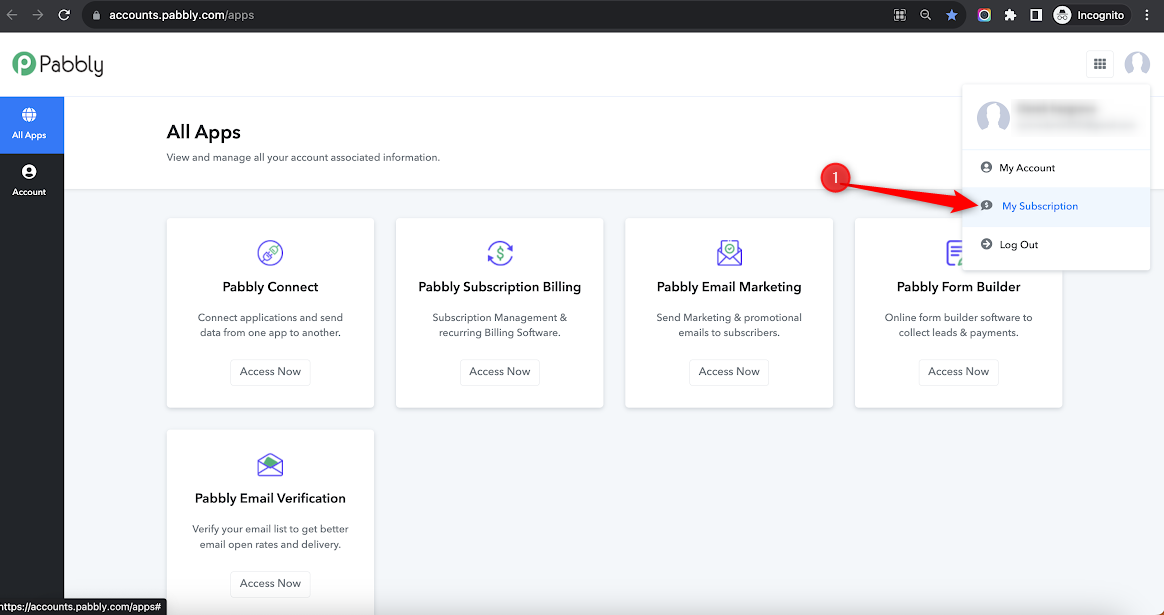
From the All Apps section, go to my subscription: which will take you to a separate page where you can check all your subscription details, transaction details, and all associated information.
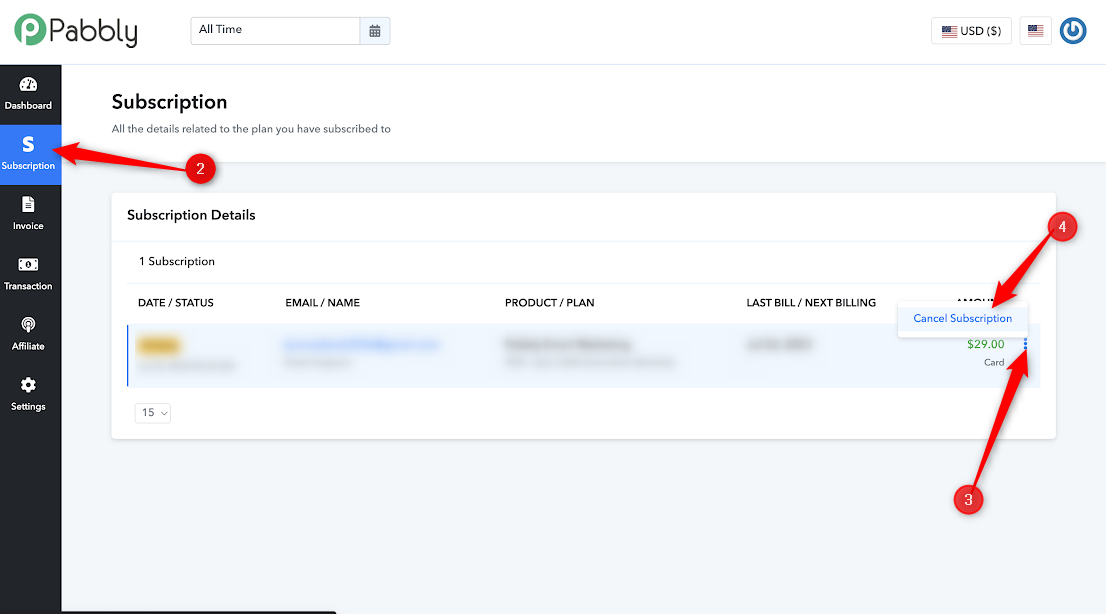
From the client portal dashboard, go to Subscription > Select your subscription > Click on the 3 dots on the right-hand corner > Select the cancel subscription
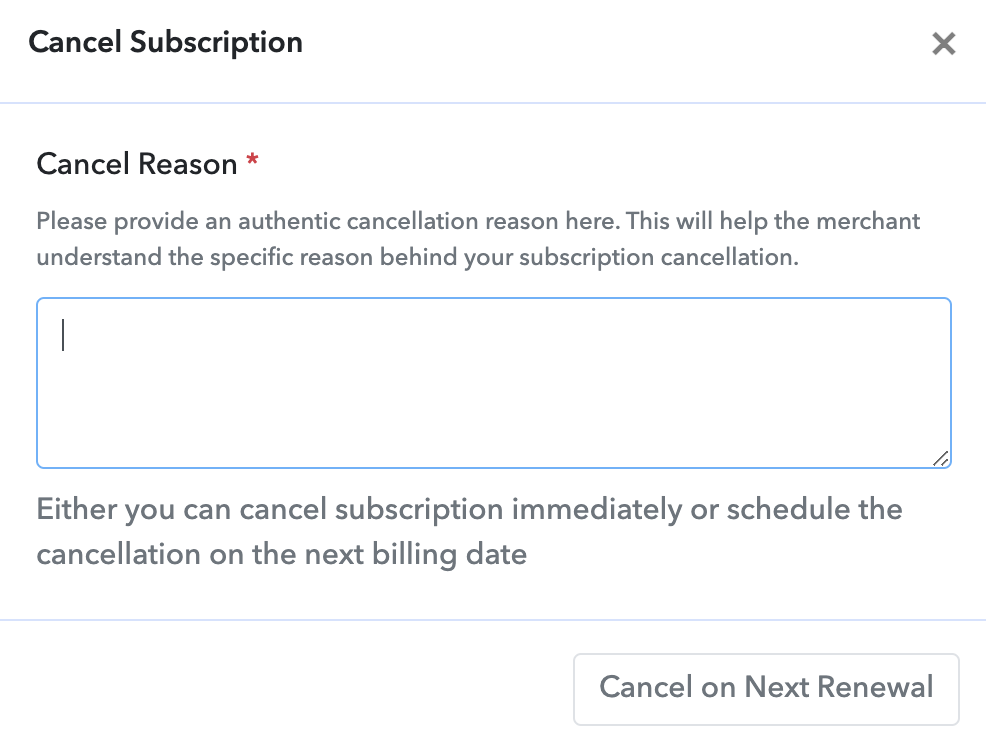
Once you will click on the cancel subscription, it will ask you to share the reason for cancellation: State your reason and click on cancel on next renewal
We are committed to making our services work for you and look forward to hearing back from you soon.
Thank you for your time.
Regards,
Team Pabbly
Your presence is highly valued by us, and it's disheartening to witness your departure.
If you still wish to cancel, here are the steps to cancel your subscription:
Login to your account: Click Here to Login
From the All Apps section, go to my subscription: which will take you to a separate page where you can check all your subscription details, transaction details, and all associated information.
From the client portal dashboard, go to Subscription > Select your subscription > Click on the 3 dots on the right-hand corner > Select the cancel subscription
Once you will click on the cancel subscription, it will ask you to share the reason for cancellation: State your reason and click on cancel on next renewal
We are committed to making our services work for you and look forward to hearing back from you soon.
Thank you for your time.
Regards,
Team Pabbly
Last edited by a moderator:


