

Use the Javascript Code below in the "Code by Pabbly" action step.
Use the Action Event by the name of "Run Javascript (Beta)".
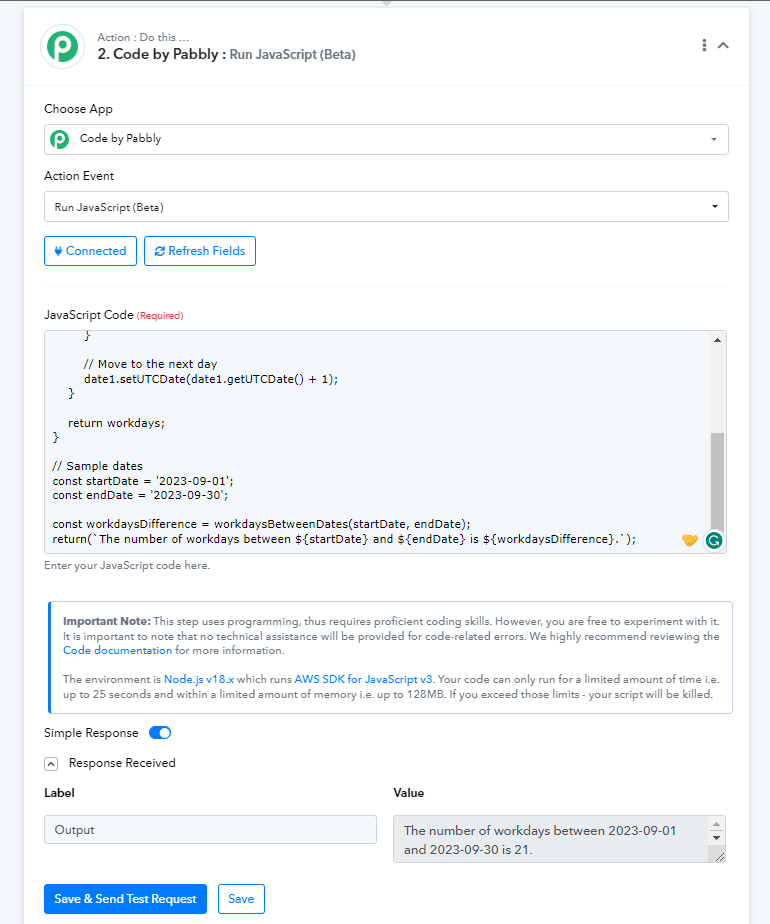
Use the Action Event by the name of "Run Javascript (Beta)".
Copy and paste the code exactly as shown below.
JavaScript:
function workdaysBetweenDates(date1Str, date2Str) {
    const date1 = new Date(date1Str);
    const date2 = new Date(date2Str);

    let workdays = 0;

    // Iterate through each day and count workdays
    while (date2 >= date1) {
        const dayOfWeek = date1.getUTCDay();

        if (dayOfWeek !== 0 && dayOfWeek !== 6) { // 0 is Sunday, 6 is Saturday
            workdays++;
        }

        // Move to the next day
        date1.setUTCDate(date1.getUTCDate() + 1);
    }

    return workdays;
}

// Sample dates
const startDate = '2023-09-01';
const endDate = '2023-09-30';

const workdaysDifference = workdaysBetweenDates(startDate, endDate);
return(`The number of workdays between ${startDate} and ${endDate} is ${workdaysDifference}.`);
Make sure to change dates in the following variables in the code. The date is the format of YYYY-MM-DD
JavaScript:
// Sample dates
const startDate = '2023-09-01';
const endDate = '2023-09-30';
