

Here we take an Example of the Switchboard Canvas app.
As you can check the below screenshots of Inbuilt actions
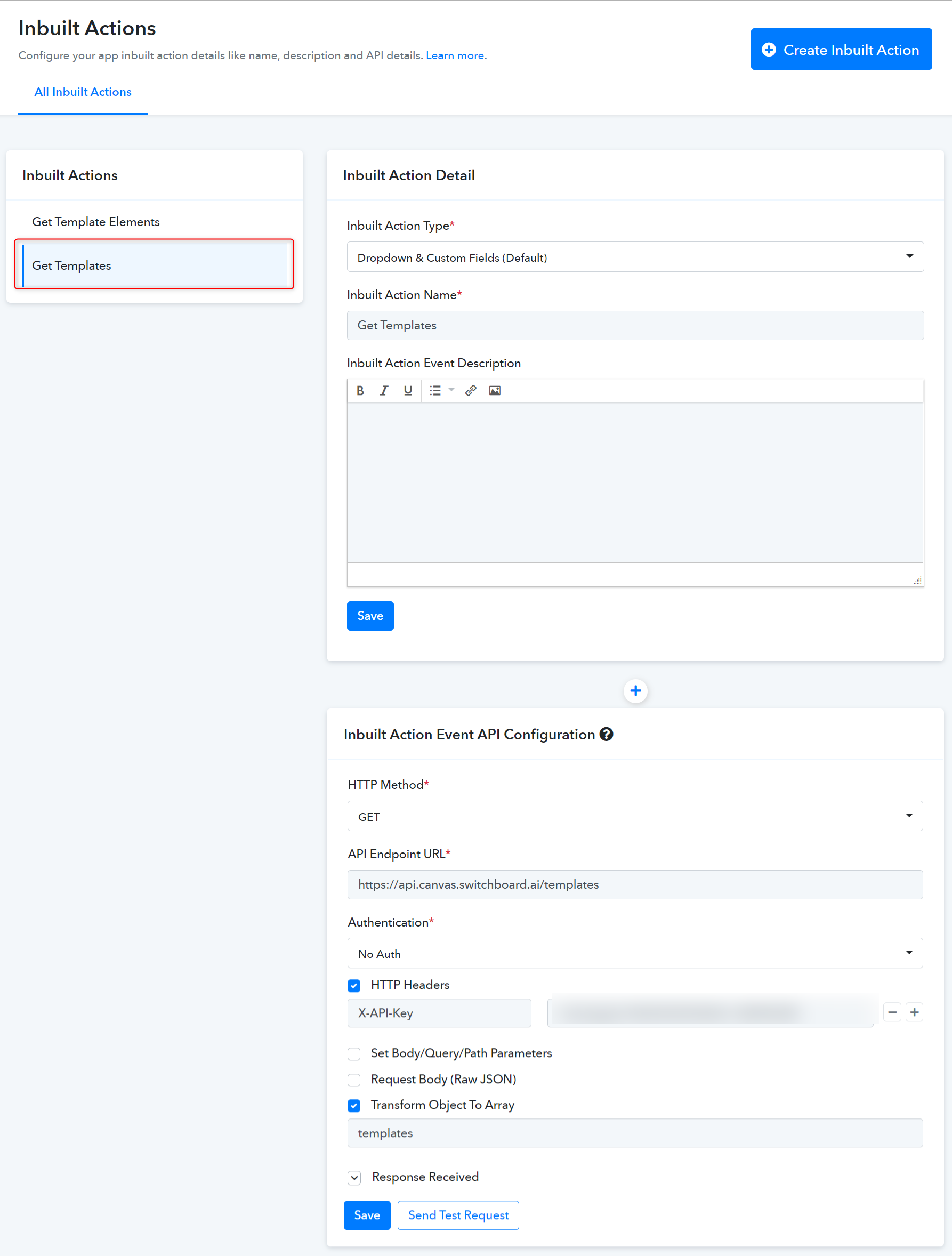
With the above template name user can fetch the details of the template using another inbuilt action Get Template Elements.
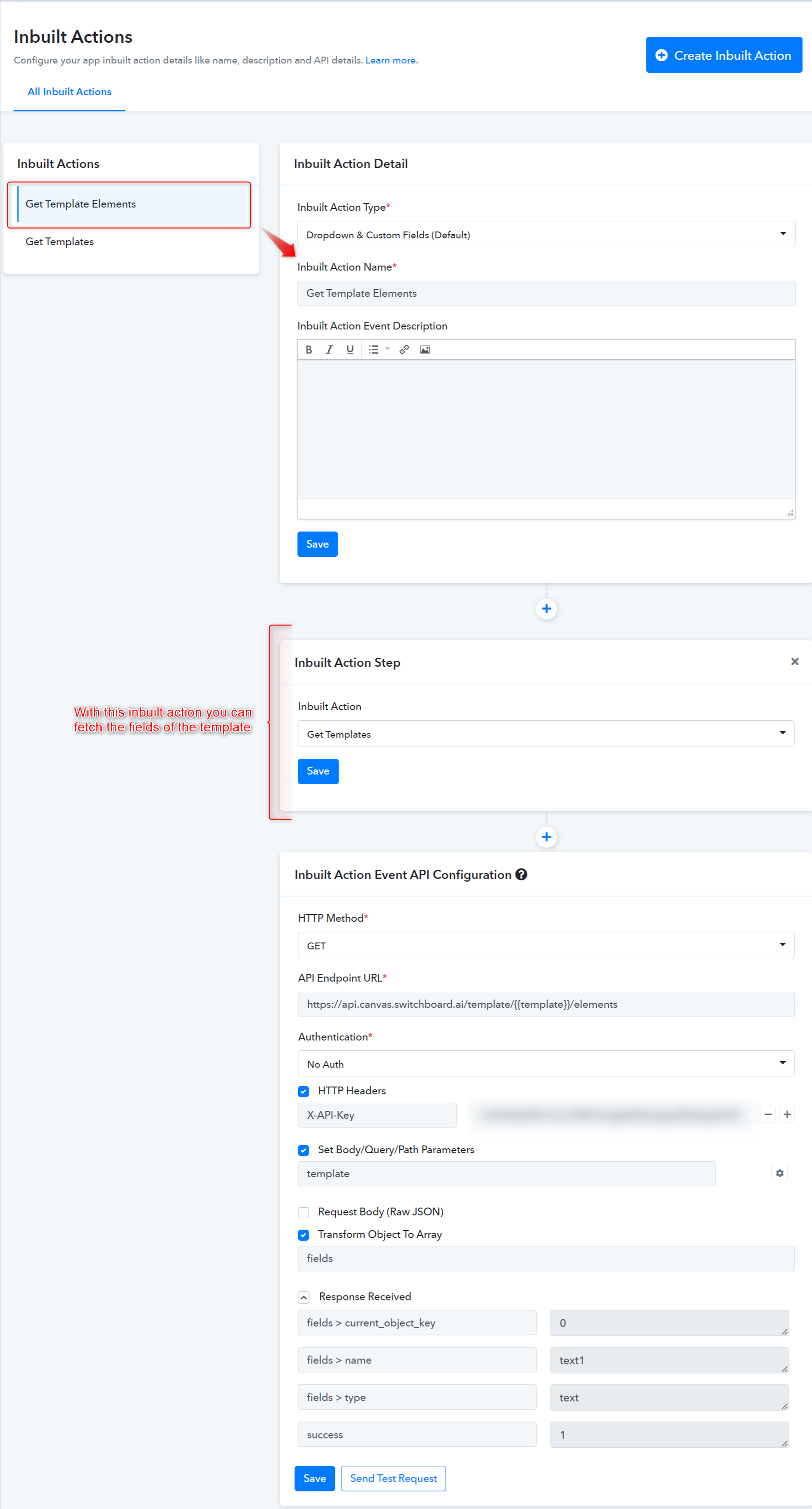
The above inbuilt action returns all the fields in the template.
Action name: Create Image(s)
In the action event inherit both the inbuilt action in the required sequence.
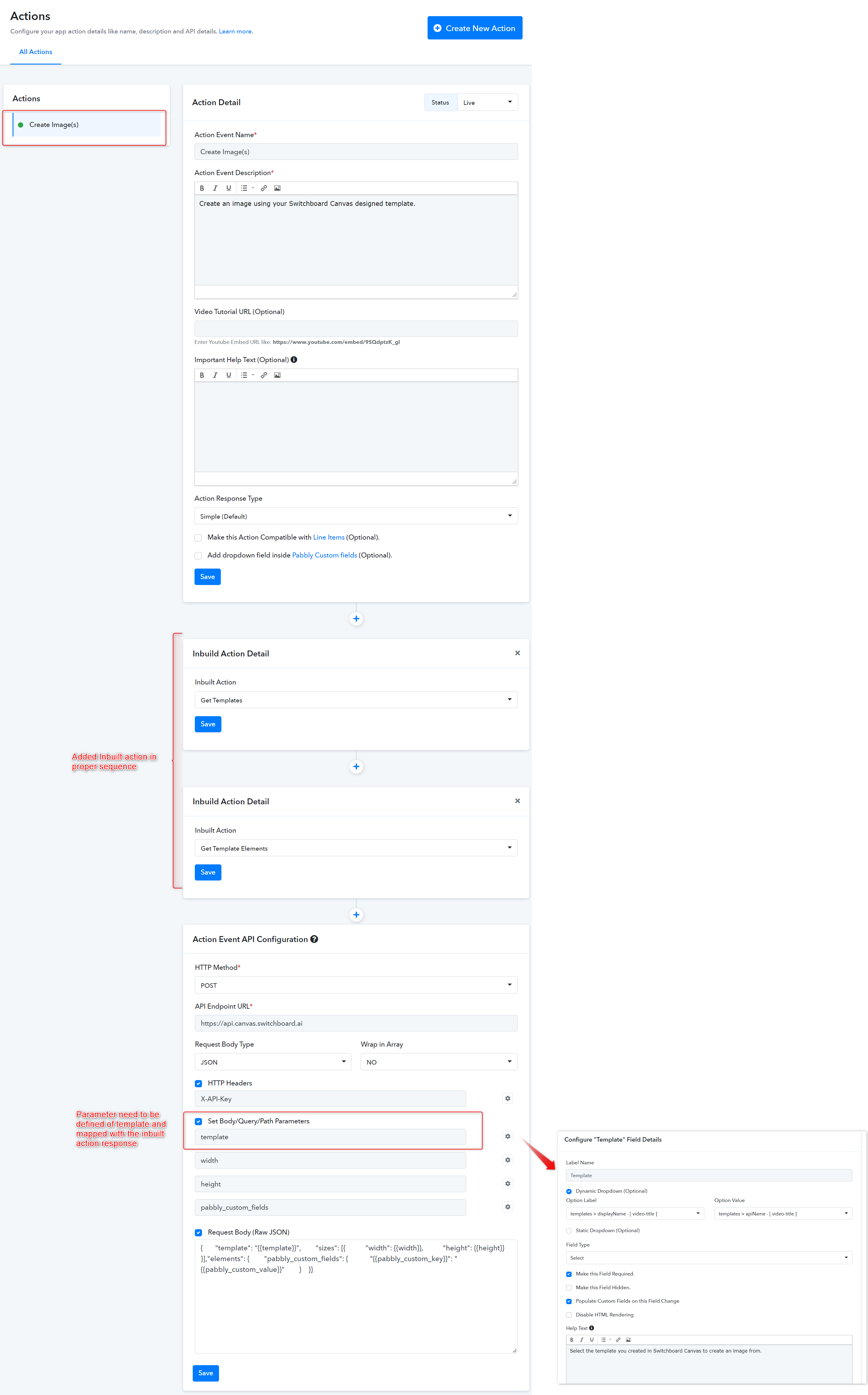
While configuring the API module of the action, the parameter needs to be defined as a template.
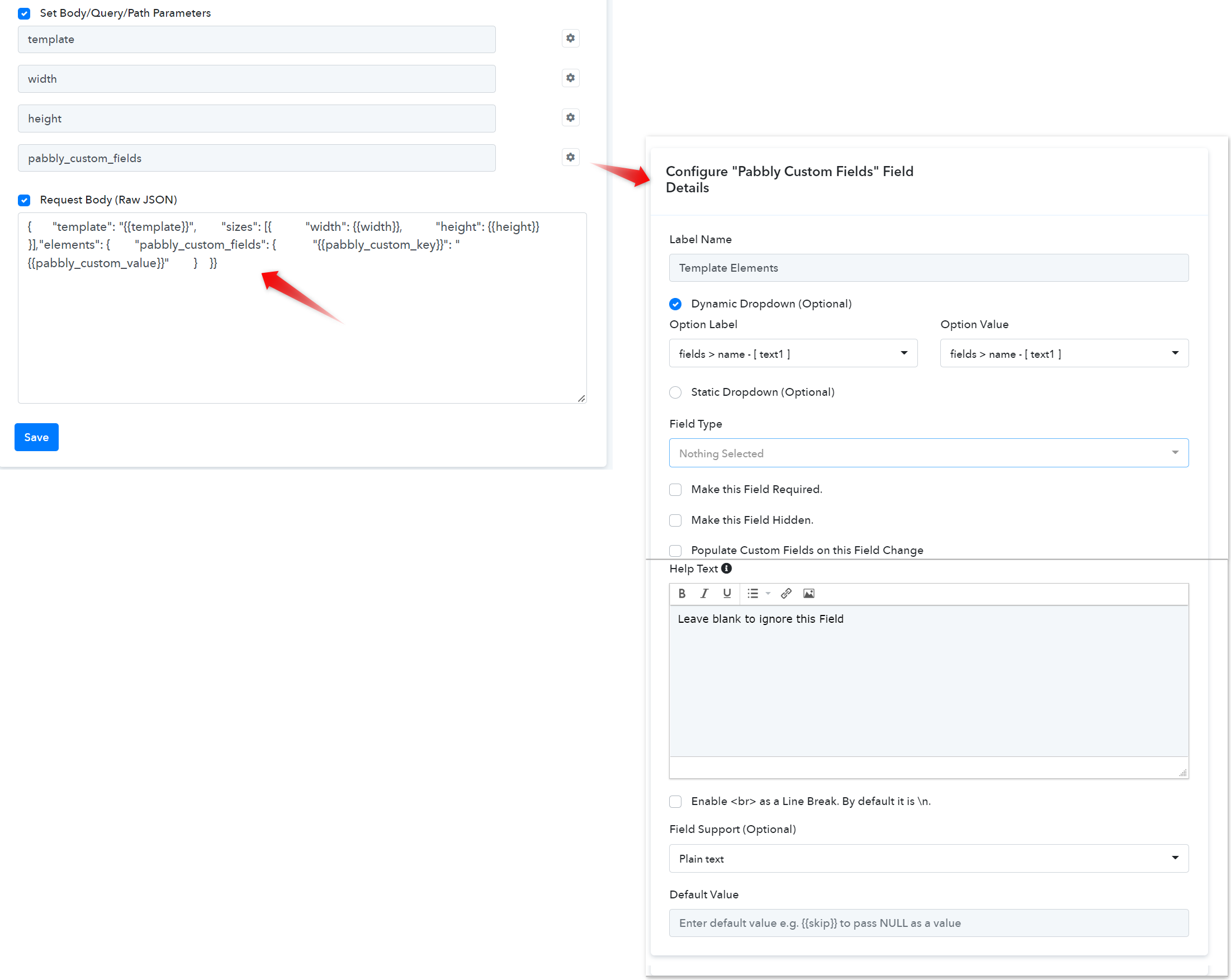
 Configured Custom Fields with Dropdown Support (mapped response from inbuilt action).
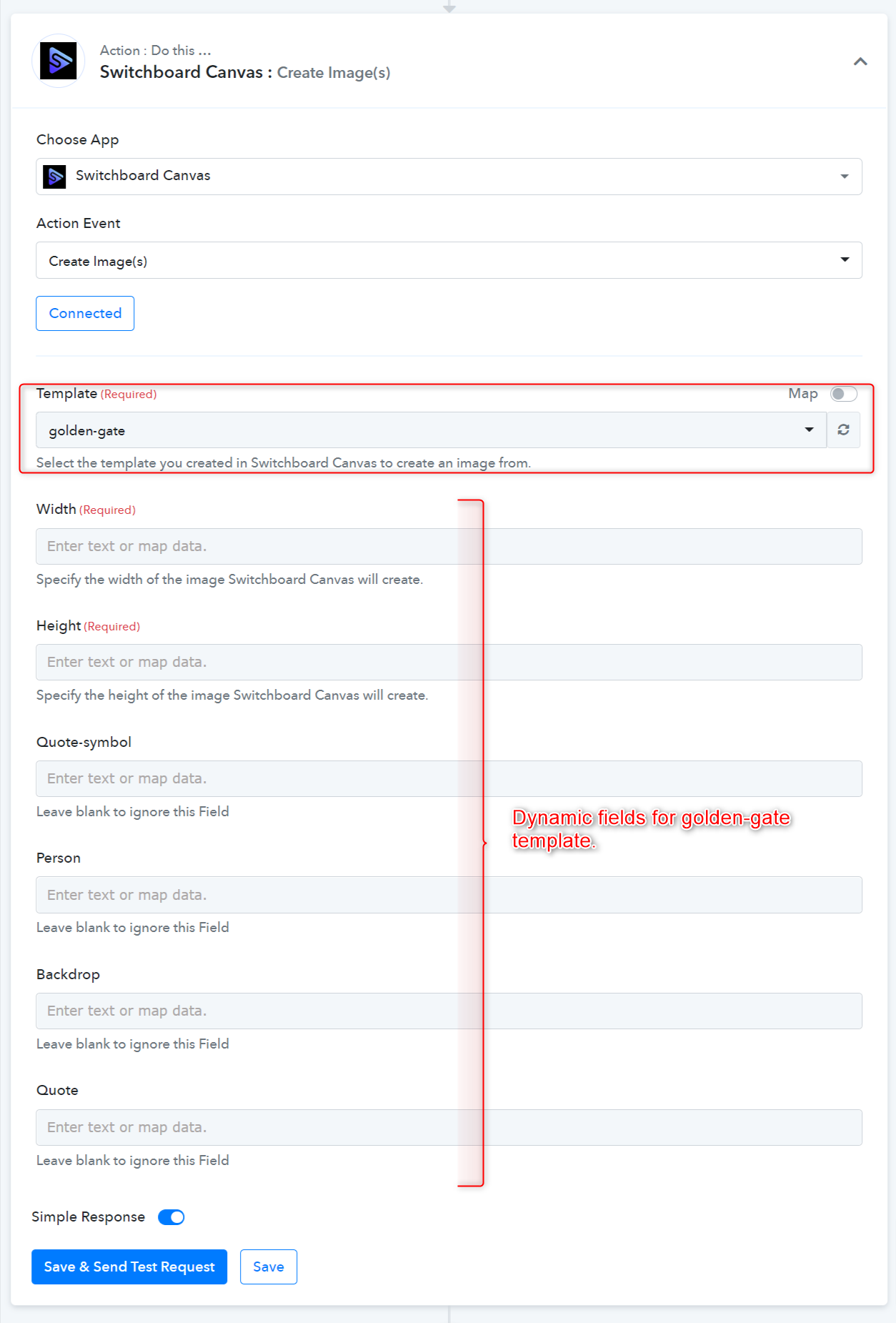
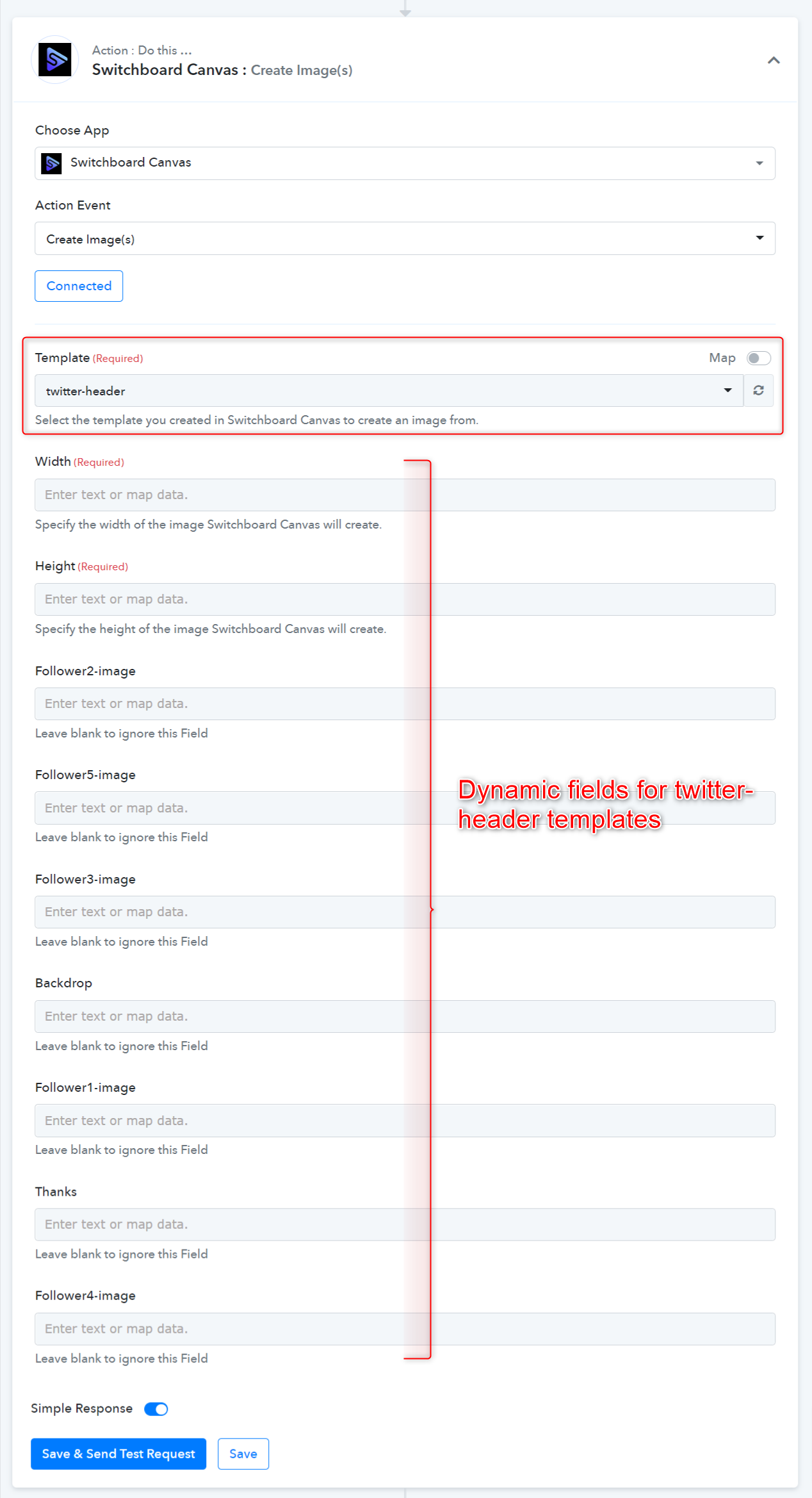
- You should have an API endpoint to list dropdowns. For e.g. In case of a template use the Get Templates endpoint.
- Set up the inbuilt action of the Get Templates.
- Map the inbuilt action and create the Dynamic dropdown based on the list template action.
- You should have an API endpoint to list all the fields of particular templates
- Set up the inbuilt action for Get Template Elements and the specific template for which we retrieve all the fields are related to the list template inbuilt action.
Configure Inbuilt Action
As you can check the below screenshots of Inbuilt actions
With the above template name user can fetch the details of the template using another inbuilt action Get Template Elements.
The above inbuilt action returns all the fields in the template.
Now configure Action
Action name: Create Image(s)
In the action event inherit both the inbuilt action in the required sequence.
While configuring the API module of the action, the parameter needs to be defined as a template.
Configured Custom Fields with Dropdown Support (mapped response from inbuilt action).Action Frontend View
Last edited by a moderator: