Hubspot Create A deal

DocApply

Member
Your Workflow URL
https://connect.pabbly.com/workflow/mapping/IjU3NjUwNTY1MDYzMDA0MzI1MjZiNTUzZDUxMzUi_pc
Consent to Access & Modify
I authorize Pabbly Support to log in to my account and make changes to the specified workflow for troubleshooting.
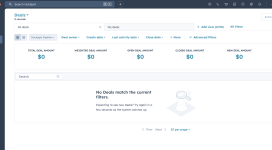
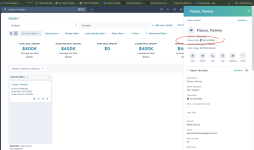
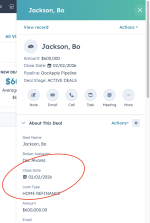
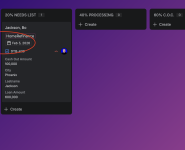
Hello - When I create a deal in Pabbly automation its succesful, but never complete in hubspot. Can you please assist?


Screenshot 2026-01-20 at 2.53.29 PM.png
Screenshot 2026-01-20 at 2.53.49 PM.png
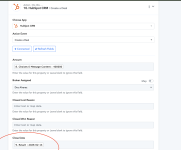
Screenshot 2026-01-20 at 2.53.57 PM.png
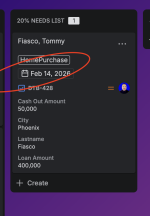
Screenshot 2026-01-20 at 2.54.10 PM.png
 

Attachments

  • Screenshot 2026-01-20 at 2.54.10 PM.png
    Screenshot 2026-01-20 at 2.54.10 PM.png
    234.1 KB · Views: 8

DocApply

Member
I might have figured it out where I needed to use this: 9992794 Let me try and I will be in touch within 24 hours if I need asst. Thank you again!
 

DocApply

Member

Attachments

  • Screenshot 2026-01-21 at 10.41.13 AM.png
    Screenshot 2026-01-21 at 10.41.13 AM.png
    537 KB · Views: 4
  • Screenshot 2026-01-21 at 10.42.18 AM.png
    Screenshot 2026-01-21 at 10.42.18 AM.png
    257.6 KB · Views: 4
  • Screenshot 2026-01-21 at 10.43.12 AM.png
    Screenshot 2026-01-21 at 10.43.12 AM.png
    173.8 KB · Views: 4

Preeti Paryani

Well-known member
Staff member
Hey @DocApply,

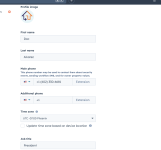
Could you please confirm the time zone set in your HubSpot account (as shown in the HubSpot interface)?

Once you share the exact time zone, we’ll be able to assist you accordingly.
 

DocApply

Member
I did another test and still does not work - I adjusted hubspot hours and does not work - Can you please advise me - I attached Jira trigger > Hubspot and inlcuded timezone in hubspot
 

Attachments

  • Screenshot 2026-01-22 at 8.29.49 AM.png
    Screenshot 2026-01-22 at 8.29.49 AM.png
    258.6 KB · Views: 2
  • Screenshot 2026-01-22 at 8.30.10 AM.png
    Screenshot 2026-01-22 at 8.30.10 AM.png
    669.9 KB · Views: 2
  • Screenshot 2026-01-22 at 8.30.44 AM.png
    Screenshot 2026-01-22 at 8.30.44 AM.png
    181.6 KB · Views: 2

ArshilAhmad

Well-known member
Staff member
The Close Date in the HubSpot: Create Deal action step is added in UTC format, while in your HubSpot account it appears in the Phoenix time zone, which seems to be causing this issue.

We have added a Date/Time Formatter to your workflow, which will add one day to the due date and then pass it to the Close Date field in the HubSpot: Create Deal action step. This should fix your issue.
1769111625084.png


Thanks & Regards,
Arshil Ahmad
Customer Support Associate
🌐 Pabbly.com
👉Rate your support
 
Top