


alaa199506
Member
I have a problem when I connect an excel sheet with a chat to send a message via WhatsApp
But the mobile number appears as the one in the picture and an error message appears continuously for all customers
When customers register in (calendly) and put their phone number, the following message appears, knowing that the phone number is correct and with the front of the country
Therefore, they are not sent a message via WhatsApp
How can this problem be solved?
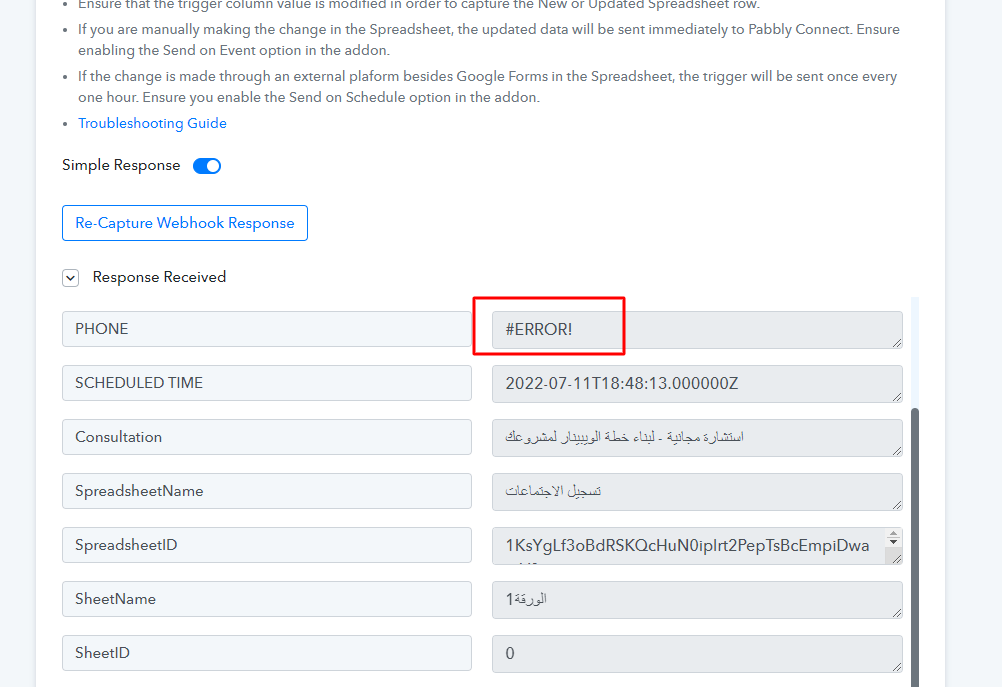
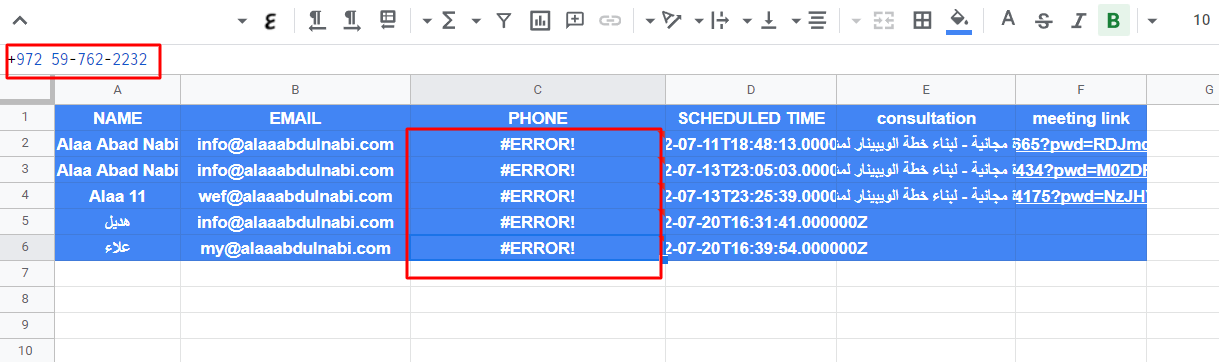
But the mobile number appears as the one in the picture and an error message appears continuously for all customers
When customers register in (calendly) and put their phone number, the following message appears, knowing that the phone number is correct and with the front of the country
Therefore, they are not sent a message via WhatsApp
How can this problem be solved?


