Instructions to Ask a Question
For any assistance, please click the "Ask a Question" button and select the Pabbly product for which you require support.
We offer seven comprehensive applications designed to help you efficiently manage and grow your business:
Our support team endeavors to respond within 24 business hours (Monday to Friday, 10:00 AM to 6:00 PM IST). We appreciate your understanding and patience.
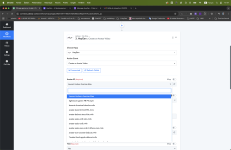
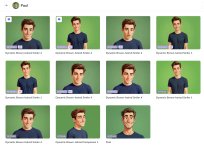
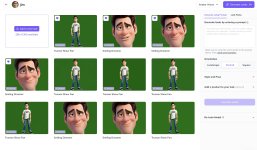
I don't want a specific avatar. I want to be able to access one of them whenever I want. Do you have a problem offering the full list? I think I'm not the only one who will need this. The subscription I have with HeyGen (TEAM) allows me to have as many avatars as I want. Some of them are part of my clients' avatars.Hi @betrained,
Could you please share the Avatar IDs that you would like to see added to the list? Also, please share the Workflow URL where you're experiencing this issue.
For instance : https://connect.pabbly.com/v2/app/w...KV28NGQQABVNUJ1BKBTkAA1ctB0oFflARXG8AXlN7A2I#Could you please share the Workflow URL where you have this concern?
Hello @betrained,
The action appears to be functioning correctly. However, to further verify, you can try executing the endpoint using a Custom API Request or through Postman.
This will help confirm that the endpoint is working as expected.
If the required avatars still aren’t listed, we recommend reaching out to the Heygen team for more information, as they would be better positioned to assist with specific avatar availability.
curl --request GET \
--url https://api.heygen.com/v2/avatars \
--header 'accept: application/json' \
--header 'x-api-key: <your-api-key>'
![]()
Here is the HeyGen's answer :Hello @betrained,
Thank you for sharing your feedback, and we truly regret to hear about your initial experience.
Just to clarify, the previous tests we suggested were only intended to help verify the functionality of the avatar availability using other platforms, as the API endpoint itself appears to be functioning as expected on our end.
That said, if certain avatars are still not appearing, we recommend reaching out directly to the Heygen team for more clarity, as this seems to be related to their system rather than an issue with the integration.
Hello @betrained,
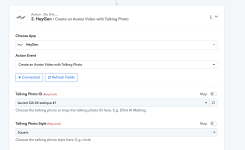
We’re pleased to inform you that our team has developed a new action titled “Create an Avatar Video with Talking Photo” to fulfill your requirements.
Kindly test it on your end and let us know how it works for you.
I know it's not your fault, but what a shame that we only have the choice of "circle" or "square," knowing that if the character moves, we risk cutting a part.