New row in Google sheets to wordpress posts. Possible to add author, tag and/or category in sheet?
Status: Closed · Asked by Tom on · 0 views
I did sucessfully run a test for "New row in Google sheets to wordpress post". Very nice video explained it all. However, I am not sure if (how) I could add the category and the tag for each new post in a sheet. Also, my wordpress installation has two authors/author names, can I choose in the google sheet which author should be attributed to the new post?
Thanks a lot for your help.
You can add Tags and Categories using their IDs in your Wordpress setup,
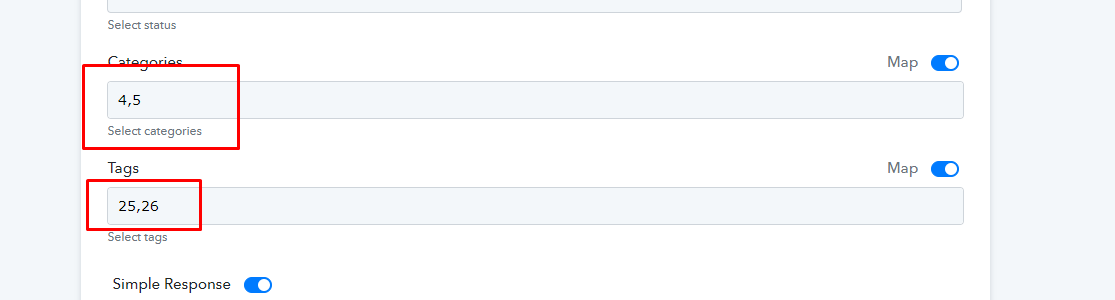
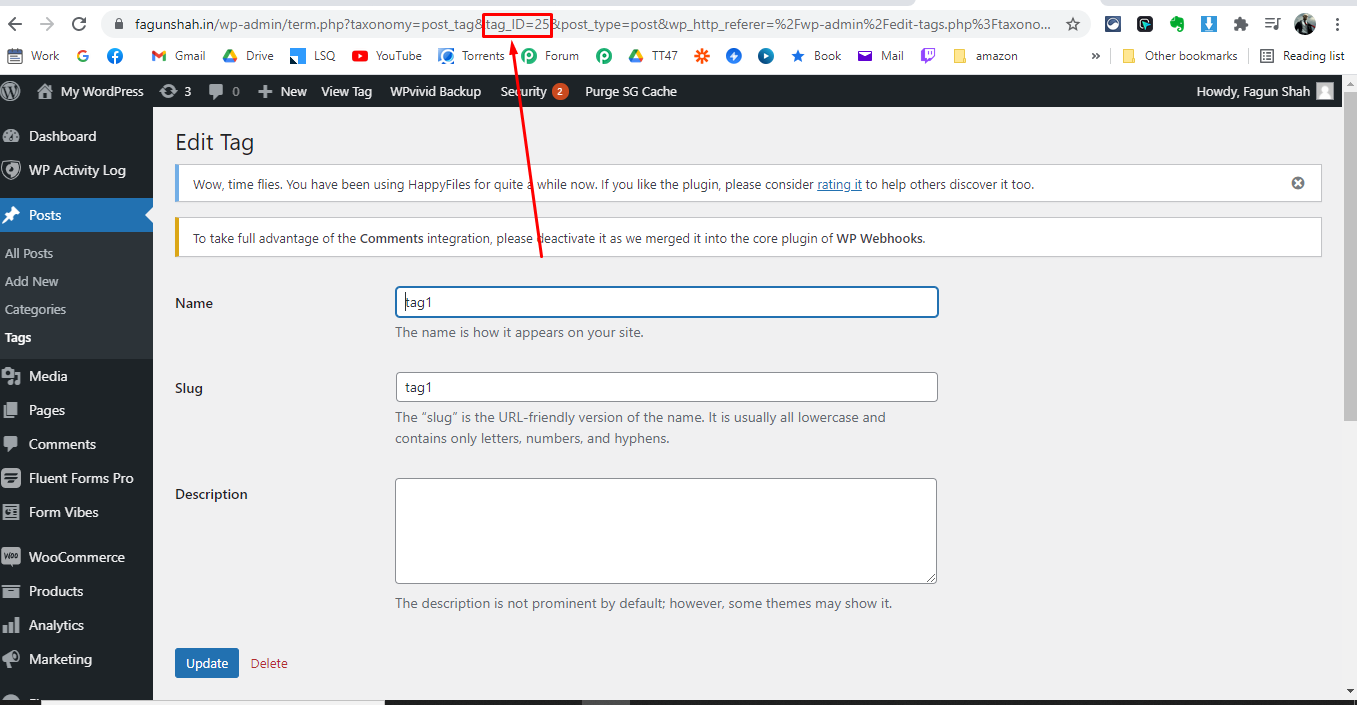
You will find your category and tags ids in URL when you try to edit them in wordpress.
I did sucessfully run a test for "New row in Google sheets to wordpress post". Very nice video explained it all. However, I am not sure if (how) I could add the category and the tag for each new post in a sheet. Also, my wordpress installation has two authors/author names, can I choose in the google sheet which author should be attributed to the new postThanks a lot for your help.
Also I noy sure about how to assign authors but I think so it depends o which Username you used during WordPress connection in pabbly, so I think you can use different Wordpress connection for different authors.
May be @Pabbly can confirm this.
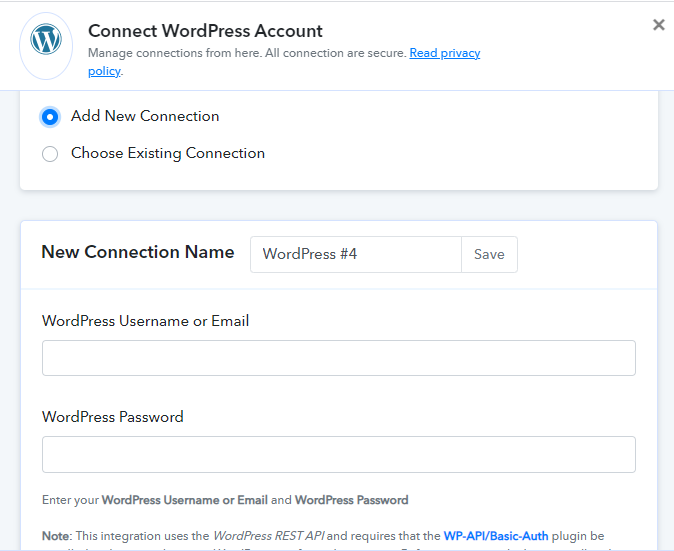
You can add Tags and Categories using their IDs in your Wordpress setup,
You will find your category and tags ids in URL when you try to edit them in wordpress.
thanks!