

• Instructions to Ask a Question

    For any assistance, please click the "Ask a Question" button and select the Pabbly product for which you require support.

    We offer seven comprehensive applications designed to help you efficiently manage and grow your business:

    Our support team endeavors to respond within 24 business hours (Monday to Friday, 10:00 AM to 6:00 PM IST). We appreciate your understanding and patience.

  • Due to Holi celebrations, our team will have limited availability. While we’ll continue to monitor threads, responses may be slightly delayed. Normal operations will resume on Thursday, 5th March 2026.

Open AI - Error

Tom353

Member
When I use the OpenAI integration to generate content I get the following error - - Is this an error on Pabbly's side, or am I doing something wrong?

We could not parse the JSON body of your request. (HINT: This likely means you aren't using your HTTP library correctly. The OpenAI API expects a JSON payload, but what was sent was not valid JSON. If you have trouble figuring out how to fix this, please send an email to [email protected] and include any relevant code you'd like help with.)
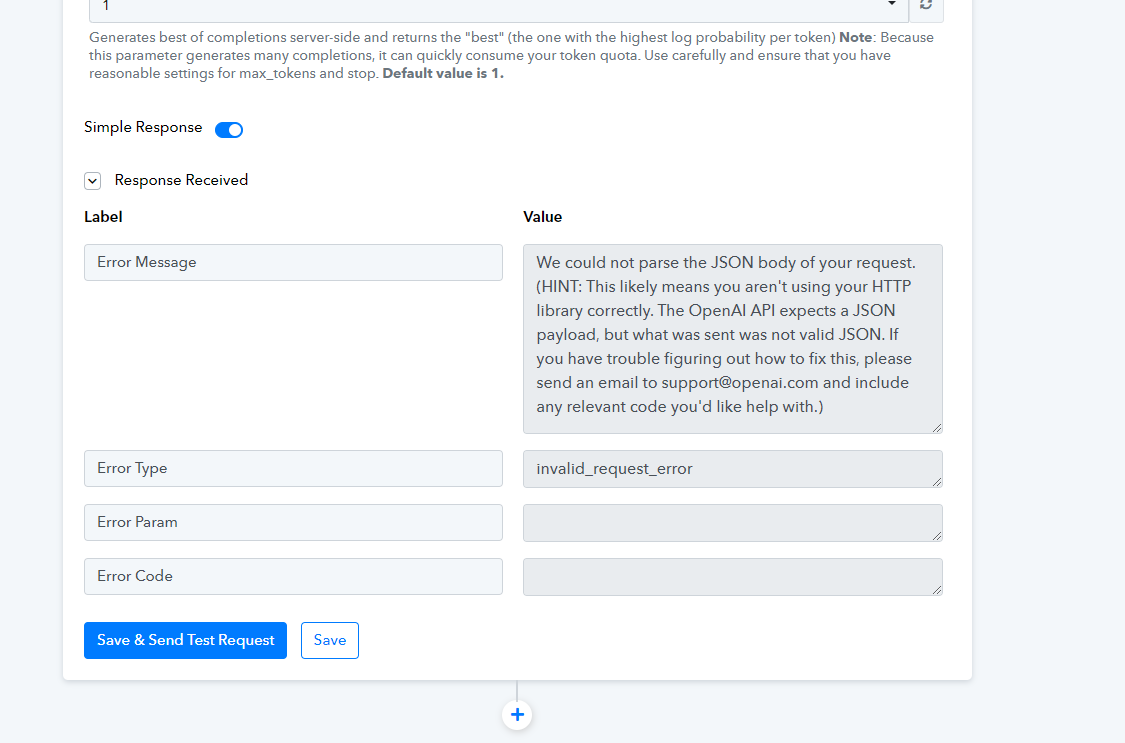
1681312646286.png
 
A

Arshita

Guest
Hey @Tom353

After reviewing your workflow, I have noticed that you are encountering an error with an incorrect API key. To resolve this, I suggest you to establish a new connection with the OpenAI application and attempt to capture the response once again.

2023-04-13_10h37_30.png
2023-04-13_10h37_14.png


In addition, I recommend you to watch the following video tutorial to learn how to connect Google Sheets with the OpenAI application for a better understanding of the process.


Please let me know if you are still facing the same issue.
 
Top