Stage 2 Workflow Stuck in View-Only Mode Due to Orphaned Step Record — Request for Repair
Status: Answered · Asked by Saodat AlimI on · 0 views
Hello Pabbly Support Team,
I need technical assistance with one of my Pabbly Connect workflows.
Workflow name: TFMF Coach Assessment
Issue:
My workflow has become view-only, and I cannot make the necessary corrections to its existing steps.
On investigation, the workflow configuration appears to contain an orphaned step record with ID 9809636, which is not attached to any step order. The workflow configuration consequently reports viewOnly: true.
The visible workflow steps are still present, and the workflow is ON. I have also disabled two problematic steps (Steps 9 and 10) that were incorrectly attempting to update the Email Sent property without an actual email-sending action.
I recently performed a controlled test using a dummy Notion student and assessment record. The Notion trigger was successfully received by Pabbly, but the task history showed only the trigger step, with no downstream processing steps.
What I need your assistance with:
Please investigate the orphaned step record (
9809636).Restore normal editing access to the workflow.
If possible, repair the existing workflow without deleting or altering its valid steps, mappings, connections, or trigger configuration.
Please advise if a workflow clone is necessary as an alternative.
I would strongly prefer to preserve the existing workflow because it contains several carefully configured Notion and OpenAI mappings.
Thank you for your assistance. I look forward to your guidance.
Hello Saodat,
Thank you for reaching out to us.
Upon checking your account registered with [email hidden], we could not find any active paid Pabbly subscription plan. The account currently reflects only the 100 free tasks provided for trial and testing purposes within free account, all of which have been exhausted (0 tasks remaining).
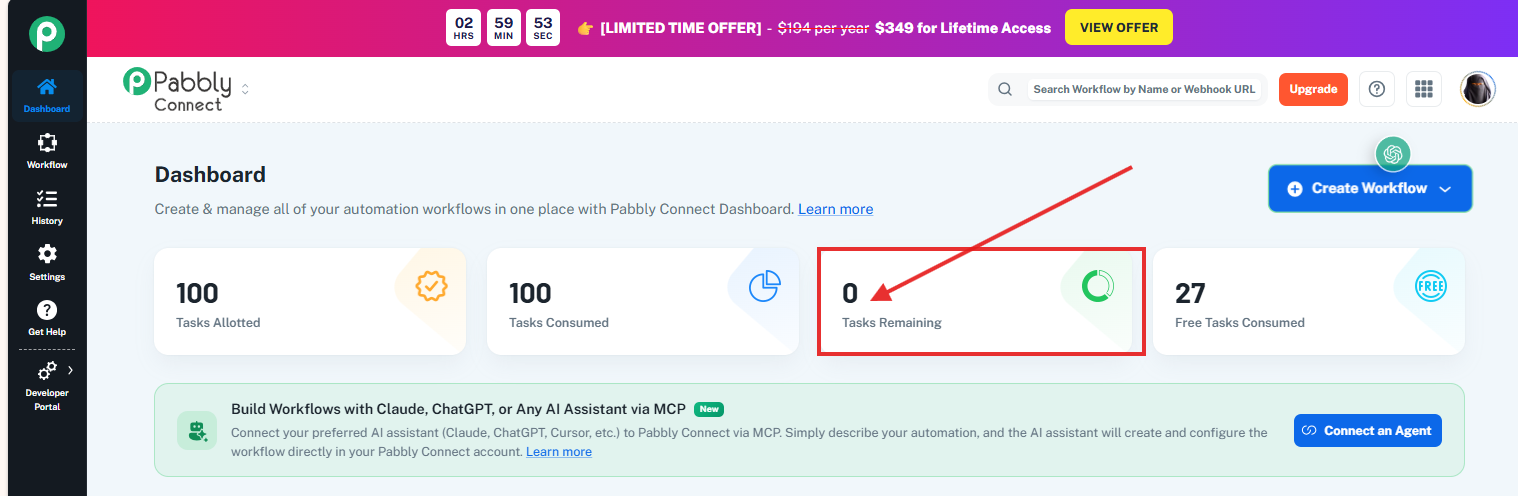
Since there are no tasks available, the workflow cannot execute its downstream steps or be tested further. This could be the reason behind the execution restrictions you are experiencing. Additionally, please note that also the Pabbly Connect's Team Member feature does not currently offer a separate view-only access restriction/feature.
We also observed that some of your workflows are currently in the Trash section. Please note that workflows moved to Trash will not be accessible for regular use unless they are restored and moved back into an appropriate folder.
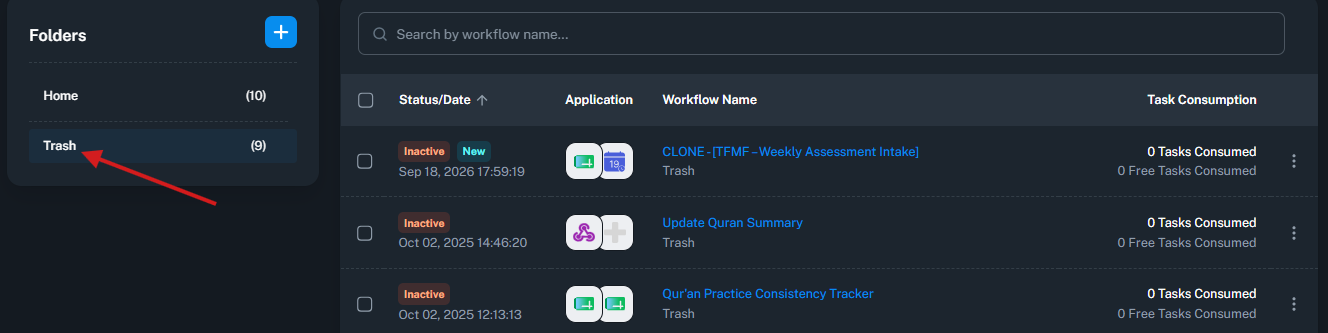
To help us investigate further, could you please confirm whether you have another Pabbly account with an active subscription under which this workflow is managed?
If the issue persists after checking our above mentioned investigation along with your subscription, task balance, and workflow status, kindly share a screenshot or screen recording highlighting the exact issue so that we can investigate further and assist you accordingly.
Looking forward to your response.
Thanks & Regards,
Shekh Dilshekh
Customer Support Specialist