Time intervals in Automatic Send according to schedule (Add on -Google Sheets)
Status: Open · Asked by Andres Diaz on · 0 views
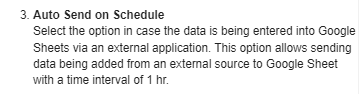
It is possible to customize the automatic sending time in the integration with Google Sheet instead of only sending the data every 1 hour.
It would be very helpful, for example, to choose shorter intervals like 10 or 30 minutes.
Hi @Andres Diaz,
Currently, you can reduce the Auto Send on Schedule time to send the data every 1 minute using Google Apps Script. It is not possible to change the time to 10 or 30 minutes. You can follow the steps given in the thread shared below to understand how you can reduce the data sending time to 1 minute.
https://forum.pabbly.com/threads/google-sheets-1-minute-trigger-send-new-rows-in-every-1-minute.12954/