

When configuring "Dropdown & Custom Fields" from an array of objects within the Inbuilt Action , it's essential to understand how to traverse JSON objects to access the array and generate the dropdown options accordingly. This guide provides instructions on utilizing the "Transform Object To Array" option and specifying the traversal path within a JSON object to generate dropdown fields effectively.
Instructions:
Response JSON:
In the provided JSON response, the
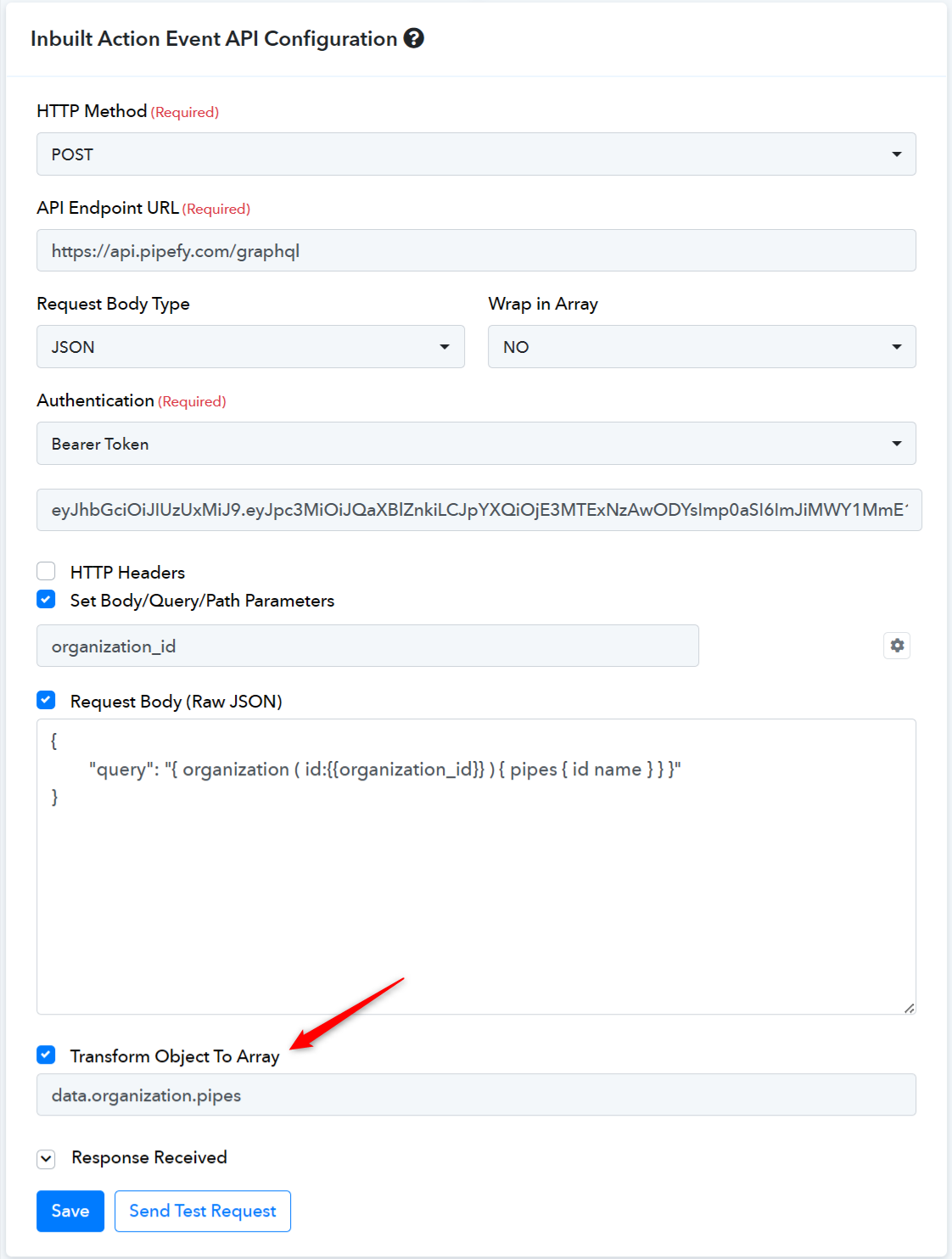
Here is the example to setup within Pabbly Connect Inbuilt Action Configuration.
Instructions:
- Tick "Transform Object To Array" Option: Ensure to check the "Transform Object To Array" option when setting up dropdown fields from an array of objects within the Inbuilt Action.
- Specify Traversal Path: Provide the path to traverse within the JSON object using dot notation. Identify the array of objects from which dropdown options need to be generated. For instance, if the dropdown options are to be generated from the
pipesarray within the JSON object, specify the traversal path as follows:data.organization.pipes.
Code:
curl --location "https://api.pipefy.com/graphql" \
--header "Content-Type: application/json" \
--header "Authorization: Bearer YOUR-BEARER-TOKEN" \
--data "{
    \"query\": \"{ organization ( id:301286944 ) { pipes { id name } } }\"
}"
Response JSON:
Code:
{
    "data": {
        "organization": {
            "pipes": [
                {
                    "id": "304115076",
                    "name": "[IT] Change Management"
                },
                {
                    "id": "304115078",
                    "name": "[IT] Problem Management"
                },
                {
                    "id": "304115079",
                    "name": "[IT] Incident Management"
                },
                {
                    "id": "304115085",
                    "name": "[IT] Requisition Management"
                }
            ]
        }
    }
}
In the provided JSON response, the
pipes array consists of objects containing "id" and "name" fields. These fields can be used to generate dropdown options. To transform this array of objects to dropdown fields, utilize the traversal path data.organization.pipes.Here is the example to setup within Pabbly Connect Inbuilt Action Configuration.
Last edited by a moderator: