Upload Video from a Link to Google Drive
Status: Closed · Asked by IChild Company on · 0 views
Dear Support and Community
We are trying to upload a video file via a link, to google drive via Pabbly Webhook -> Google Drive
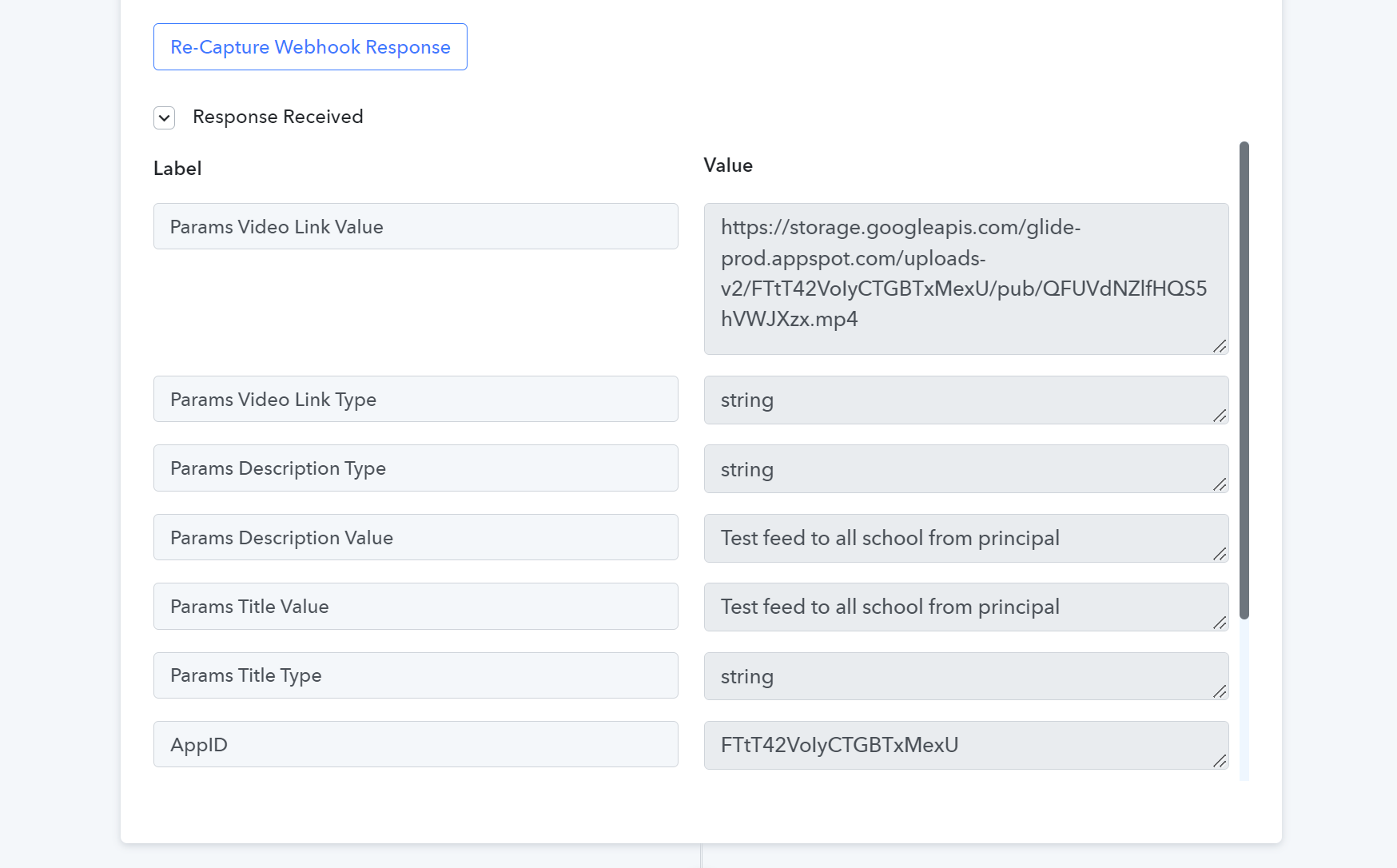
1. Webhook to retrieve video link from Glideapp: Successful - Video Link.png
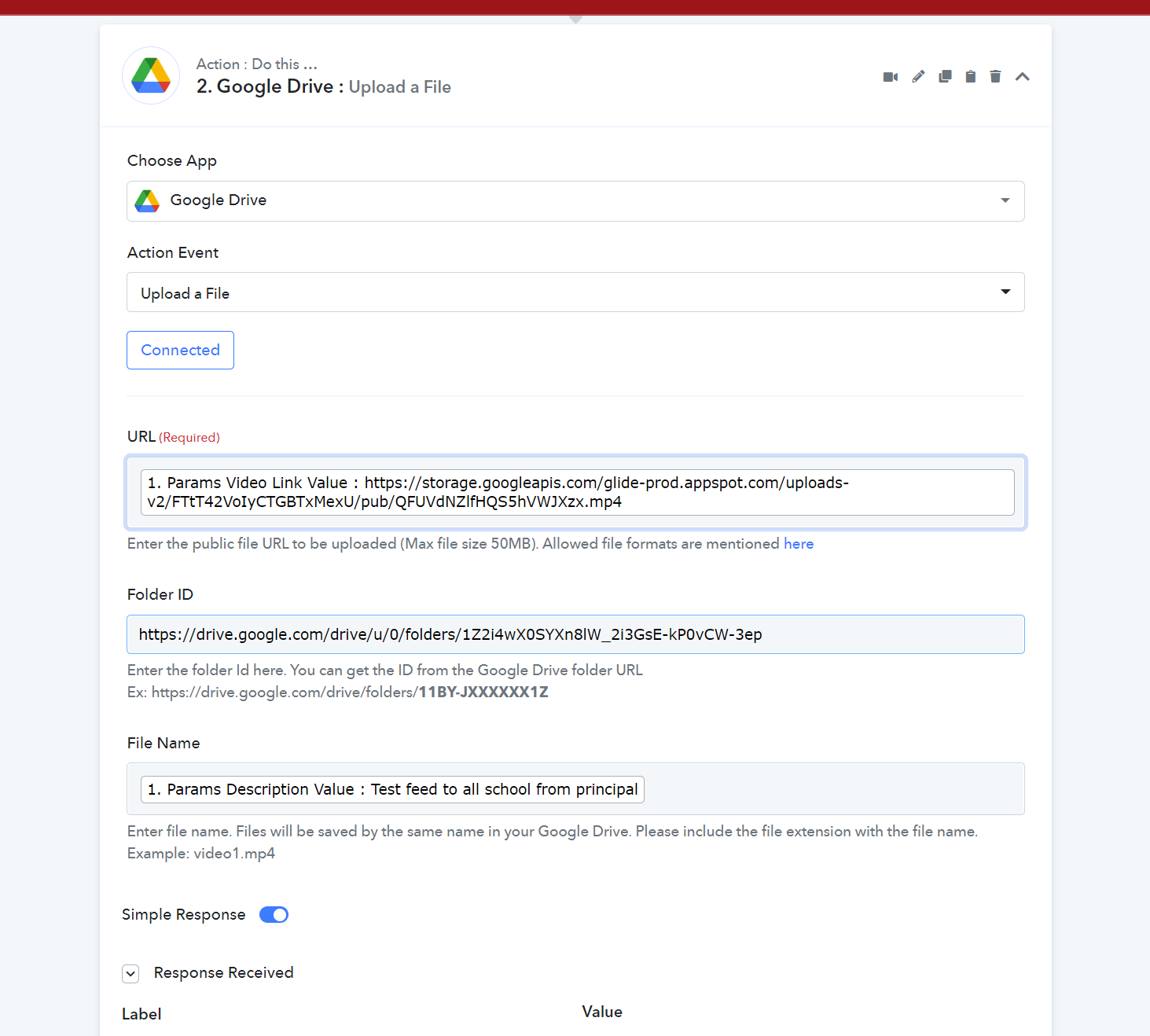
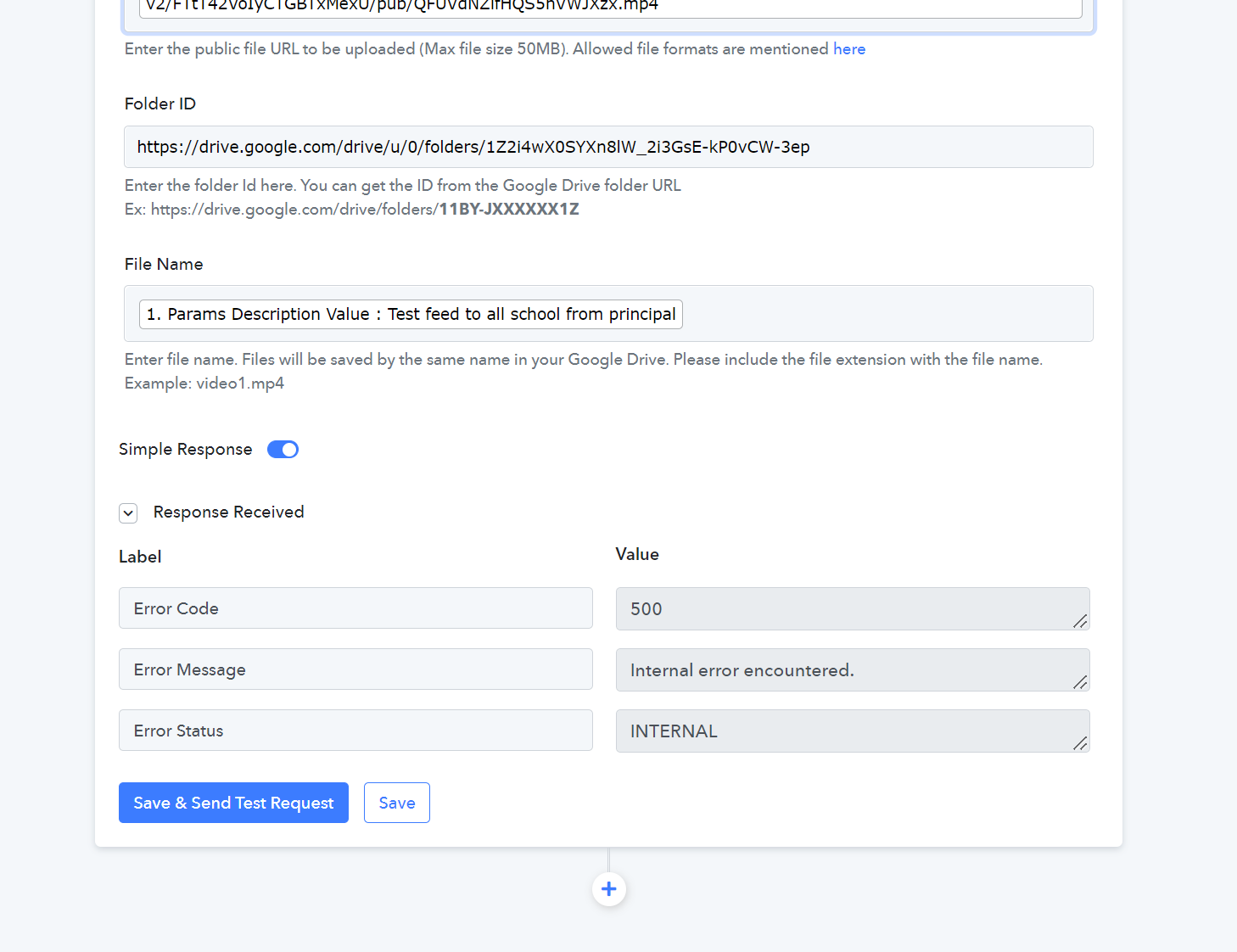
2. Google Upload File: Unsuccessful - Upload to Google Drive.png & Upload to Google Drive2.png
Please see screenshots.
Questions:
1. Is video consider a file?
2. How can i upload a video via a link to google drive or others.
Ultimately I would like to upload to youtube, but after viewing all your videos, there's no such function i.e directly using youtube
Attachments
Hey @ichilddev
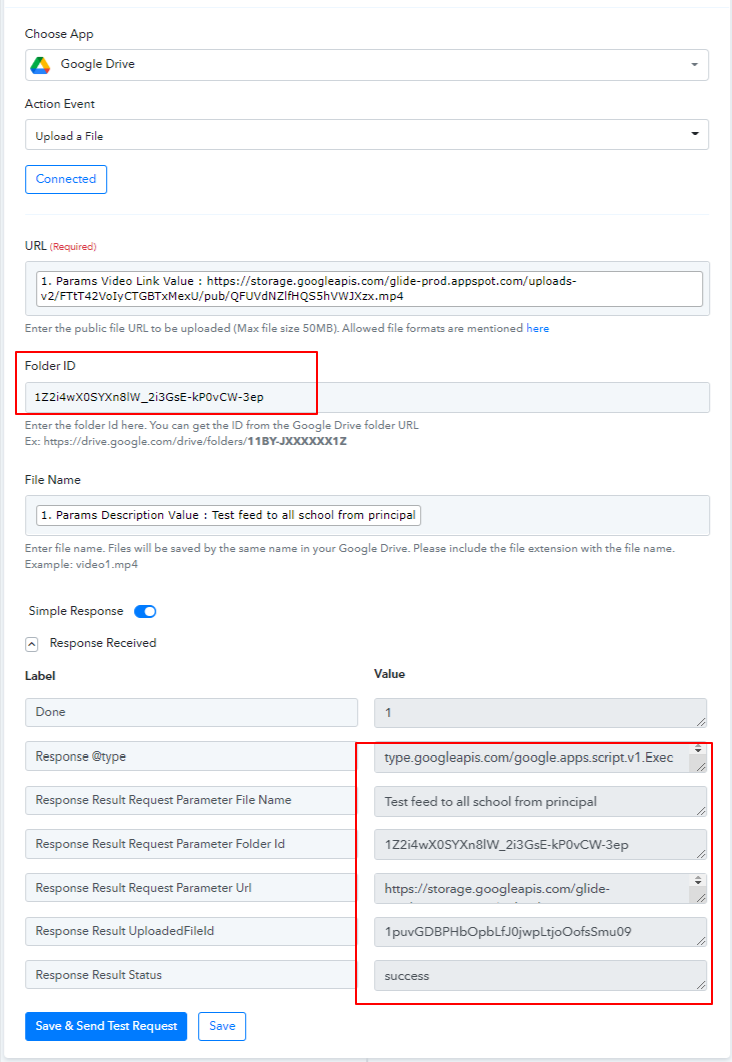
You need to pass the folder id in the Folder Id field. Earlier you were passing complete link thats's the reason you are getting that error message. I have corrected it and pass the folder id and it works perfectly.
Hi
Hey @ichilddevYou need to pass the folder id in the Folder Id field. Earlier you were passing complete link thats's the reason you are getting that error message. I have corrected it and pass the folder id and it works perfectly.
Hi hi
Thanks for your prompt reply!
Manage to get this video uploaded to Drive. Thanks again!
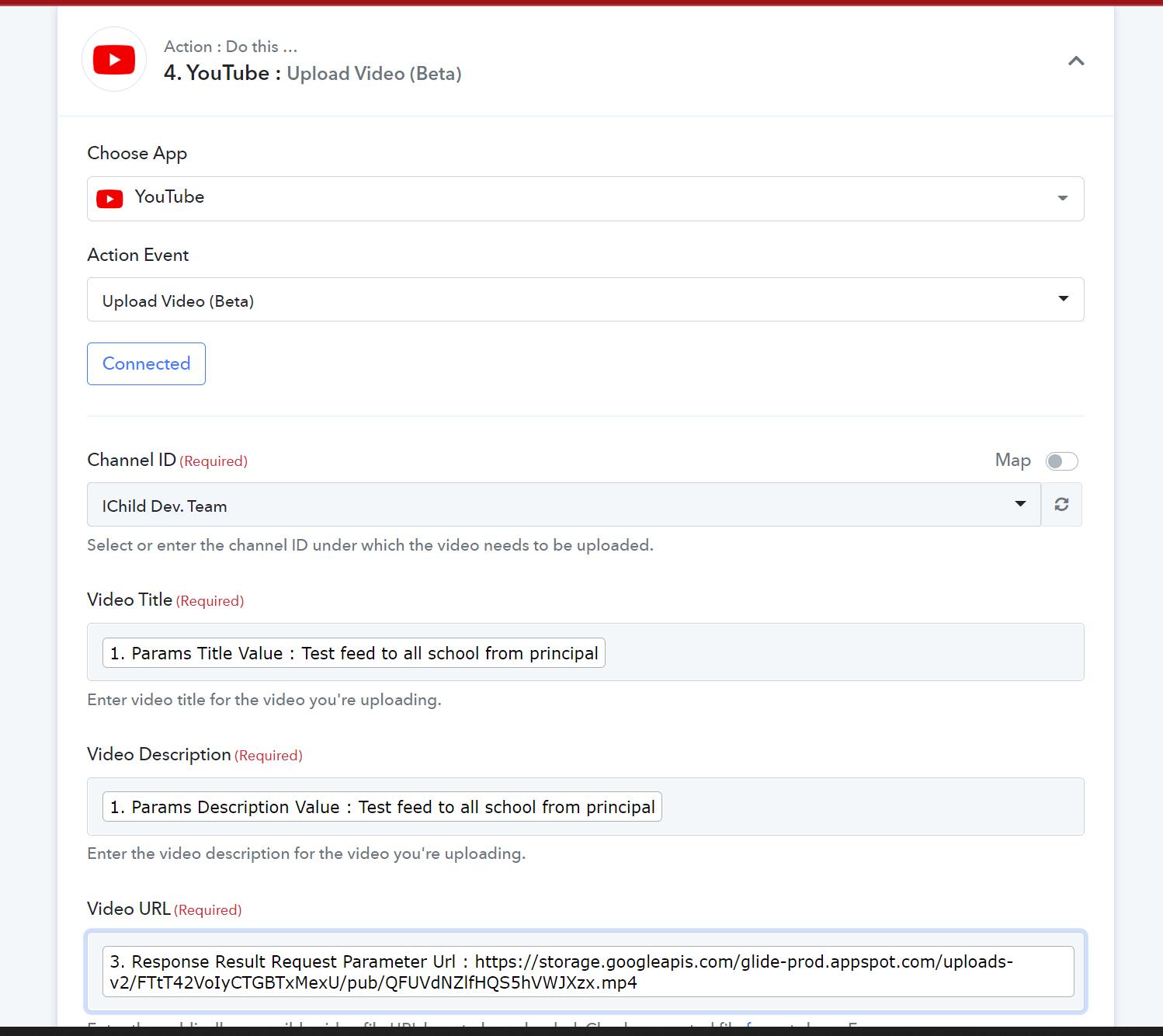
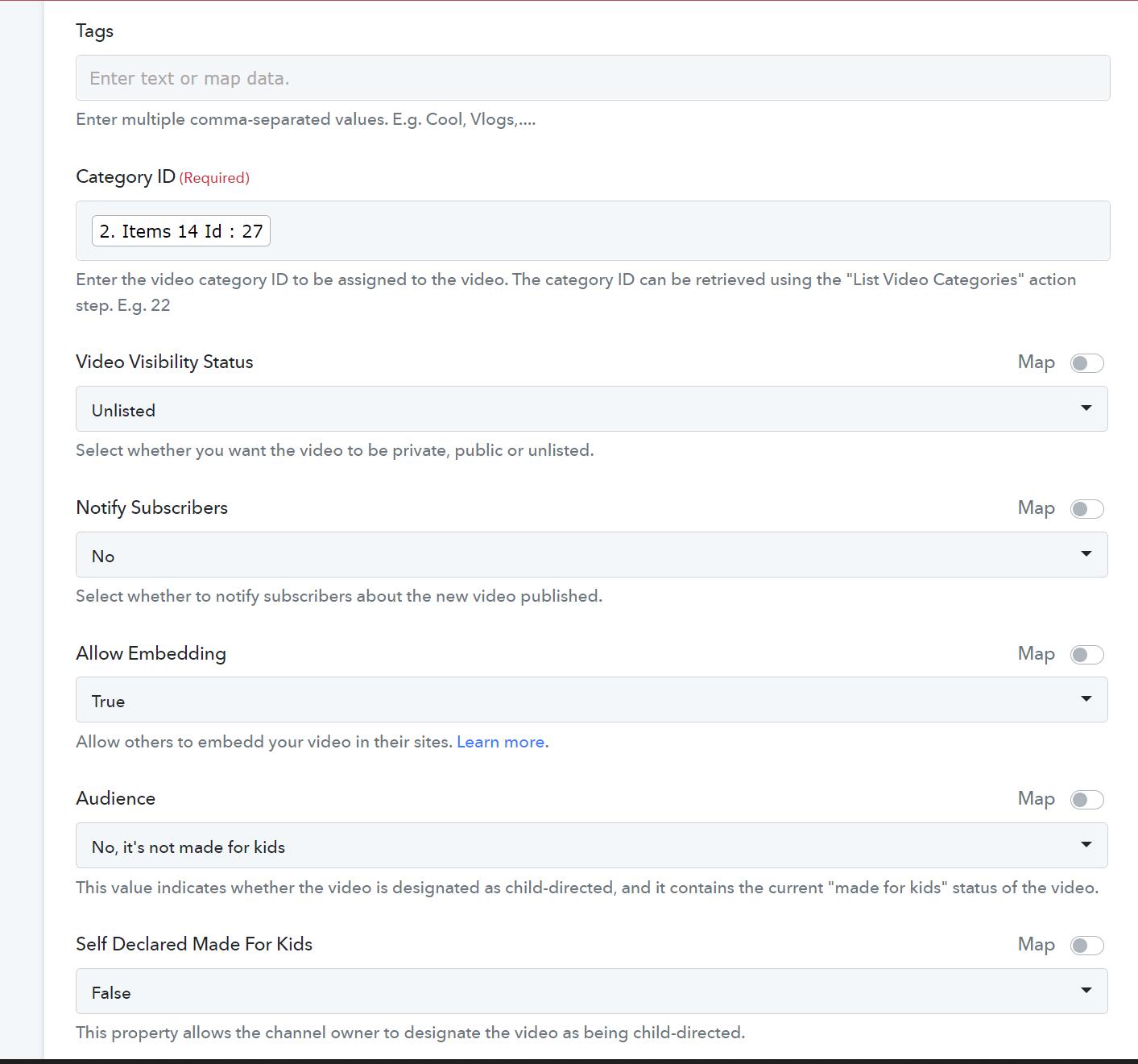
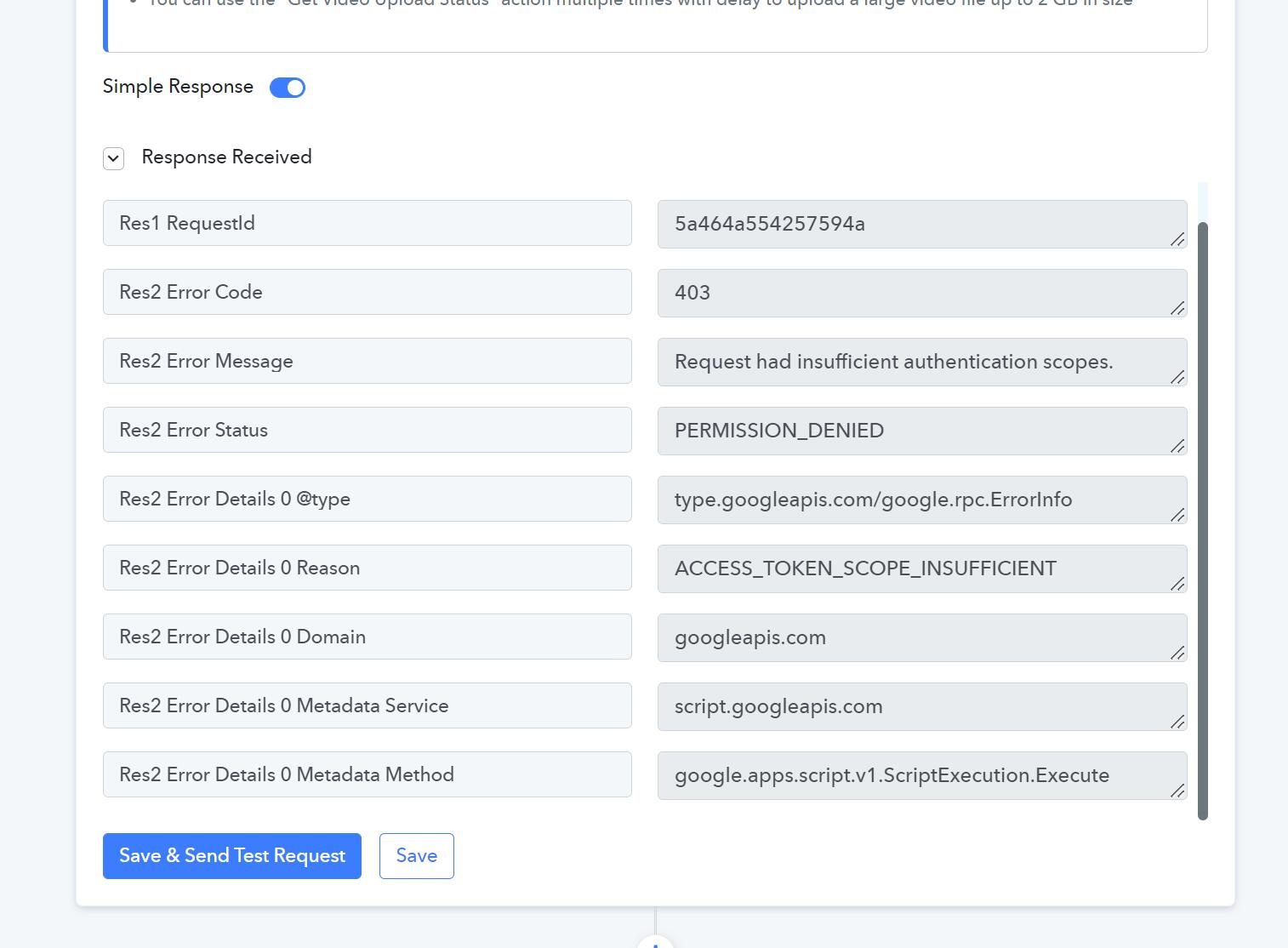
However I am not able to use YouTube upload as it reply with an error message.
Appreciate your advise?
Attachments
Hey @ichilddev
I have already replied to the thread for this issue. Kindly check it again
https://forum.pabbly.com/threads/upload-video-to-youtube-from-glideapp.9883/