WhatsApp Cloud API Message is not sending
Status: Open · Asked by Digital Tamila on · 0 views
Hello,
My Workflow Name - MTA Phone Notification - WhatsApp
Task ID - IjE5MjYzNTMxOCI_3D
In the Task history, The number is captured, updated on the spreadsheet, WhatsApp template message is sent to user.
But User doesn't receive it.
Kindly check & resolve at the earliest.
Hey @Digital Tamila
As we can see from the Data In which the data was set by Pabbly of the task execution the data was sent to the API correctly.
Also, we have tested the same at our end and it is working fine. You can check the same by Re-executing the task.
If I have used a new phone no which can't have whatsapp account, for Whatsapp Business api, then How can I check whatsapp messages send through Whatsapp Business API? and can i get messages on my existing whatsapp business no?
If I have used a new phone no which can't have whatsapp account, for Whatsapp Business api, then How can I check whatsapp messages send through Whatsapp Business API? and can i get messages on my existing whatsapp business no?
Check this thread which help you - https://forum.pabbly.com/threads/whatsapp-cloud-api.5745/
Hello,
Its not sending at all.
You can check my workflow Name - Test 1 MM
Email is sending fine. But Whatsapp message is not sending at all.
Hey @Digital Tamila
We check the Cloud API action step in your workflow and it is working fine, kindly re-configure it once and then let us know if the issue still persists.
Hi @Supreme
I am having the same issue as @Digital Tamila whereas my workflow is configured and the payload is picked up accordingly and filters are applied fine.
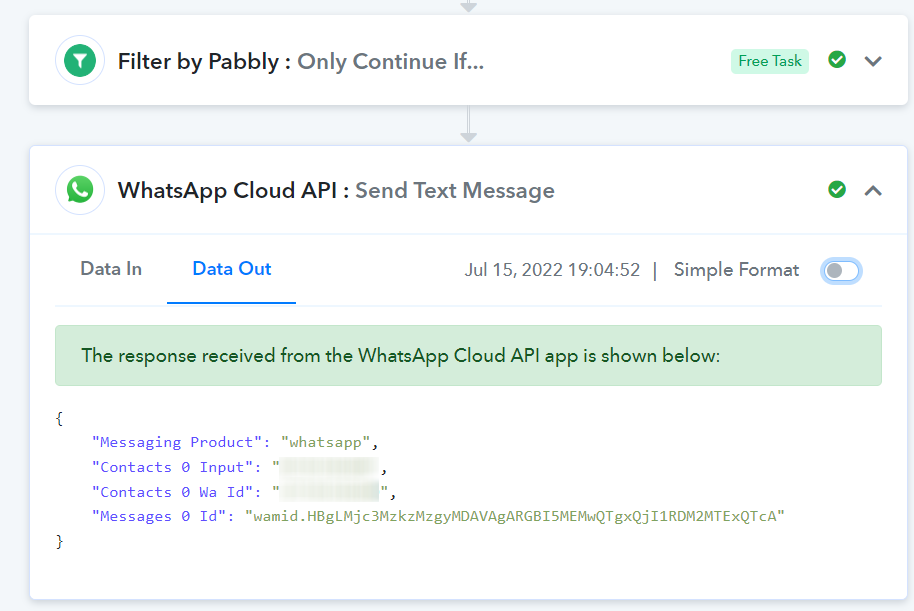
Issue comes about when the WhatsApp Cloud API sends text out. I get a successful response from the API service but no text is sent.
I have tried to change the WhatsApp CAPI configuration to send out an approved template message and this works fine.
However, when I am sending out an open text "Send Text Message" trigger. These are not delivered at all.
Please help where possible?
Task ID - IjE5NTEzMDIzNiI_3D
Task ID - IjE5NTI0OTY3NyI_3D
Thanks
Hey @James B
Kindly share your registered email address with Pabbly and the name of the workflow in which you are having such an issue.
Hi @Supreme
email: [email hidden]
workFlow: [munchieApp_Store_job]_Saw_Cy_New Send Text
Thanks
Hey @jamesM
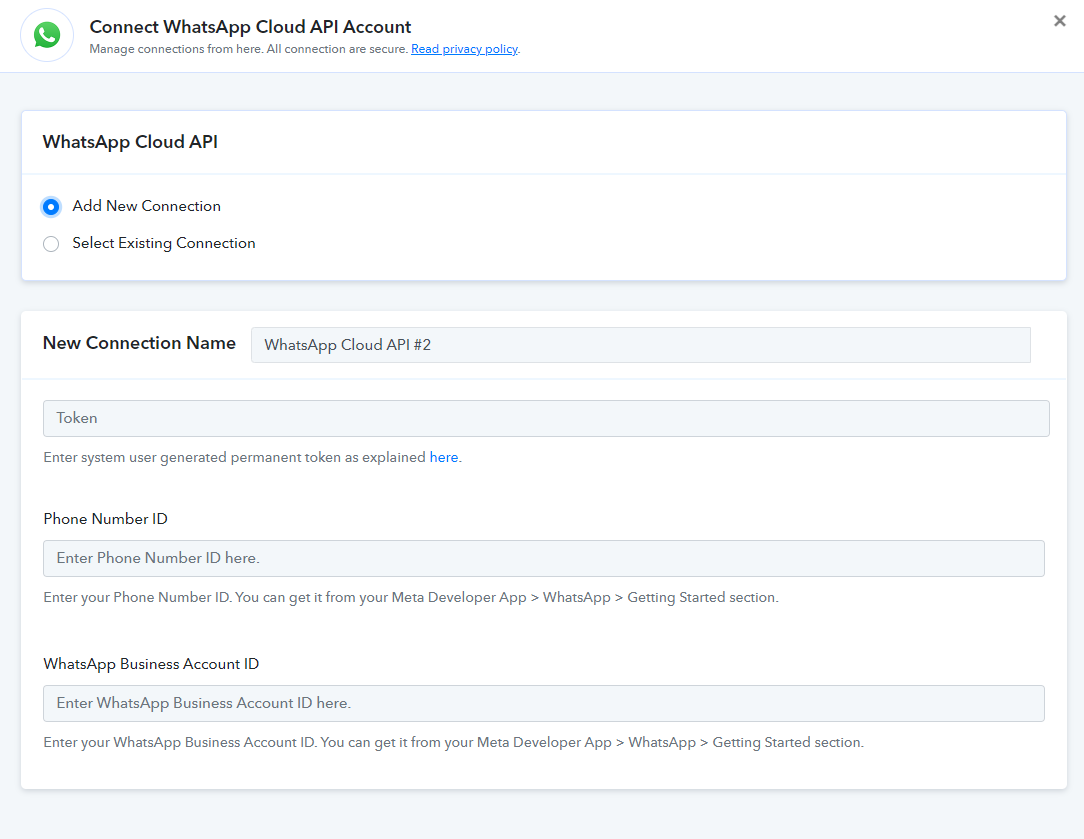
Can you try again by making a new connection of Cloud API in your workflow? As we are unable to regenerate a similar issue at our end.
Hi @Supreme
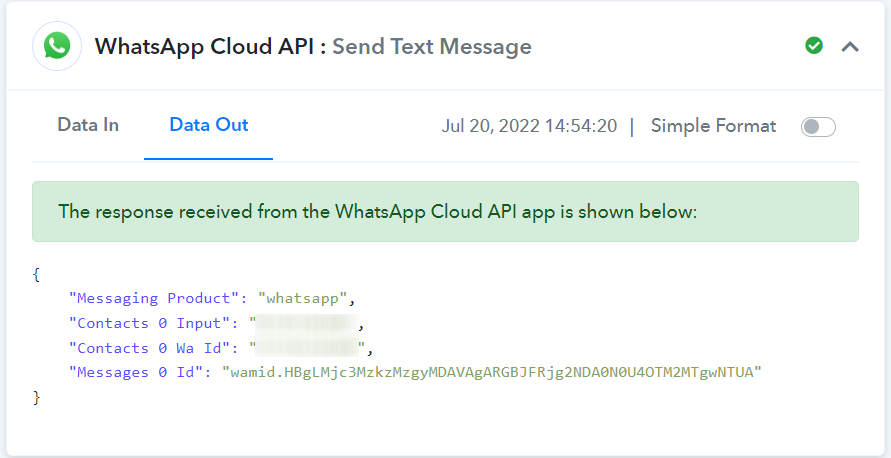
I tried your suggestion but I still get no message delivered.
@Supreme
Task ID - IjE5OTMzNzQxNCI_3D
Hey @jamesM
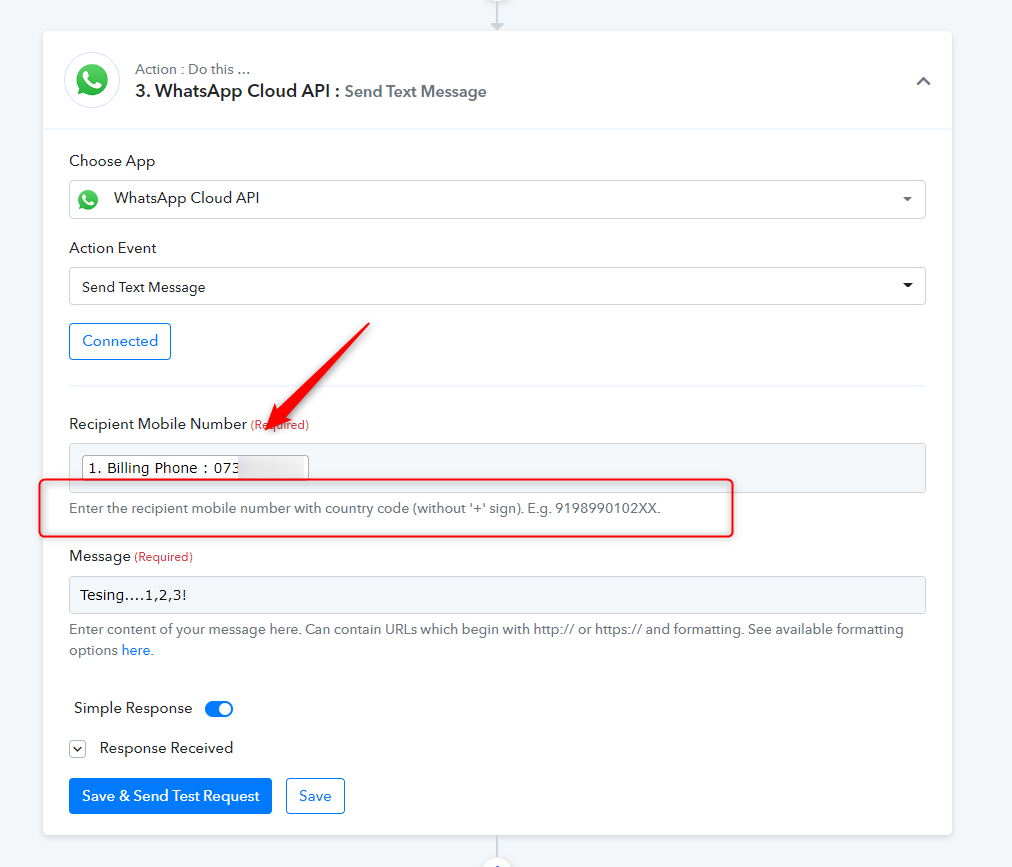
The phone number which you are passing in the "Recipient Mobile Number" field is not with the correct country code.
Kindly pass the phone number along with the correct country code.
Hi @Supreme
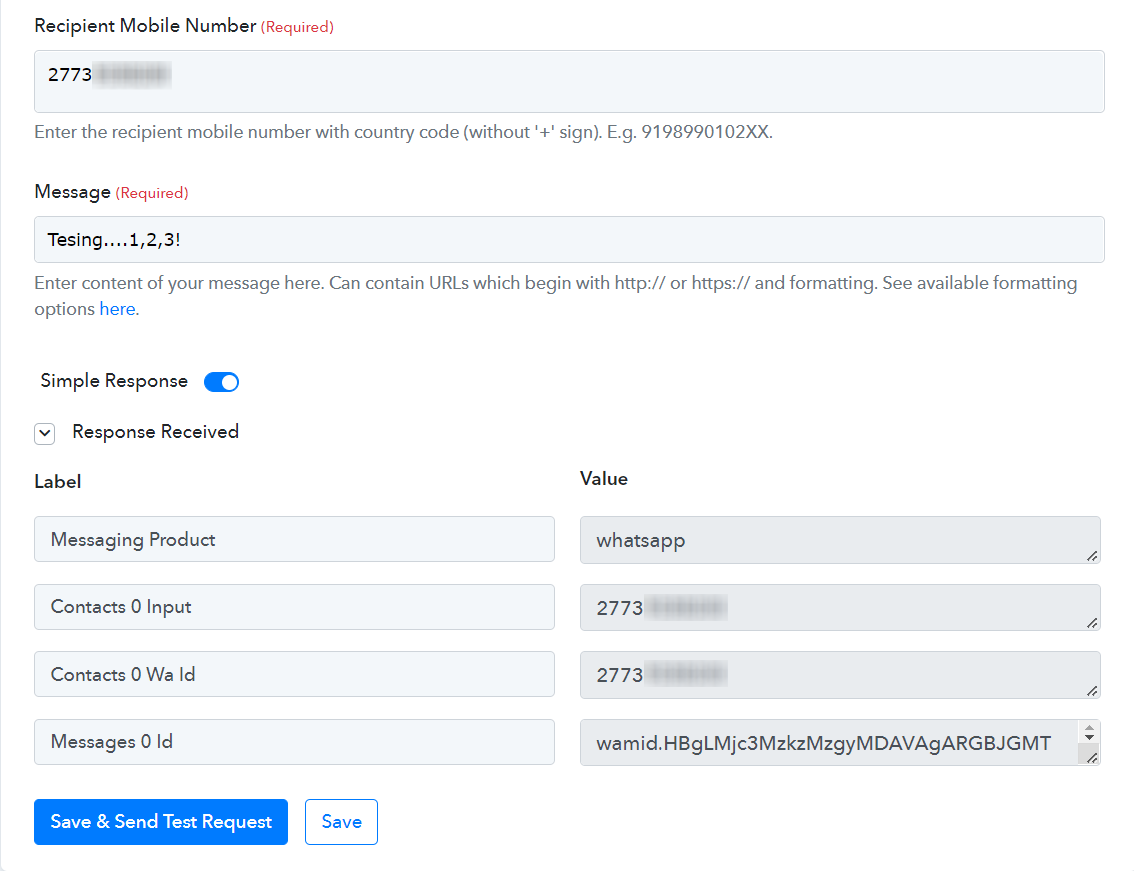
I did try that previously and I got the same results again this time, no message received:
[{"id":"wamid.HBgLMjc3MzkzMzgyMDAVAgARGBI2RDREOUFBRjFFNDU2NUYyRTMA"}]
Hey @jamesM
Kindly record a short video on the same so that we can look into it and can guide you accordingly.
Though we tried the same at our end and it is working fine.
Hi @Supreme
As requested, please see video link below:
youtube.com/watch?v=Am8X8Unxf7E
Any advise further is much appreciated.
Thanks
Hey @jamesM !
Thanks for the video recording, it was quite helpful to check on your concern.
"WhatsApp Cloud API: Send Text Message" will not send the data to random new users, as the previous conversation is required to send them the direct messages.
You would be required to use the template event in order to send the successful messages to random new users.
Kindly use "WhatsApp Cloud API: Send Template Message", it will work for you for sending new messages to random new users.
Hope, this works for you now.
Hi @Subin
Seems that Pabbly doesn't allow me to send multiple data on a single variable, this is why my approach was to use the WhatsApp Cloud API: Send Text Message trigger and not the WhatsApp Cloud API: Send Template Message trigger.
For example, what I mean is that when I have multiple order items in 1 order, these are not passed through and fail due to "text cannot have new-line/tab characters or more than 4 consecutive spaces"
This is my WhatsApp template: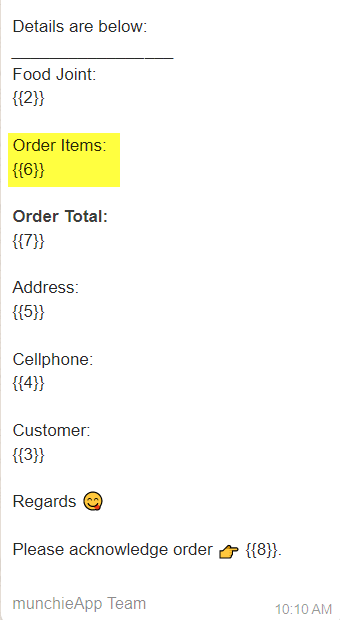
Here is my template body field in Pabbly: 
This is the error I get: 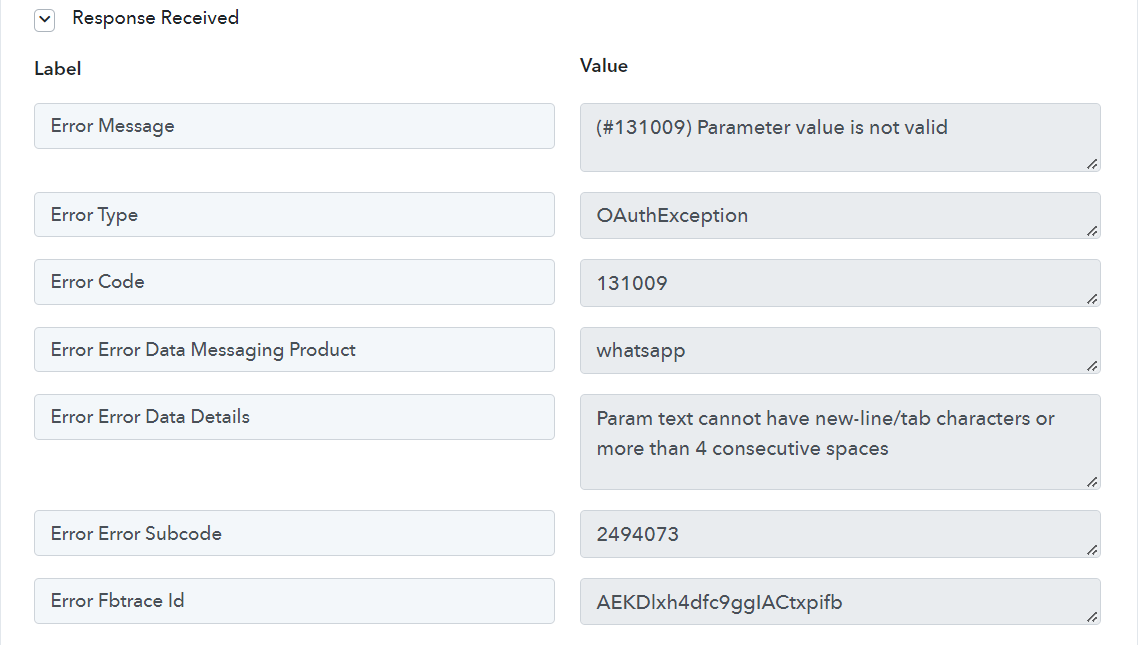
Error Message: (#131009) Parameter value is not valid
Error Type: OAuthException
Error Code: 131009
Error Error Data Messaging Product: whatsapp
Error Error Data Details: Param text cannot have new-line/tab characters or more than 4 consecutive spaces
Error Error Subcode: 2494073
Error Fbtrace Id: AEKDlxh4dfc9ggIACtxpifb
Any further help here would be much appreciated.
Thanks
Hey @jamesM !
The issue which you are receiving is due to the limitation of the WhatsApp Cloud API.
You can make a new template with maximum orders and then try to connect it within the workflow.
We can understand your concern for the multiple orders not getting added at the first instance in the template message, but as per the WhatsApp Cloud API, you would require to have a previous conversation to send them a direct message. If not, then a template should be used.
Hope, we have mentioned your query.
Hi @Subin
Thank you for your feedback, is there any chance that the Pabbly team will look into this limitation in the near future? Or also addressing Send Text Message not sending the data to random new users?
I have tried to setup a template with maximum order items but the issue is that the order item numbers may fluctuate according to what is placed in the order and if the order total is < maximum parameters, I get a Pabbly error:
Code: #132000
Error Description: Number of parameters does not match the expected number of params
Alternatively, I also tried adding a text formatter step to the workflow and remove the HTML tags from the woocommerce data. This sends data nicely to WhatsApp Cloud API but then brings us back to the "Param text cannot have new-line/tab characters or more than 4 consecutive spaces" error.
Once again any advise is welcome.
Thanks
Hey @James!
We had a word with tech team and they let us know that If you create a template with some parameter, it is required to fill them all otherwise the API will throw an error "Number of parameters does not match the expected number of params"
Also for new-line/tab Character concern you should include them in your template and approved the template from their team then only you will be able to work with new-line/tab.
For further information you can contact the Facebook support team.