Why not showing leads from 26/07/2026 till 31/07/2026?
Status: Closed · Asked by Nimesh Koshti on · 0 views
Hi Team,
I'm facing an issue with my Pabbly workflow. I connected it, but the leads from 26/07/2026 to 31/07/2026 are not showing in my Google Sheet.
The connection was active during this period, but no lead data was added to the sheet. Could you please help me understand why these leads are missing and how I can retrieve them?
Thank you!
Hello Nimesh,
Thanks for reaching out.
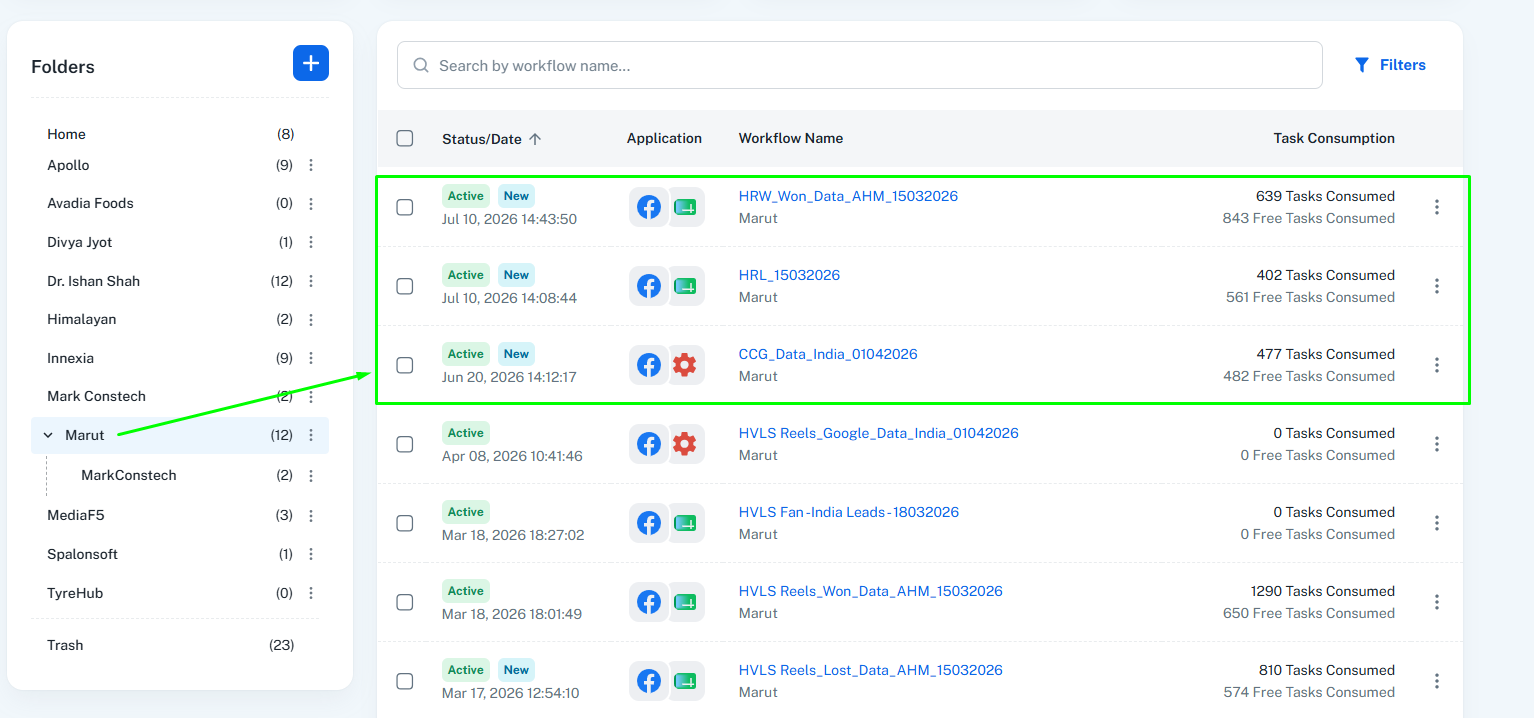
We checked your task consumption and found that all of your monthly tasks had been consumed between 26th July and 31st July.
Since the Google Sheets step is a paid action, the workflow could not execute during that period. As a result, no new rows were added to your Google Sheet between 26th July and 31st July.
As you are on a Lifetime Plan, your monthly tasks were automatically renewed on 1st August. Once the tasks were reset, your workflow resumed normal execution, and the subsequent executions started working as expected.
If you have any further questions, please let us know. We'll be happy to assist you.
Thanks & Regards,Anushka Sahu
Customer Support Associate
🌐 Pabbly.com
Hi Team,
As per the Meta Ads report for 01 Jul 2026 – 31 Jul 2026, the total leads generated are 2,152 (653 + 603 + 896).
However, my Pabbly account has a limit of 3,000 tasks, and it appears that all the tasks have been consumed. Since only 2,152 leads were received from Meta, I am unable to understand why the task usage is so high.
Could you please check and explain:
Why were all 3,000 tasks consumed?
Were there any duplicate executions, retries, or other workflow runs that consumed additional tasks?
Kindly help me understand the reason for this discrepancy. Thank you.

Hello Nimesh,
To get a detailed breakdown of your task usage, you can navigate to Task History → Task Usage by Workflow in your Pabbly Connect account. This section will show you the task consumption for each workflow individually, helping you identify which workflows have consumed tasks during the selected period.
If you find that any workflow executions were missed due to task exhaustion, you can manually re-execute those workflow executions for the required date range. This will allow the affected records to be processed again without needing to recreate the leads.
Please review the Task Usage by Workflow section and let us know if you need any help. We'll be happy to assist you further.
Thanks & Regards,Anushka Sahu
Customer Support Associate
🌐 Pabbly.com