nasir101m
Member
- Your Workflow URL
- https://connect.pabbly.com/workflow/sendwebhookdata/IjU3NjcwNTZmMDYzNjA0MzY1MjZhNTUzNjUxM2Ii_pc
- Consent to Access & Modify
- I authorize Pabbly Support to log in to my account and make changes to the specified workflow for troubleshooting.
Hi,
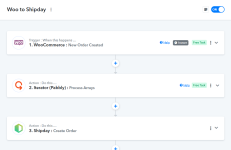
I’m integrating WooCommerce → Pabbly (Webhook) → Shipday API.
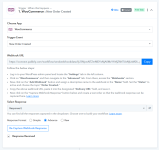
WooCommerce is sending multiple line_items in the webhook payload correctly. I can see all products inside the line_items array.
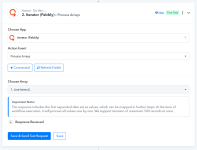
I am already using Iterator by Pabbly on line_items[], but the issue is: Shipday is still creating only one order item.
My goal is:
✔ One Shipday order
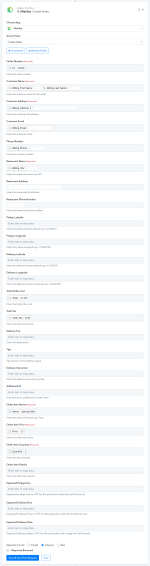
✔ With all WooCommerce products inside the orderItems array
Currently, Pabbly seems to Map only line_items[0]
How can I properly:
If someone has a working WooCommerce → Shipday setup with multiple products, please share the correct structure.
Thanks!
I’m integrating WooCommerce → Pabbly (Webhook) → Shipday API.
WooCommerce is sending multiple line_items in the webhook payload correctly. I can see all products inside the line_items array.
I am already using Iterator by Pabbly on line_items[], but the issue is: Shipday is still creating only one order item.
My goal is:
✔ One Shipday order
✔ With all WooCommerce products inside the orderItems array
Currently, Pabbly seems to Map only line_items[0]
How can I properly:
- Combine all line_items into a single orderItems array
- Send them in one API call to Shipday
If someone has a working WooCommerce → Shipday setup with multiple products, please share the correct structure.
Thanks!