Workflow Not Working - Scheduler
Status: Closed · Asked by zest83 on · 0 views
Scheduler is set to Execute at 2.29 AM UTC
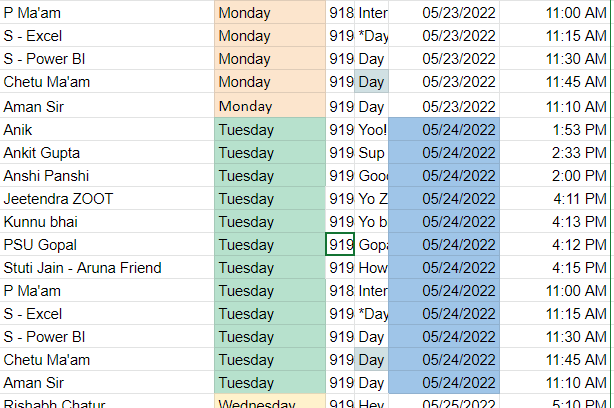
There were more 8 Tasks to be sent but they were not triggered as per todays Date - 24th May 2022
11:00 AM
11:15 AM
11:30 AM
11:45 AM
11:10 AM
1:53 PM
2:33 PM
2:00 PM
Only 1 Task was triggered
Task ID: IjE1Mzg0MjIxOCI_3D
The messages were not executed as per the time in the Google Sheet as per Todays Date
Please check Attachment
What do I do?
Attachments
Hey @zest83
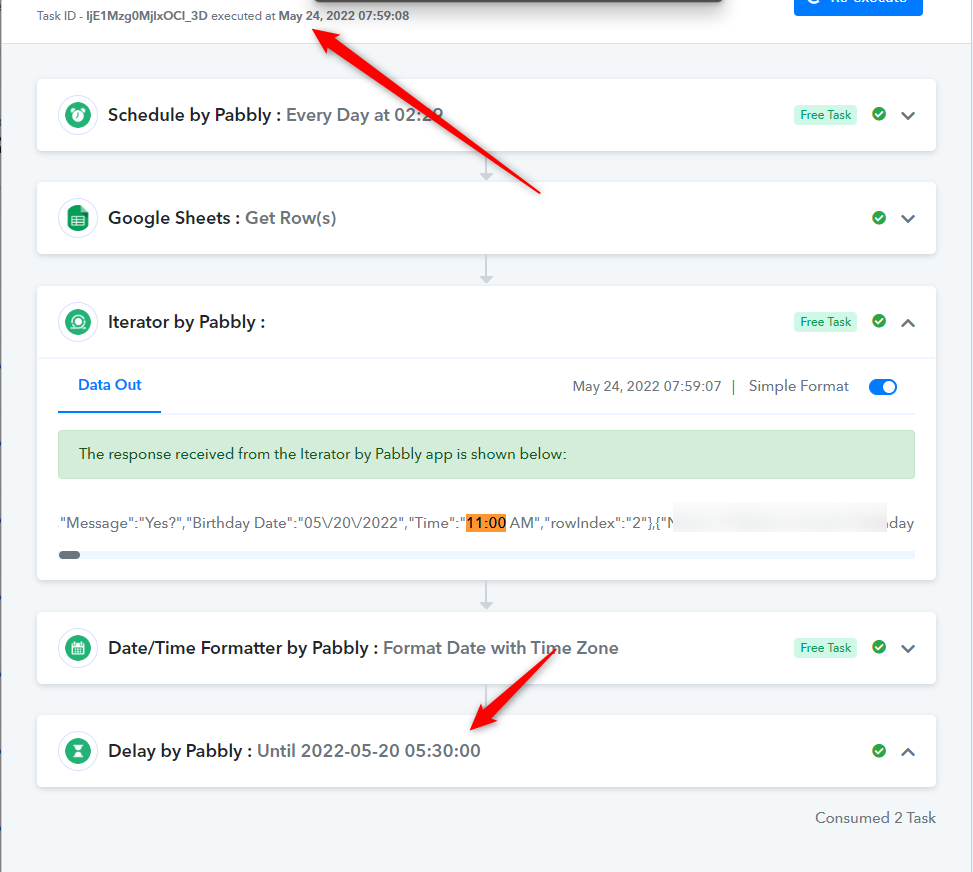
Kindly review your history log first with the action step which you are having in your workflow. According to your workflow, the date which you are passing in the Delay Until actions step is the old date from now.
Since the date is an old Delay Until the action step will not work.
But this sheet was working earlier!
I need to save & send test request... everytime I add new "date" to the sheet?
Does that make sense?
Coz Every time, I had new dates... Obviously, the Delay Date will show the OLDER date... because the test was done on a Older Date...
So what am I missing here?
Please could you check the workflow and tell me if the NEW - Send & test will work properly for the event tomorrow at 1.53 PM - Indian Standard Time
Request you to reply before 12 NOON - so I can improve the workflow as per your suggestions, if any!
This one workflow is getting very annoying.
Please check, there's something seriously wrong!
It works and then it stops!
Why does it stop randomly when we add new data to the Google Sheet with New Dates?
The SEND and Test was done during the testing phase and hence the date showed "the previous date" in the delay section - That's obvious isn't it...
What am I doing wrong here?
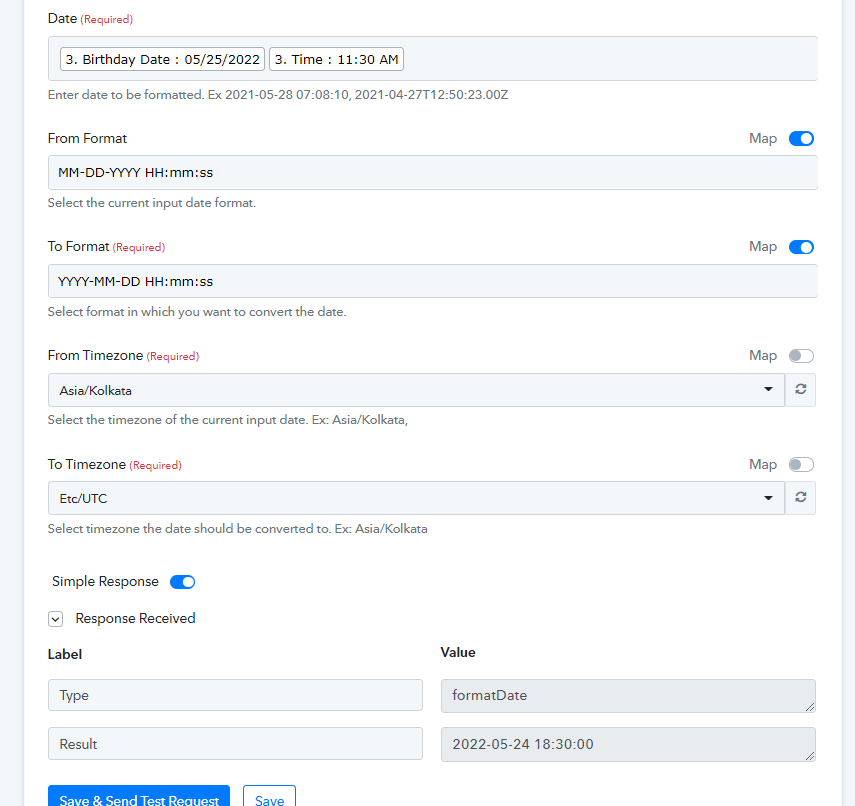
MY IST to UTC time converter is showing wrong!
Google Sheet has Time input as 11 AM on 25th May 2022
11 AM IST is showing as 6:30 PM UTC
It should show up as 6:00 AM UTC
This Step is not making sense....
How is the sheet picking up the RESULT as 2022-05-24 18:30
When the time being fetched from the Google Sheet is 2022-05-25 11:30 (11.30 AM)
Also the Scheduler is set to trigger at 5.59 AM
Hey @zest83
What am I doing wrong here?
As per your workflow, all the designated dates are getting forward to the Delay Until action step, kindly correct the workflow which will only forward the date has the current date or date of the future.
We have done what you are saying!
The workflow works perfect after we do a SAVE & SEND TEST REQUEST for the 1st upcoming date!
And then fails for the next schedule date on the same google sheet
Hey @zest83
Please check the following thread for your similar workflow query.
https://forum.pabbly.com/threads/task-issue.5851/
CLOSE This Thread please