workflow
Status: Closed · Asked by Aariembroideryn Designers on · 0 views
I am capturing information's as shown in excel sheet (from razorpay after payment) but suddenly address part alone not capturing what will be the reason....pls assist to fix it...
Attachments

We capturing information's from razor pay to excel sheet, data was capturing well. i between i forgot to renew after then after renewal also data not getting captured. pls guide to fix
Attachments
Hey @Aariembroideryn Designers
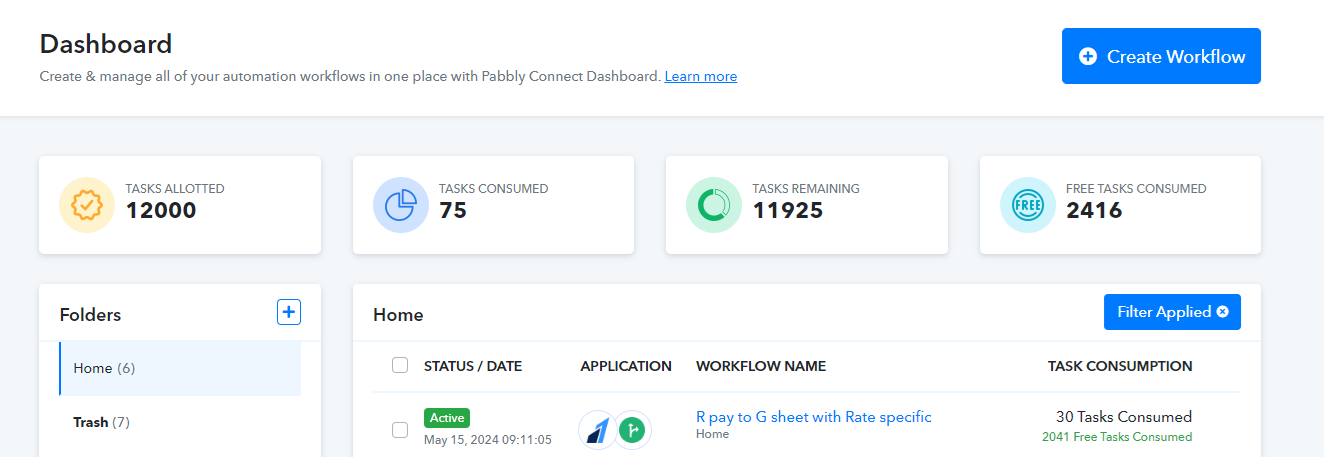
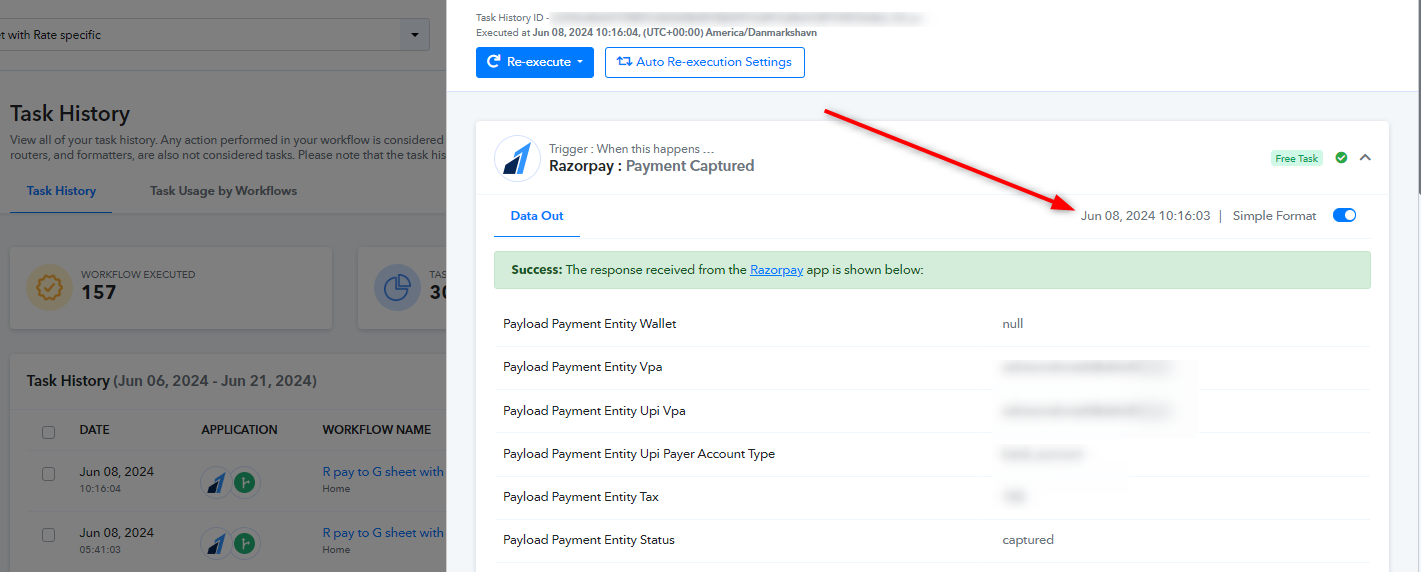
We examined your issue and found that no payment responses have been captured from the webhook since June 8th, 2024. Please capture a new webhook response and verify that the webhook URL is still correctly set up.
Also, make sure that your webhook is setup properly. You can follow the instructions mentioned in this video -
youtube.com/watch?v=Vmf36rsYTqM
Additionally, if the issue continues, please provide us with a screen recording showing the payment made and the response not being captured in Pabbly. This will help us assist you more effectively.
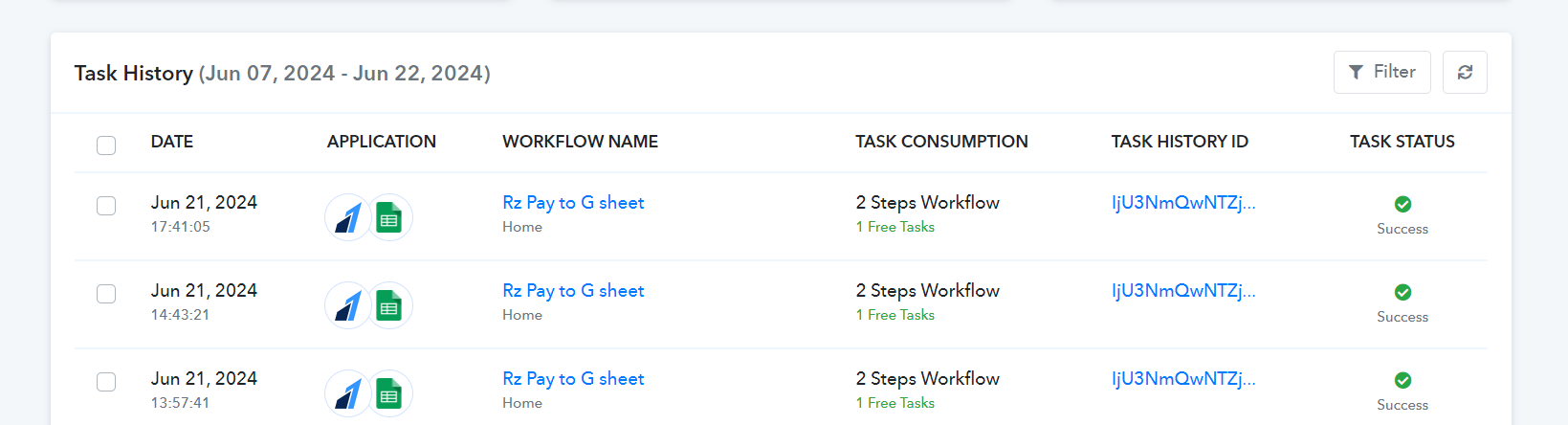
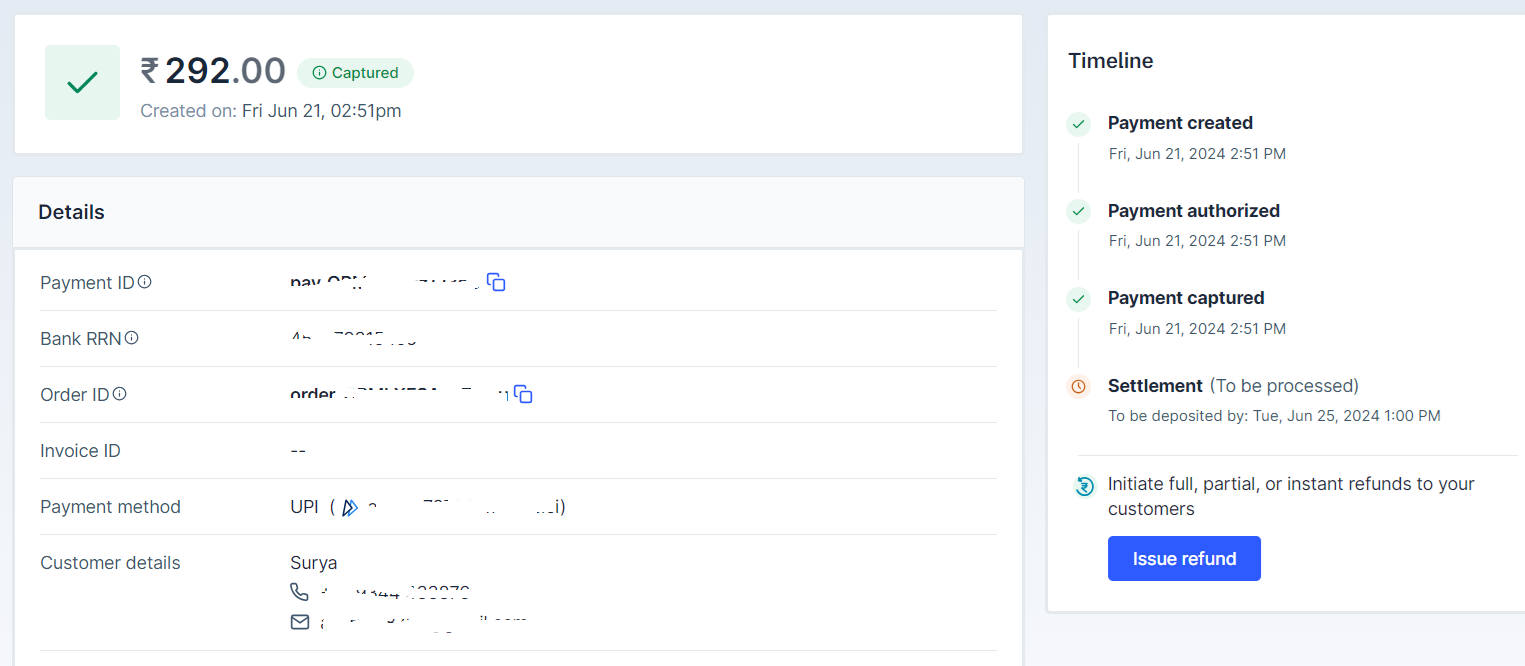
pls find attached screenshot of payment captured on 21.6.2024 & response not captured....but my other two work flows working good....
Hey @Aariembroideryn Designers
Kindly verify if your webhook URL is setup up correctly in RazorPay with the required trigger events and is turned 'active'. Also share with us the screen recording of the webhook setup that you have done in your account. So that we can look for any errors, if there are.
Refer to this video here.
Hi i found that particular webhook was disabled automatically, now i enabled, will check and update. what will be the reason webhooks disabled automatically...
Hey @Aariembroideryn Designers
After reviewing the edit log of your workflow, it seems that your workflow was disabled because only unpaid tasks were left. Please ensure that your workflow includes at least one external or paid task to prevent it from being deactivated.
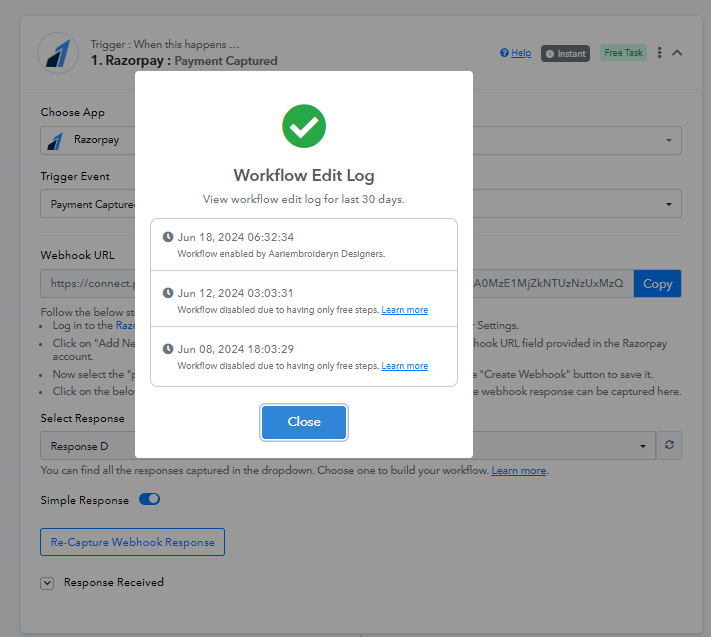
Refer to this thread for more instructions - https://forum.pabbly.com/threads/workflow-edit-log-workflow-disabled-due-to.15330/
Hi after activating the web hook i got the event captured, but however i am not repeatedly not getting address filed in the excel sheet in all the work flow and i cant get the date of event in the excel sheet, pls assist to fix the same
Hey @Aariembroideryn Designers
Upon looking into your Task History, it appears that the mapping is not done accurately.
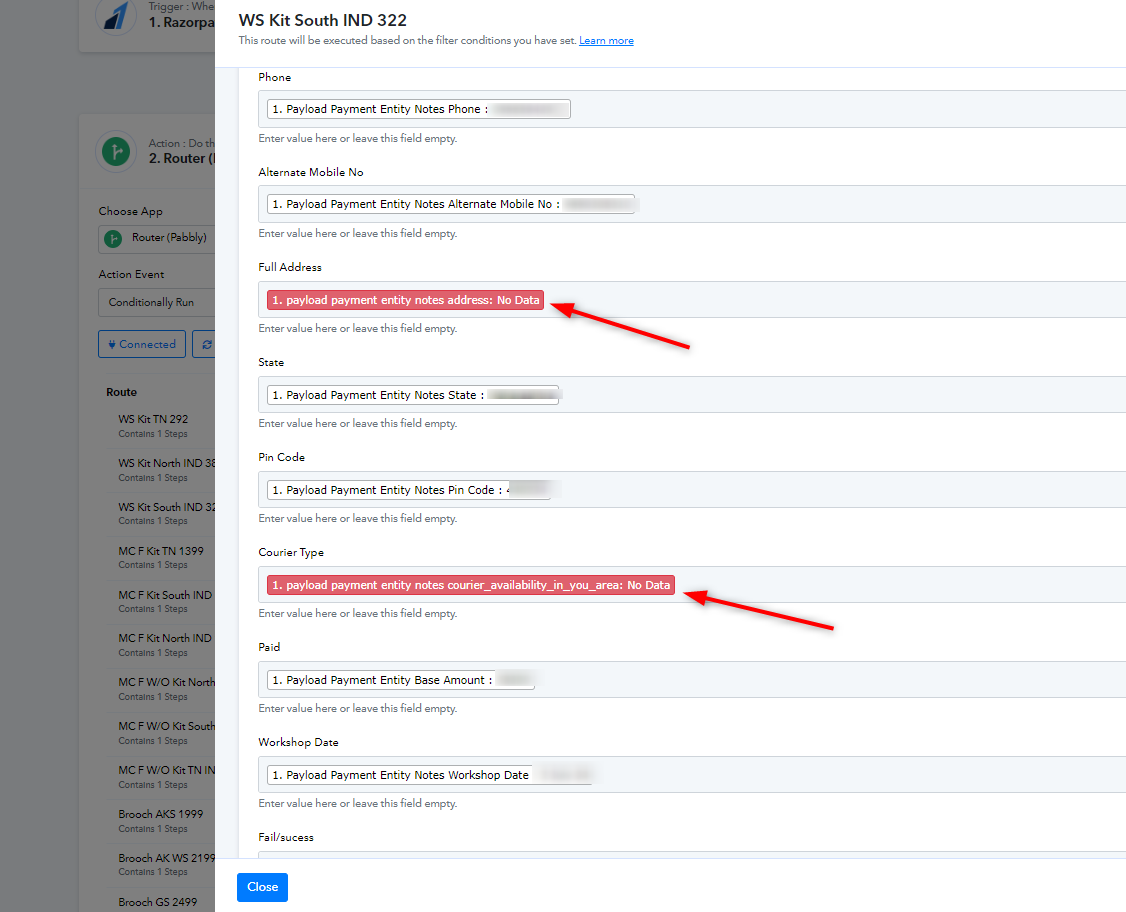
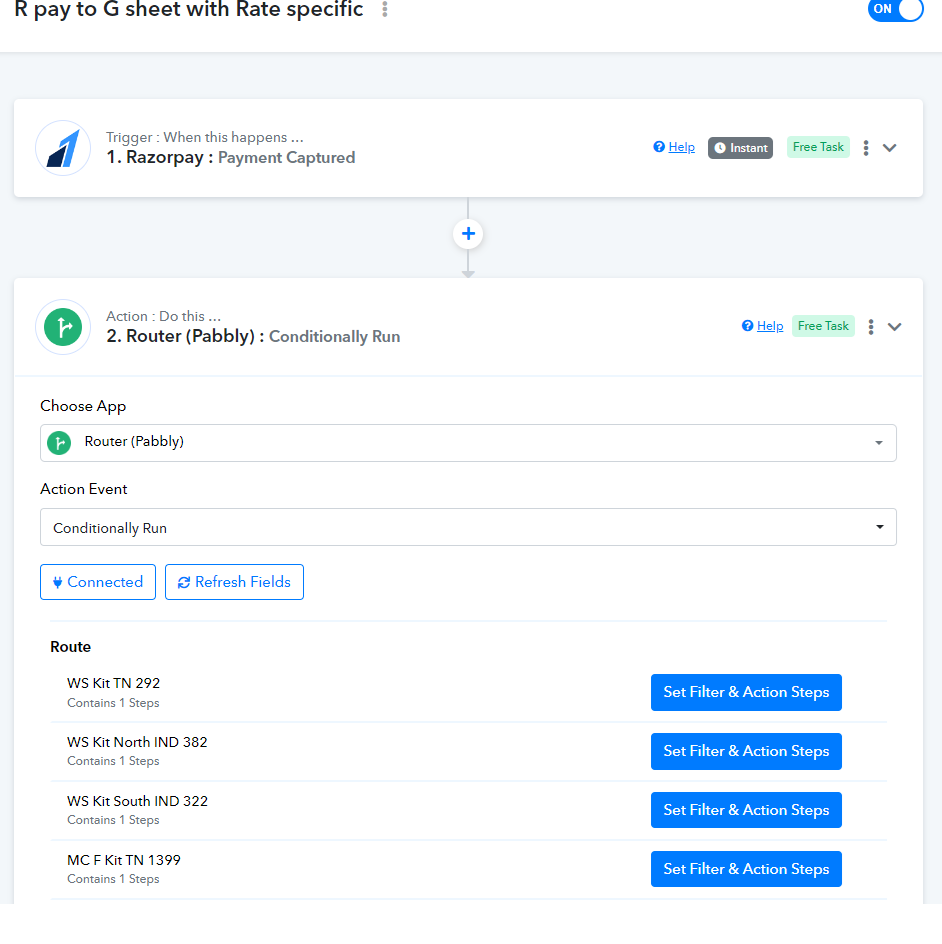
Kindly make sure that the responses you are mapping are getting received every time. For example, in the address field, you can map "Full Address" instead of "Address".
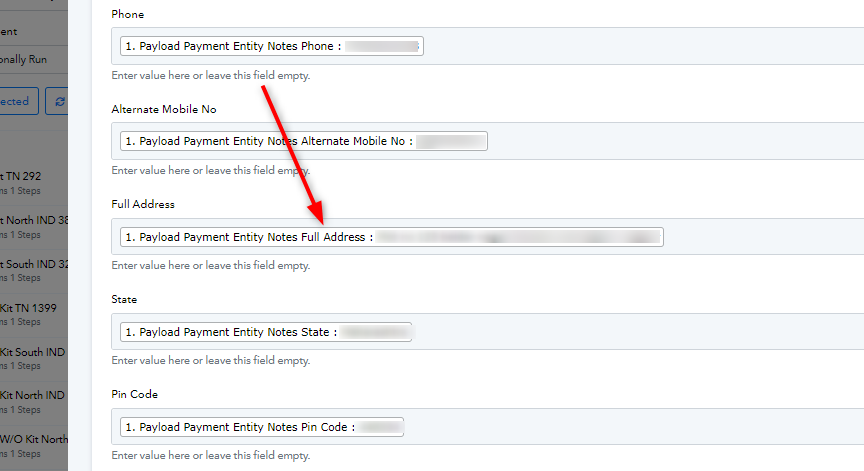
Kindly check the same and perform it for every route.
Let us know if this works for you.
Yes i made that point. other events happening smoothly, this error routers are not capturing address. hope fully it will resolve.
I have one more clarification...
1) how to capture the date of the event in the excel sheet.
Hey @Aariembroideryn Designers
For getting the Date or Time of the payment you can use "Date/Time Formatter" by Pabbly. You can add the Date/Time Formatter step after RazorPay trigger and use "Current Date" action step in the same. Kindly refer to this video from 8:54 below -
youtube.com/watch?v=XpRkxwytOOg:534
Kindly adjust the format accordingly as mentioned in the video.