YouTube Connection
Status: Closed · Asked by AutomationIsCool on · 0 views
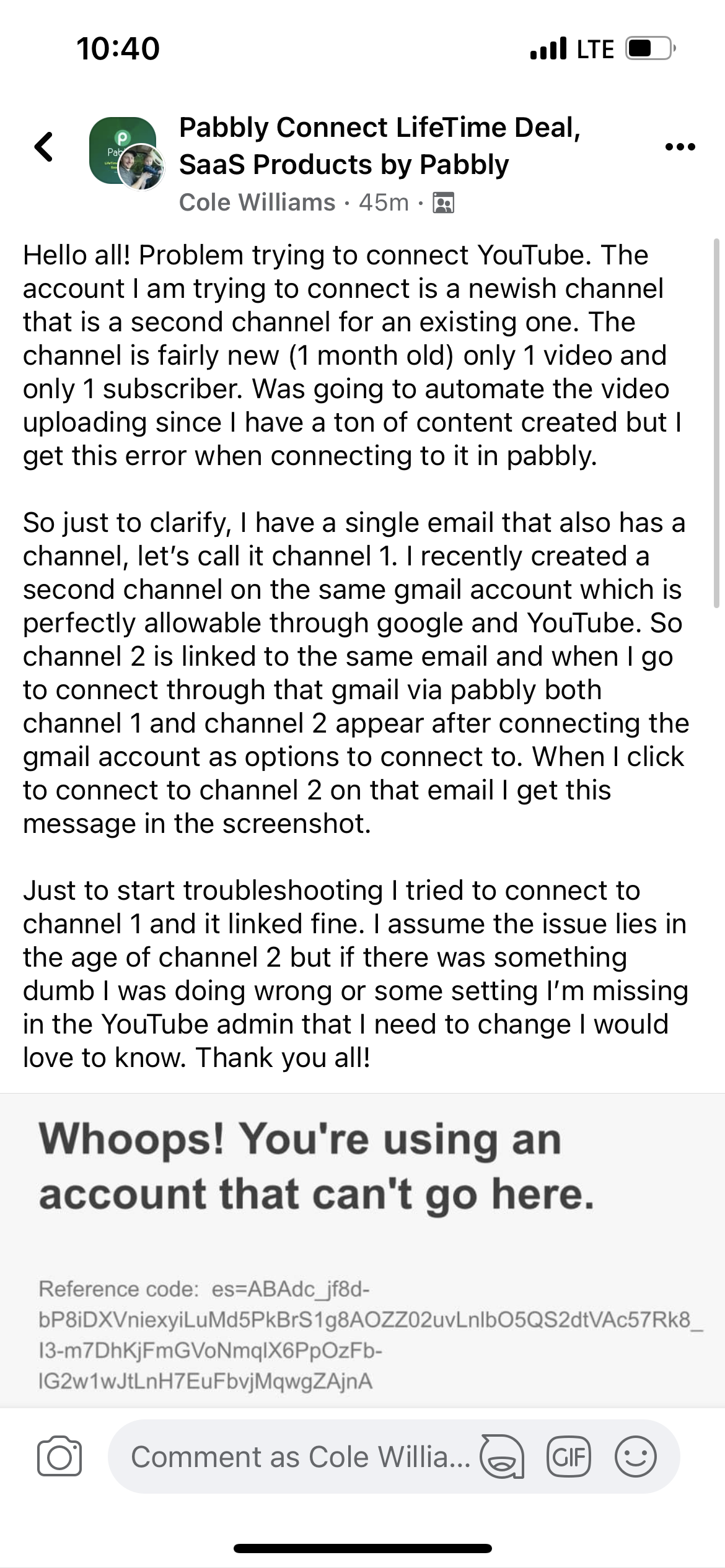
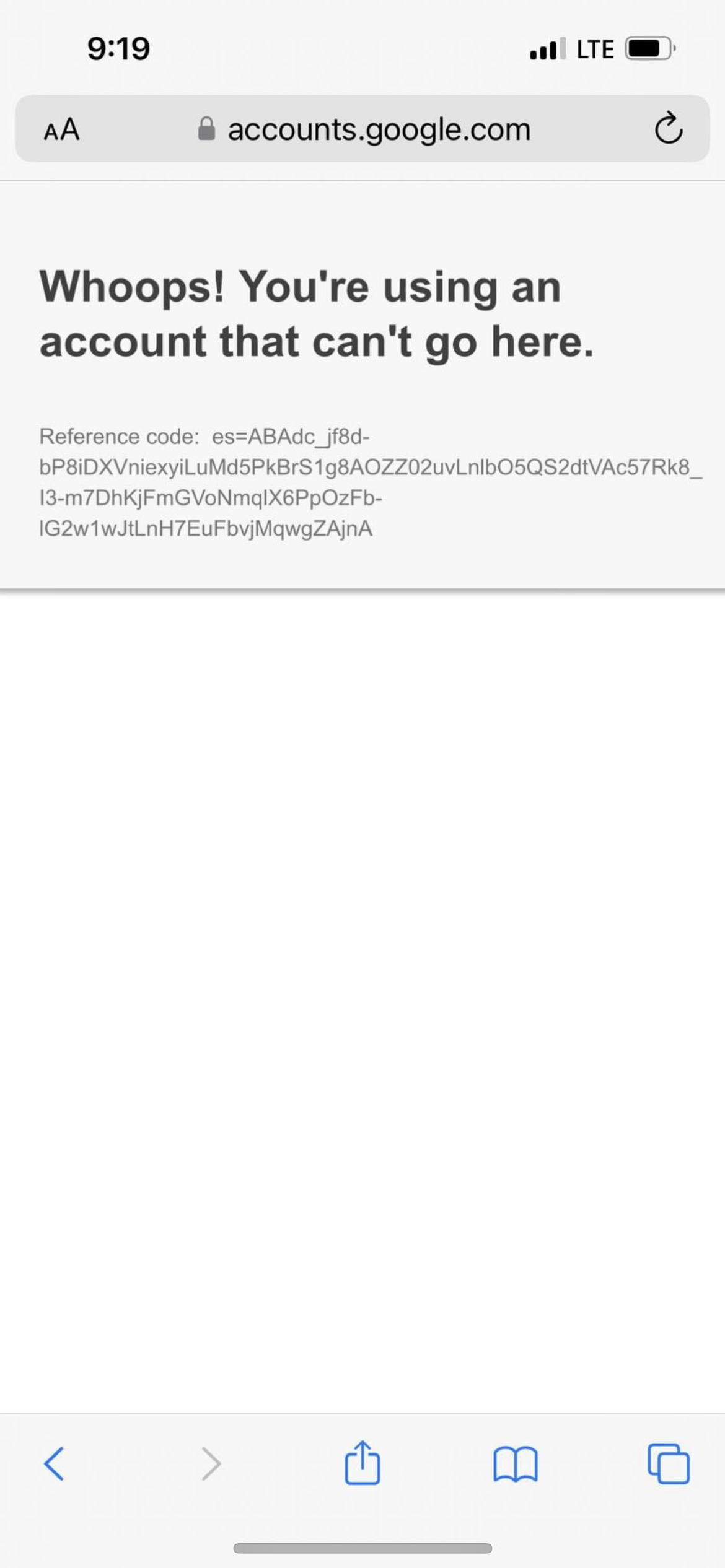
Hey @AutomationIsCool
We have conducted thorough testing to replicate the reported error using a dummy YouTube account. During this testing, we created a new channel under the primary account, and it has come to our attention that YouTube does not permit the listing of this channel in the YouTube trigger event.
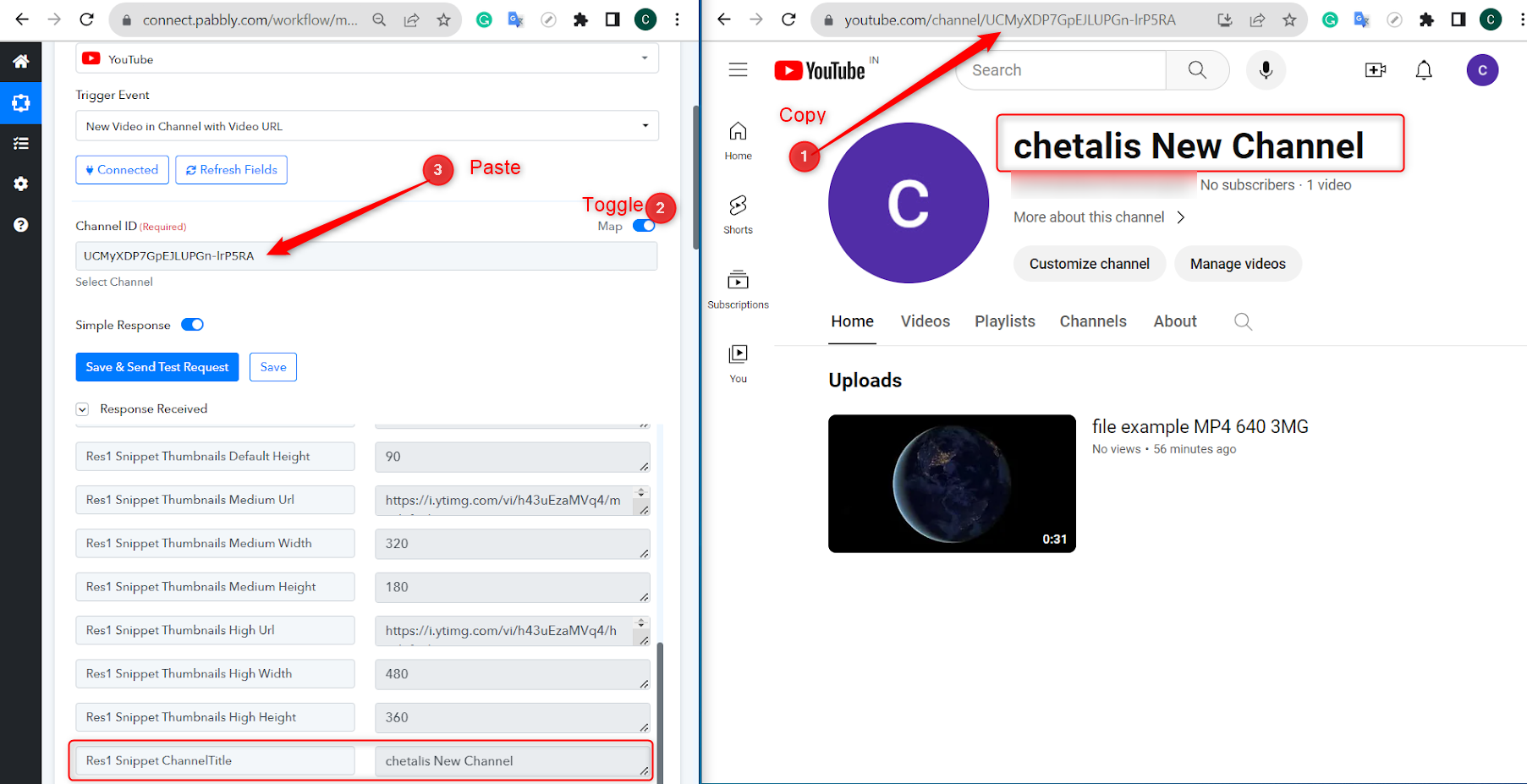
To address this issue, we have identified a viable workaround. We recommend utilizing the YouTube connection associated with your primary account and mapping the respective channel ID from your Channel Page within this context. This solution should enable the desired functionality while bypassing the restrictions encountered with the new channel under the dummy account.
Here is a short recorded video on the same - https://drive.google.com/file/d/1Cq66Lm8cZINcnrDsV1hn3lCPCPUiypRa/view?usp=sharing
Hi,
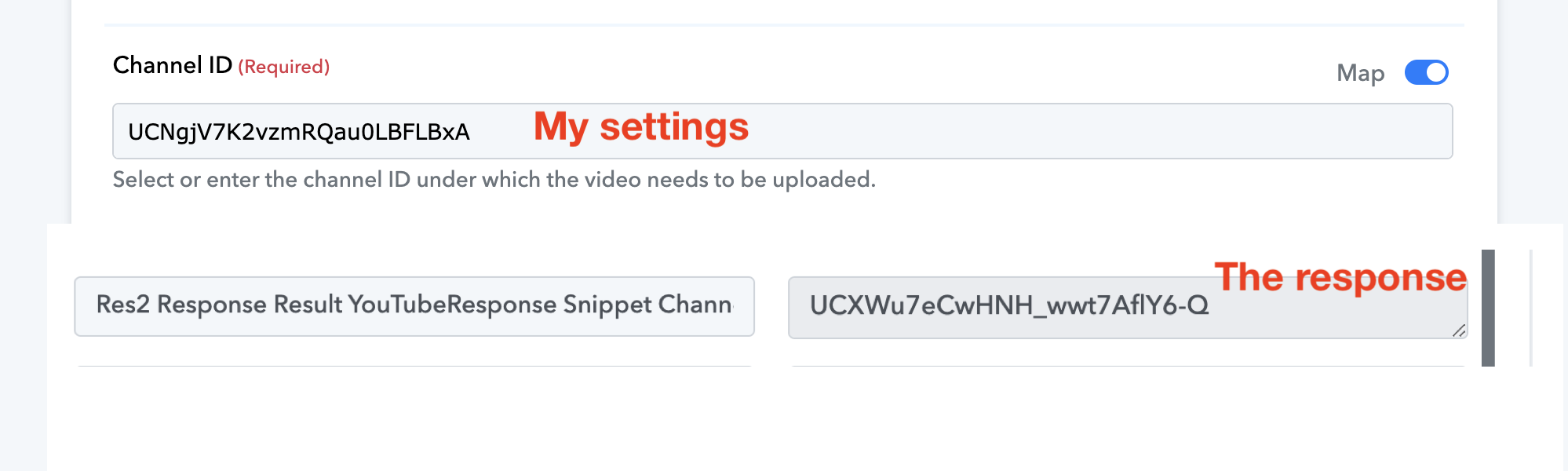
I am having the same problem but the solution is not working. I am mapping the ID of my new channel but in the response it changes automatically and publishes the video in the old one. Any workaround?
Thank you for your valuable time.
Attachments
Can you please record a short video demonstrating how you are making the connection? Also, please indicate whether you are connecting your brand account or the regular YouTube account.
Hi, is a channel under a brand account. The brand account is created automatically when creating a second channel (image attahed)
Here you can see the video:
Reel IG - HB | Pabbly Connect
Watch Video

Thanks
Attachments
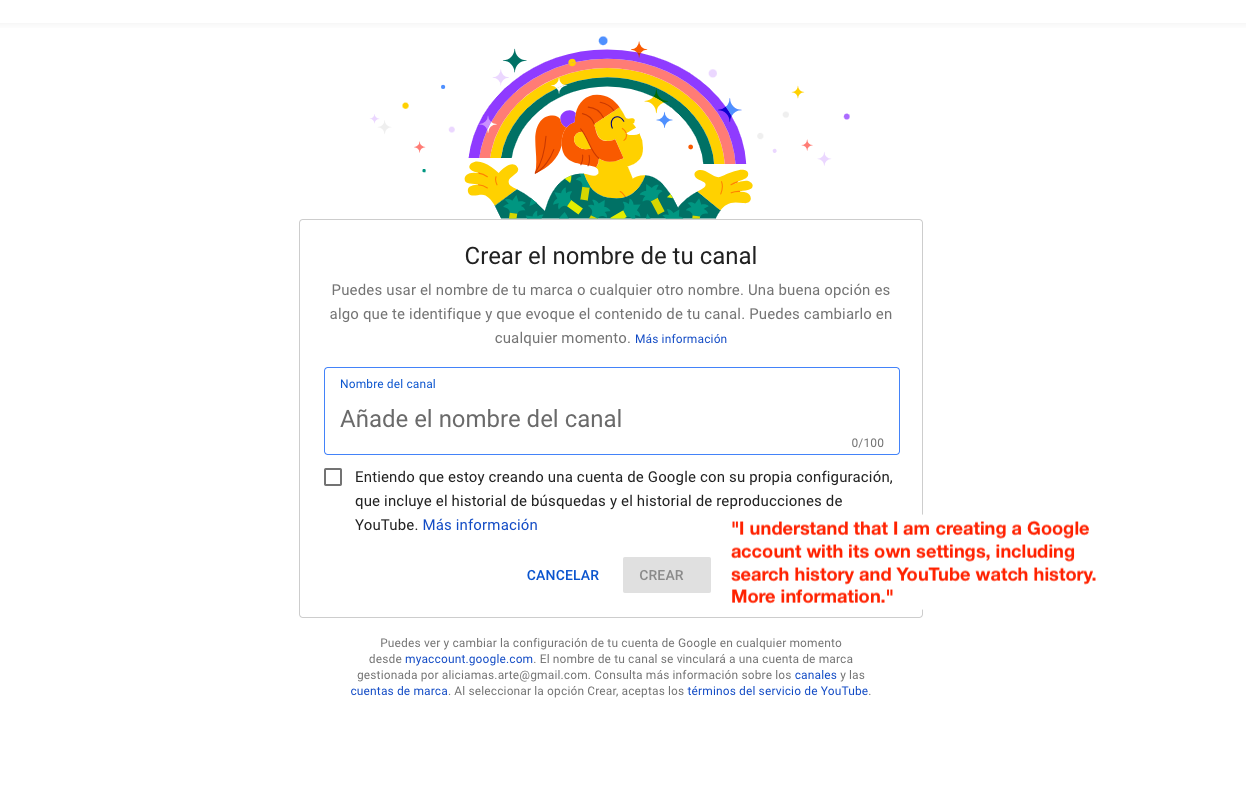
Please connect your main account and then update the channel's ID in your YouTube action step as shown in the accompanying video.
https://drive.google.com/file/d/1Cq66Lm8cZINcnrDsV1hn3lCPCPUiypRa/view?usp=sharing
Hi, I did exactly that (you can see in the video https://komododecks.com/recordings/7NWWAyg18yAK9mRpbZFW?onlyRecording=1)
1. Connect my main account (@gmail)
2. Map my brand account (associated with the same @gmail) with the channel ID from the new channel url
When triggering the workflow, it uploads the video to the main channel as if the mapping step not affect.
So, the issue seems to be that the mapping of the new channel is not working.
Thank you
Update:
as seen in this post: https://forum.pabbly.com/threads/youtube-upload-using-channel-id.20004/
When using the task "list videos" or "get channel stats" you can connect the main account, then map the brand account and works properly.
But this is not working for task "upload video" as seen in my previous video. the response and the video upload is always in the main account.
Have you tried the connection with this email address?
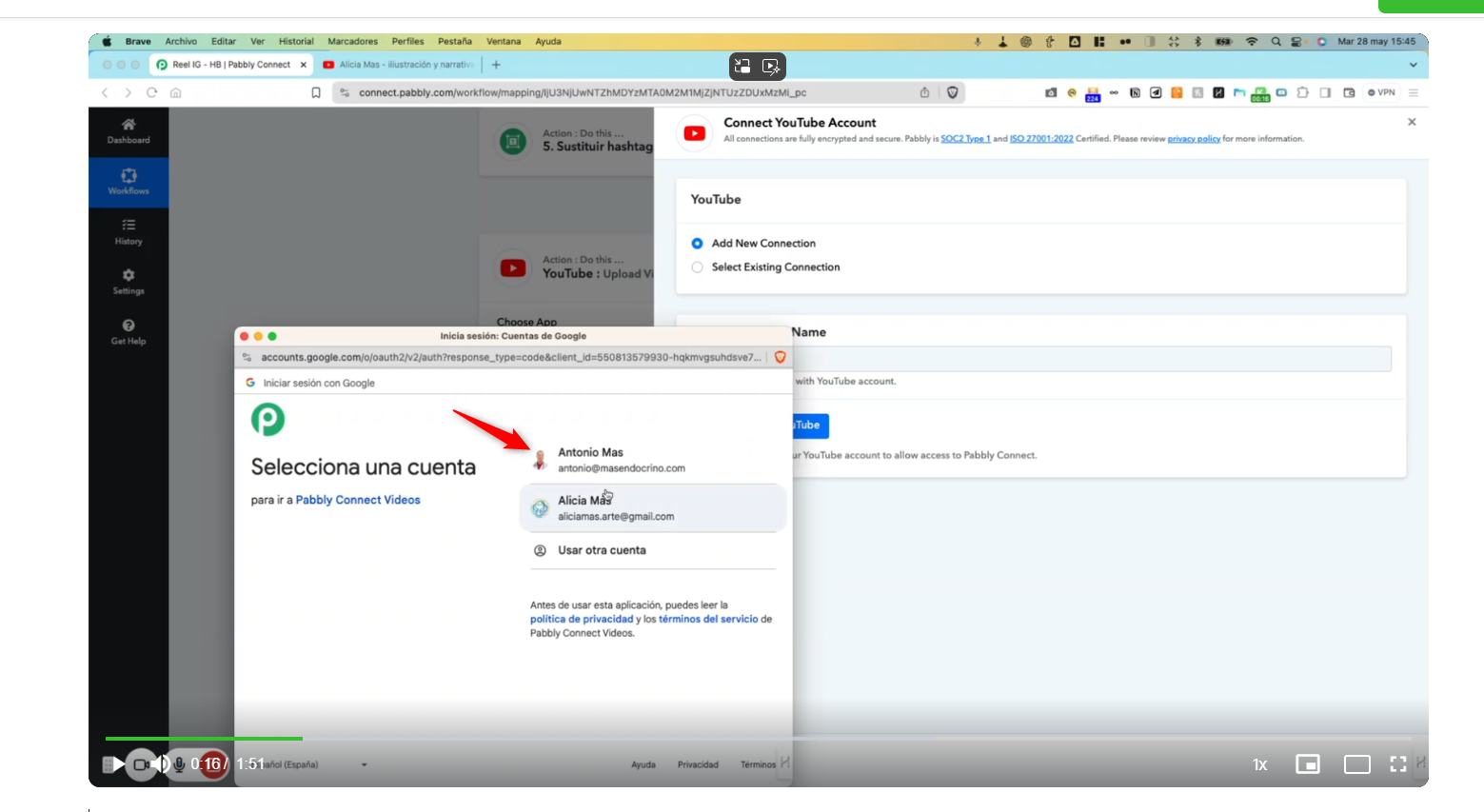
Yes, this is the main account. I am working with this in the vídeo. But i need the brand account inside the main that you say
Can you please record a short video on how you have connected your main Google Account to your YouTube action step?
Of course, in the video above ( https://komododecks.com/recordings/7NWWAyg18yAK9mRpbZFW?onlyRecording=1 )
From the beginning, you can see how i connect the brand account and then the main account.
Have you tried the connection with this email address?[IMG alt="1716980092438.png"]https://forum.pabbly.com/attachments/1716980092438-png.42735/[/IMG]
Please connect with your first Google account.
but this is another completely different account for other projects, and is working ok since years ago. The problem is with the new account with email aliciamas.arte that has standar and brand account.
Once you connect with it and change the Channel ID in the action step, it will work for the other channels accordingly.
I´ve connected my other account and the response is UNAUTHENTICATED as is other email form other project (image B)
The issue is refered to my @gmail account that has 2 channels (image A)
I understand what you said and the solution given in the first post but it is not working for me.
This is exactly what I have done (as seen in my previous video):
1. Connect the main account @gmail. (standar channel)
2. Map the ID of the secondary channel (this is under the brand account that is not possible to connect)
3. Run the workflow: it works but uploads the video in the main channel even the ID is mapped to other channel.
Any idea of what is happening here?
Thank you
Attachments
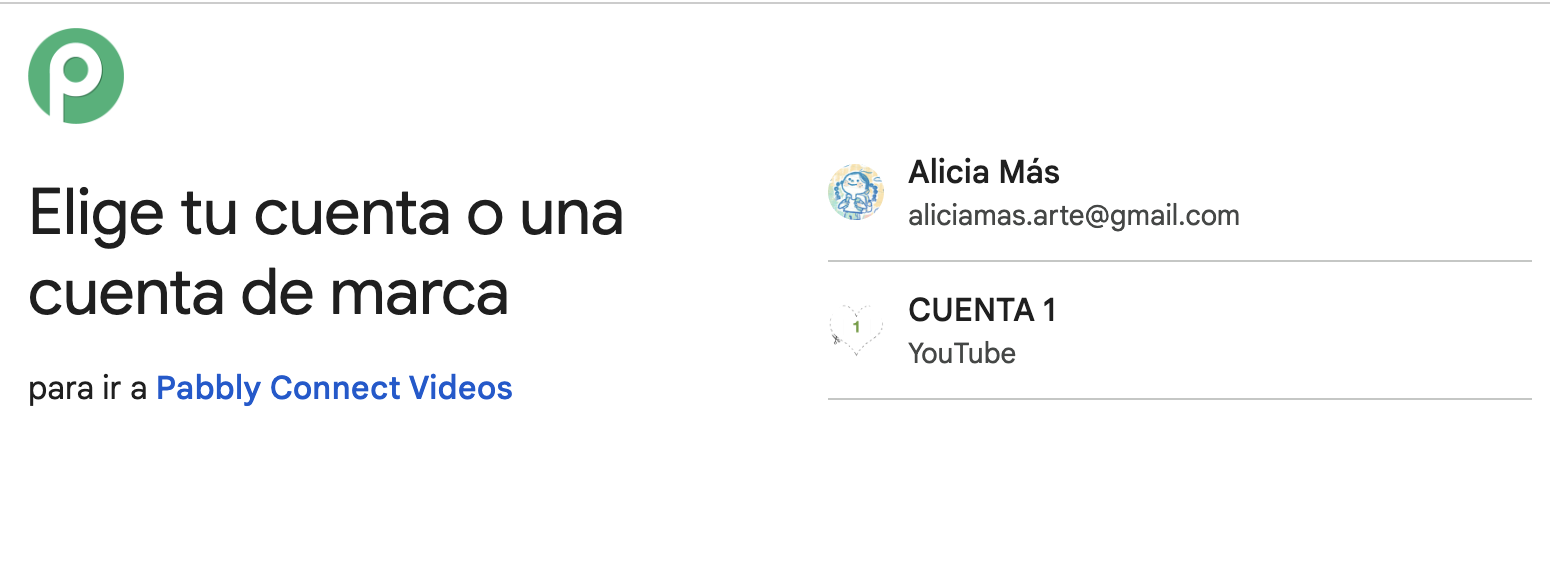
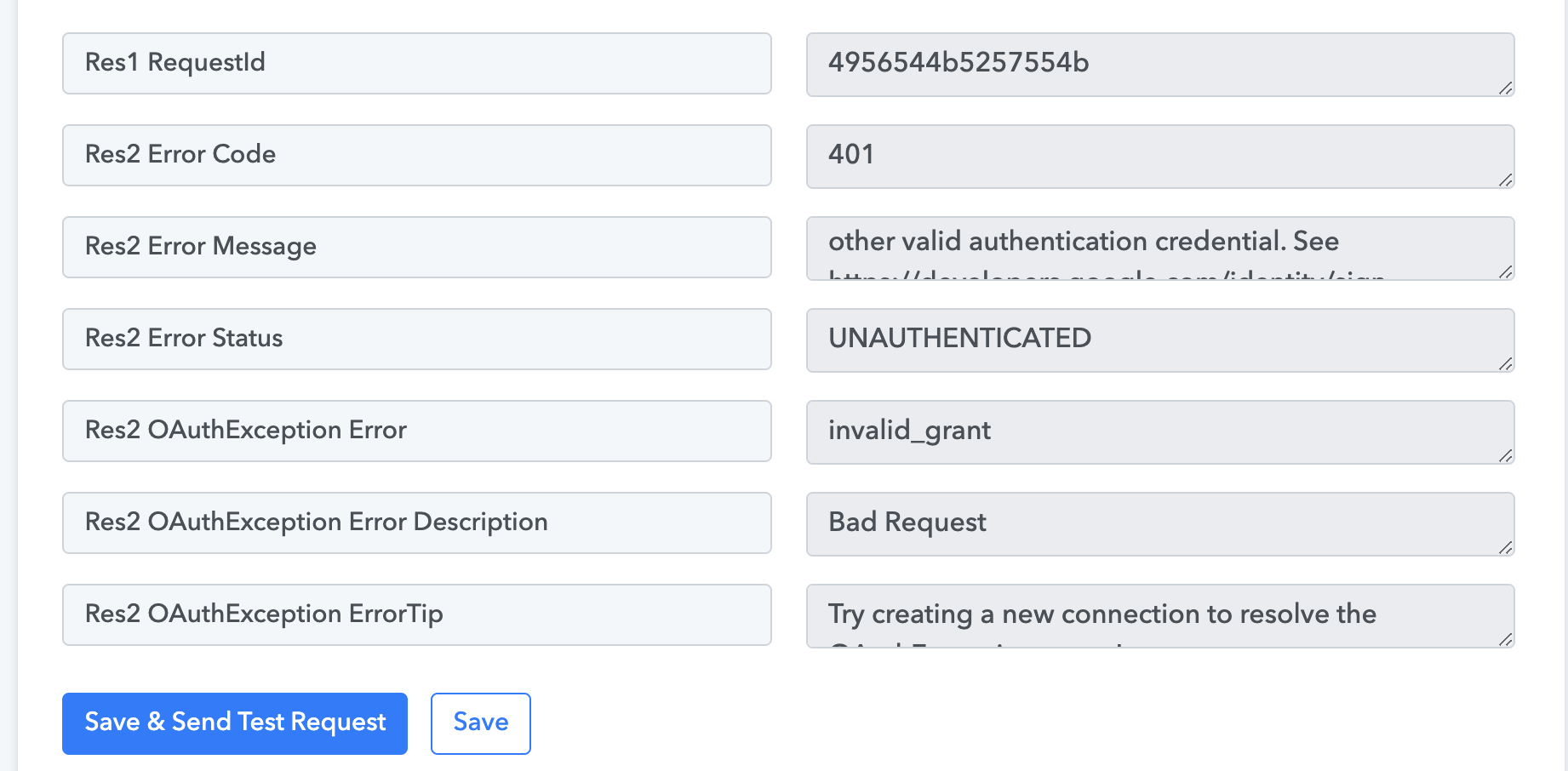
Hey @amas
Kindly share the workflow URL in which you have tried the same.
As we can see from your action step the file is uploaded accordingly.
Referred workflow - https://connect.pabbly.com/workflow/mapping/IjU3NjUwNTZhMDYzMTA0M2M1MjZjNTUzZDUxMzMi_pc
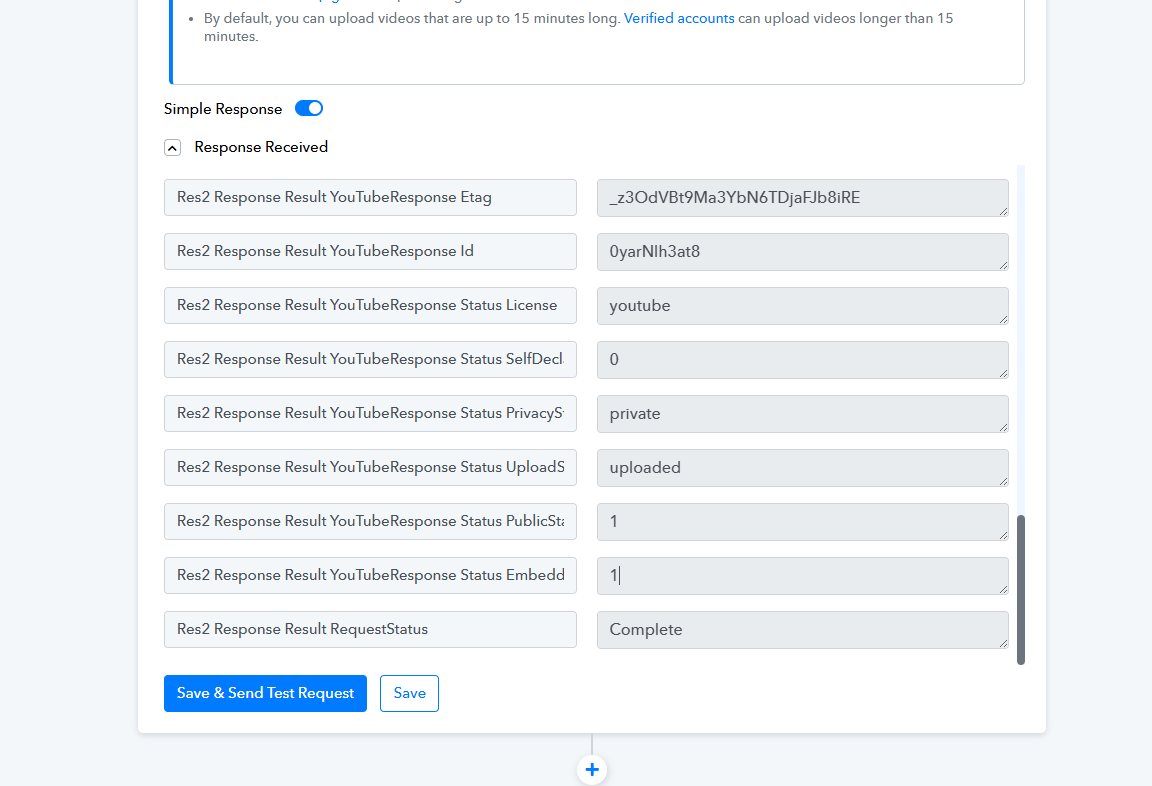
Yes, the file is uploaded but in the main channel; I need it in the brand channel that i map in the ID
Hey @amas
As per my understanding, you want an action event in YouTube that allows you to search for the brand ID, map that ID in a subsequent step, and then upload a video to the brand channel instead of the main channel. Currently, you are not able to get the brand ID, and you wish to upload the video to the brand channel. Is this correct?
Please confirm if this is what you are looking for.
Sorry, maybe I didn't explain it well.
I think what I need can be done in a single step. It would involve uploading a video to a brand channel for which I already have the ID, as it will always be the same channel.
The problem is that this brand channel cannot be connected directly because it gives an error. The solution offered above in this thread is to connect the main channel and then map the brand channel ID. This is exactly what I am doing, but the video is being uploaded to the main channel and not to the mapped ID channel.
Thank you
Hey @amas !
Thanks for joining us on call.
Can you provide us with a short video recording on how you have connected with the main account and then added the brand account id to the workflow and how it further send data to your main channel instead of the brand channel once?
So we can further provide the same to the tech team for there further investigation on the concern.
Hope, to hear from you soon.