

Add a tag in Mailchimp

Keith Dream

Member
Do I have to add a router for each time I want to add a tag in Mailchimp?
I am connecting ThriveCart to Mailchimp so we can tag them.

As I understand, we have to check (via Router) if the email address exists in Mailchimp first.
Then if it does exist, "update" the member with the tag.
If the email does not exist (not a Mailchimp subscriber yet), then add the tag.

Is this correct? Here is my workflow: https://connect.pabbly.com/workflow/share/AUkAMl4VCWlVHFMXDk0HLltMCzJUHlIEBGNVRw##

Thank you,
Keith
 
P

Pabblymember11

Guest
Hey @Keith Dream

Do I have to add a router for each time I want to add a tag in Mailchimp?
I am connecting ThriveCart to Mailchimp so we can tag them.

As I understand, we have to check (via Router) if the email address exists in Mailchimp first.
Then if it does exist, "update" the member with the tag.
If the email does not exist (not a Mailchimp subscriber yet), then add the tag.

Is this correct? Here is my workflow: https://connect.pabbly.com/workflow/share/AUkAMl4VCWlVHFMXDk0HLltMCzJUHlIEBGNVRw##
Yes, we have reviewed your workflow and it seems according to your use case. Kindly try the workflow at your end and let us know if you get stuck at any step.
 

Keith Dream

Member
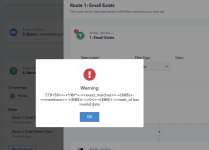
Hi again, everything looks good until I got to my router. Both routes (Mailchimp subscriber 1. exists 2. doesn't exist) give the same error.
Each router's first step is to look through "Mailchimp: Find Member" -> Exact Matches Members 0 Web Id

This was working before, but I can't understand what the error is. I've run a couple transactions on the actual product, then "Save and Send Test Request".

Any advice?
 

Attachments

  • pabbly errror router.jpg
    pabbly errror router.jpg
    201.8 KB · Views: 159
  • pabblyl mailchimp members Web id.jpg
    pabblyl mailchimp members Web id.jpg
    266.7 KB · Views: 149

Keith Dream

Member
Interestingly, it appears to be working since I did get tagged in Mailchimp when going through the process, even though the error still shows up.
 
P

Pabblymember11

Guest
Hey @Keith Dream

The HTTP Status Code which you are referring to is nothing but the server has accepted the full request but has not displayed a response.

So, you do not have to worry about that, it will work accordingly. Let us know if you get stuck at any step.
 
Top