Automations system update
Status: Answered · Asked by Alberto Bortolato on · 0 views
Hi, I saw that there will be a system update and that we’ll need to use the new method for automations.
I have quite a lot of automations. Is there a way to migrate them automatically to the new feature, or do I have to update each one manually?
Thanks
Hello Alberto,
You can migrate your existing workflows manually or let them migrate automatically to the New Builder on December 1, 2026.
We recommend migrating your workflows manually before December 1st. You can do this in two ways:
1. Single Workflow Migration:
Open the workflow in the Classic Builder.
Click the Migration button to migrate that individual workflow to the New Builder.
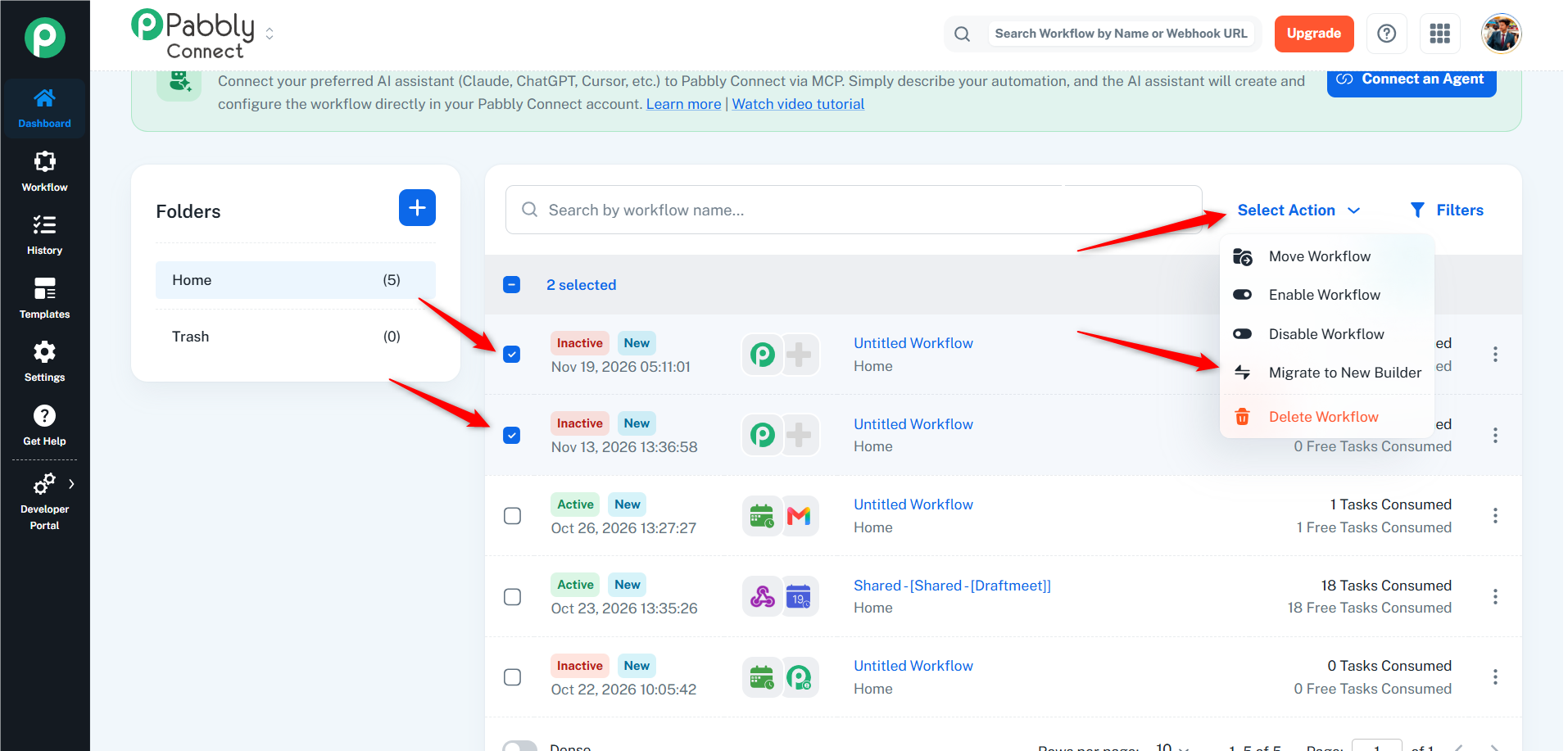
2. Bulk Migration:
Go to your Pabbly Connect Dashboard.
Select the workflows you want to migrate using the checkboxes.
Click Select Action and choose Migrate to New Builder.
You can migrate up to 100 workflows at a time. Repeat the process for the remaining workflows in batches of up to 100.
However, manual migration is not mandatory. If you prefer not to migrate them yourself, all your remaining Classic Builder workflows will be automatically migrated to the New Builder on December 1, 2026.
Until then, your existing workflows will continue to work normally.
The choice is entirely yours. You do not need to worry about manually migrating every workflow, as the remaining workflows will be automatically migrated on December 1st.
Aditya Chourey
Customer Support Associate
🌐 Pabbly.com
https://blackfriday.pabbly.com/