

To add extra fields in create lead action follow the steps given below
1. First get all fields of Lead from Get Lead Fields action response.
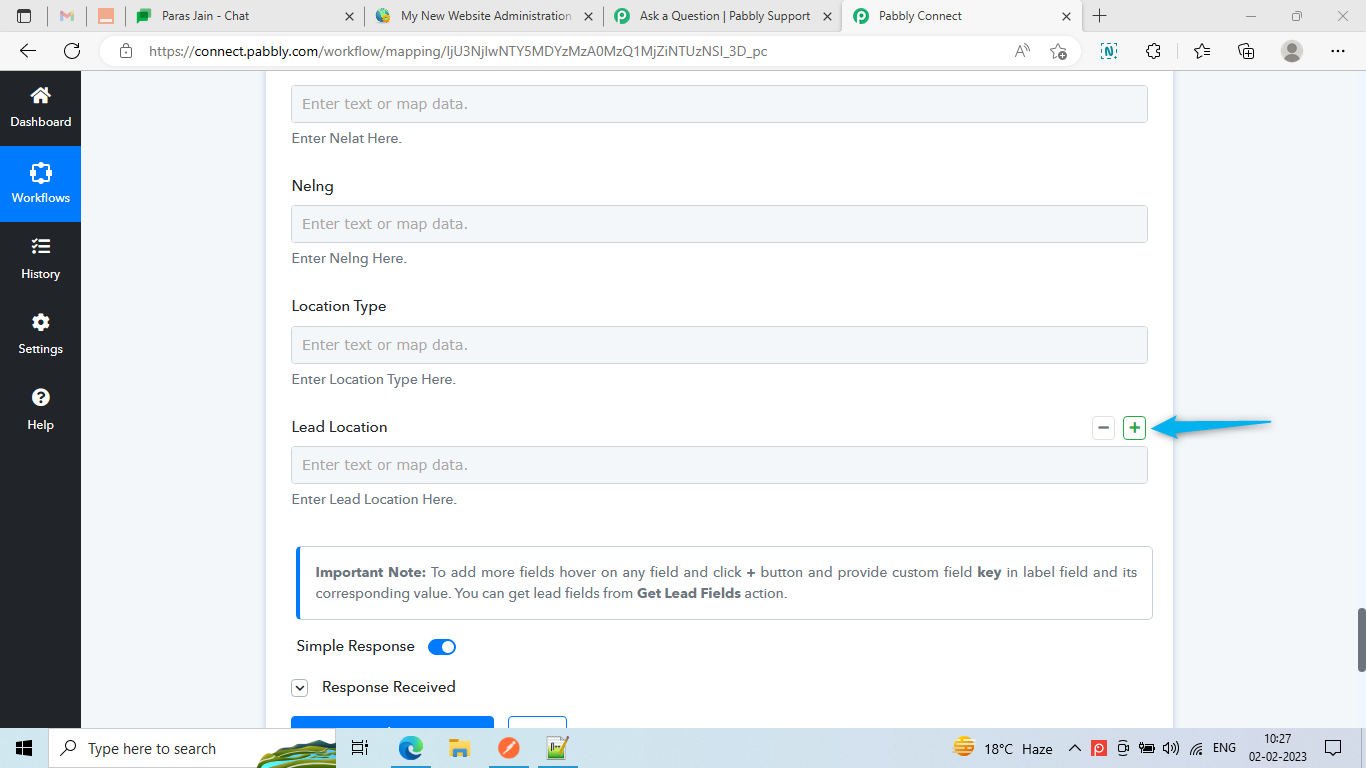
2. Hover on the any existing fields in Create lead action & click + button.
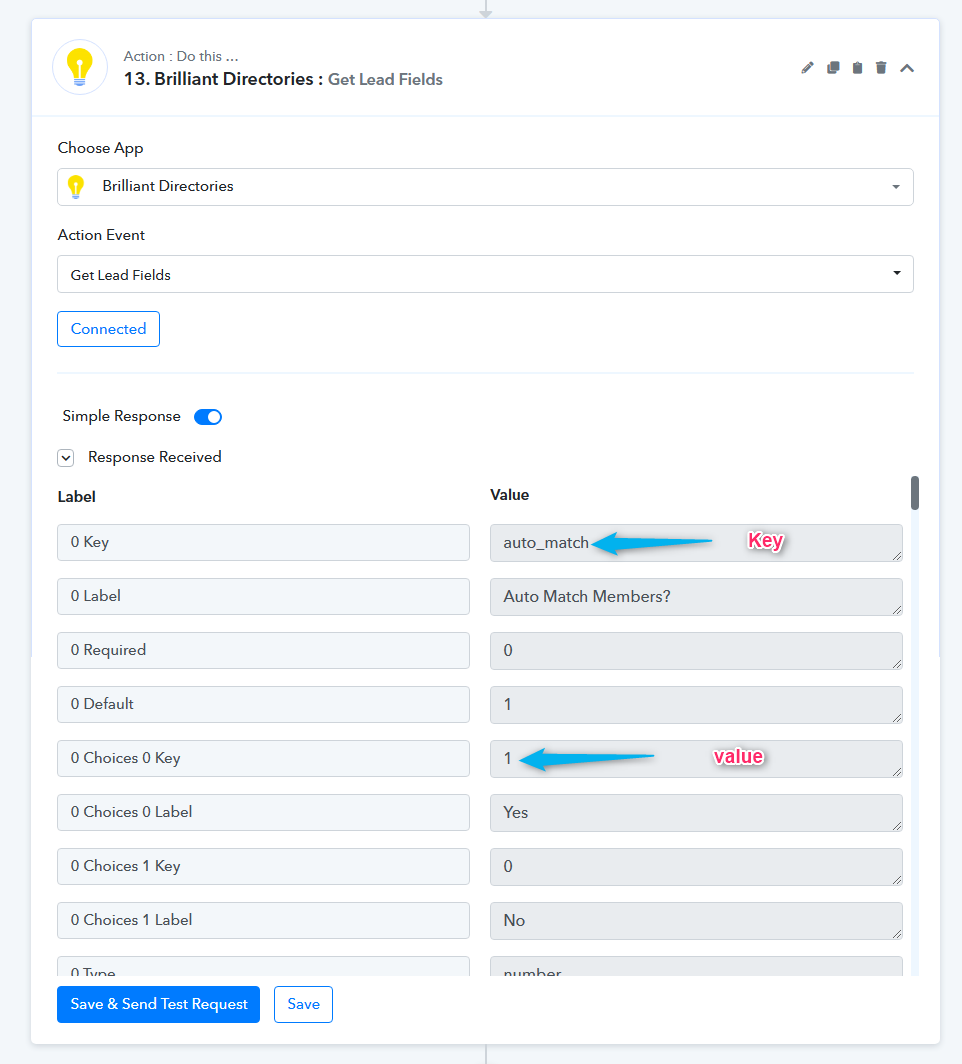
3. Copy the key of specific field from Get Lead Fields action response and paste the key in the Label field.
4. Pass the value corresponding to the label.
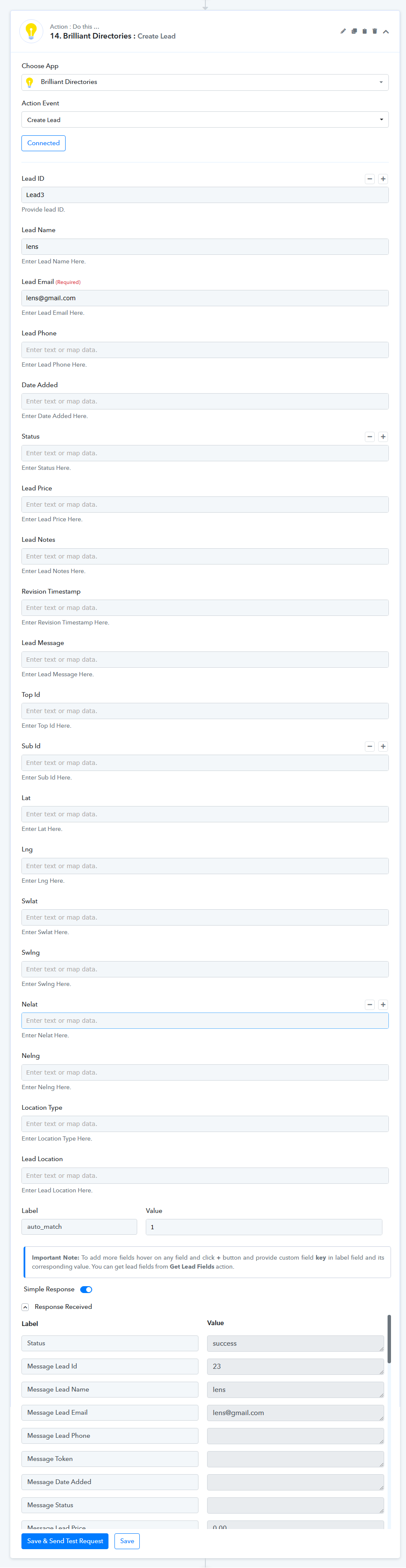
Note: For Choices type field pass the choices key in Value field.
1. First get all fields of Lead from Get Lead Fields action response.
2. Hover on the any existing fields in Create lead action & click + button.
3. Copy the key of specific field from Get Lead Fields action response and paste the key in the Label field.
4. Pass the value corresponding to the label.
Note: For Choices type field pass the choices key in Value field.

