oscarbnihrane
Member
Hey everyone,
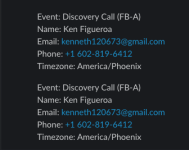
I’ve got a Pabbly Connect workflow where every time we book an appointment in Calendly, it sends the details to Slack. The problem is, for every single booking, I get two Slack notifications instead of one.
When I tried to fix this by reconnecting the Calendly trigger, I got the following warning:
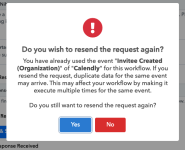
“Do you wish to resend the request again?
You have already used the event ‘Invitee Created (Organization)’ of ‘Calendly’ for this workflow. If you resend the request, duplicate data for the same event may arrive. This may affect your workflow by making it execute multiple times for the same event.
Do you still want to resend the request again?”
I’m assuming this is what’s causing the duplicates, but I’m not sure how to properly fix it without breaking the workflow.
Here’s the workflow link for reference:
 connect.pabbly.com
Any idea how to stop this from triggering twice per appointment?
Thanks in advance!
I’ve got a Pabbly Connect workflow where every time we book an appointment in Calendly, it sends the details to Slack. The problem is, for every single booking, I get two Slack notifications instead of one.
When I tried to fix this by reconnecting the Calendly trigger, I got the following warning:
“Do you wish to resend the request again?
You have already used the event ‘Invitee Created (Organization)’ of ‘Calendly’ for this workflow. If you resend the request, duplicate data for the same event may arrive. This may affect your workflow by making it execute multiple times for the same event.
Do you still want to resend the request again?”
I’m assuming this is what’s causing the duplicates, but I’m not sure how to properly fix it without breaking the workflow.
Here’s the workflow link for reference:
Pabbly
connect.pabbly.com
Any idea how to stop this from triggering twice per appointment?
Thanks in advance!